Installation
REAR VIEW FRONT VIEW
2
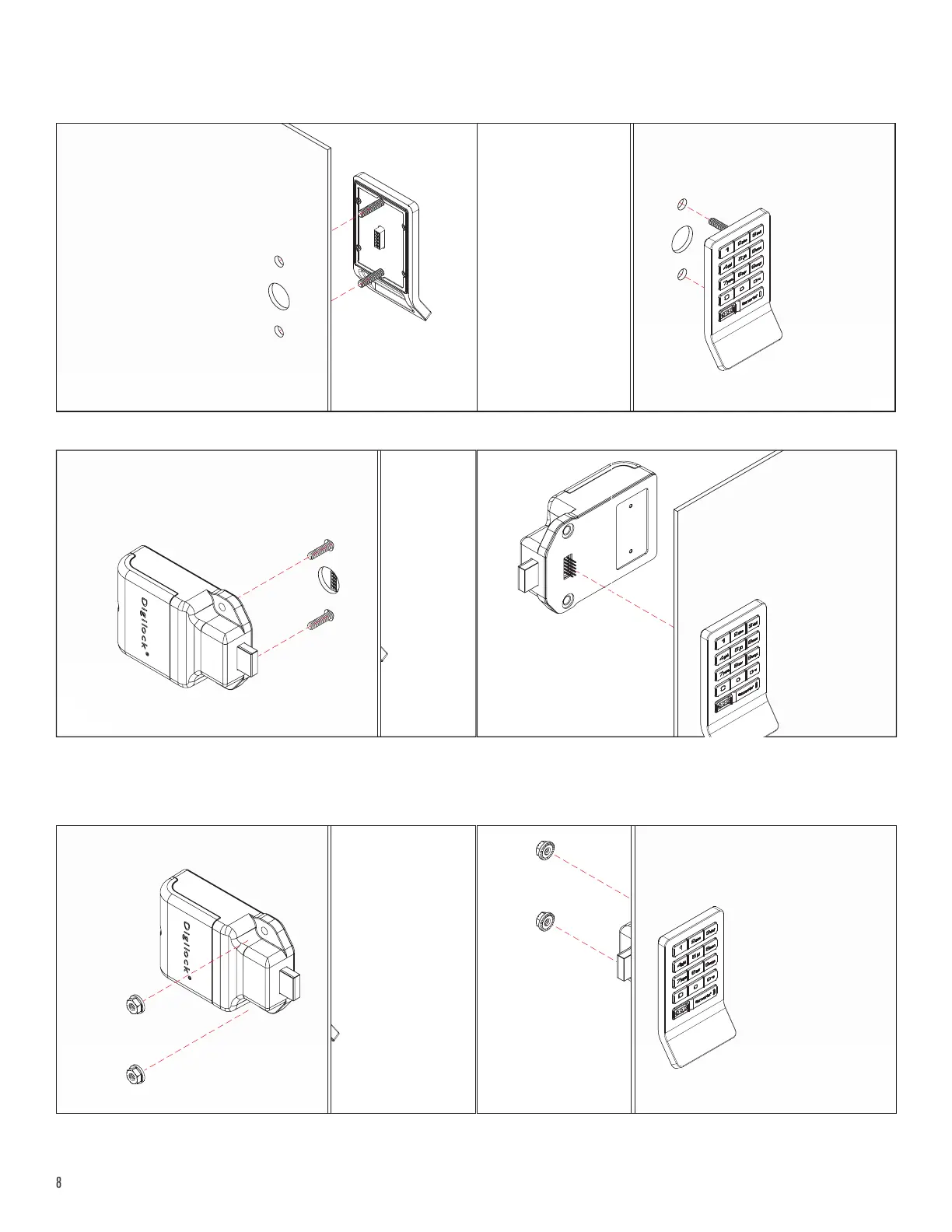
Hold the front unit against the front of the door. Use the rear unit mounting holes as a guide, then slide the front and rear units together.
Make sure the connector pins align properly with the connector.
If properly connected, a triple beep will be heard and the LED will ash three times.
For illustration, a keypad front unit with a bolt rear unit is used.
REAR VIEW FRONT VIEW
1
Insert the front unit screw posts through the door mounting holes.
REAR VIEW FRONT VIEW
3
Insert the locking nuts on the screw posts and tighten using the ratchet/screw gun. Do not over tighten.



 To Next Page