REAR VIEW FRONT VIEW
1
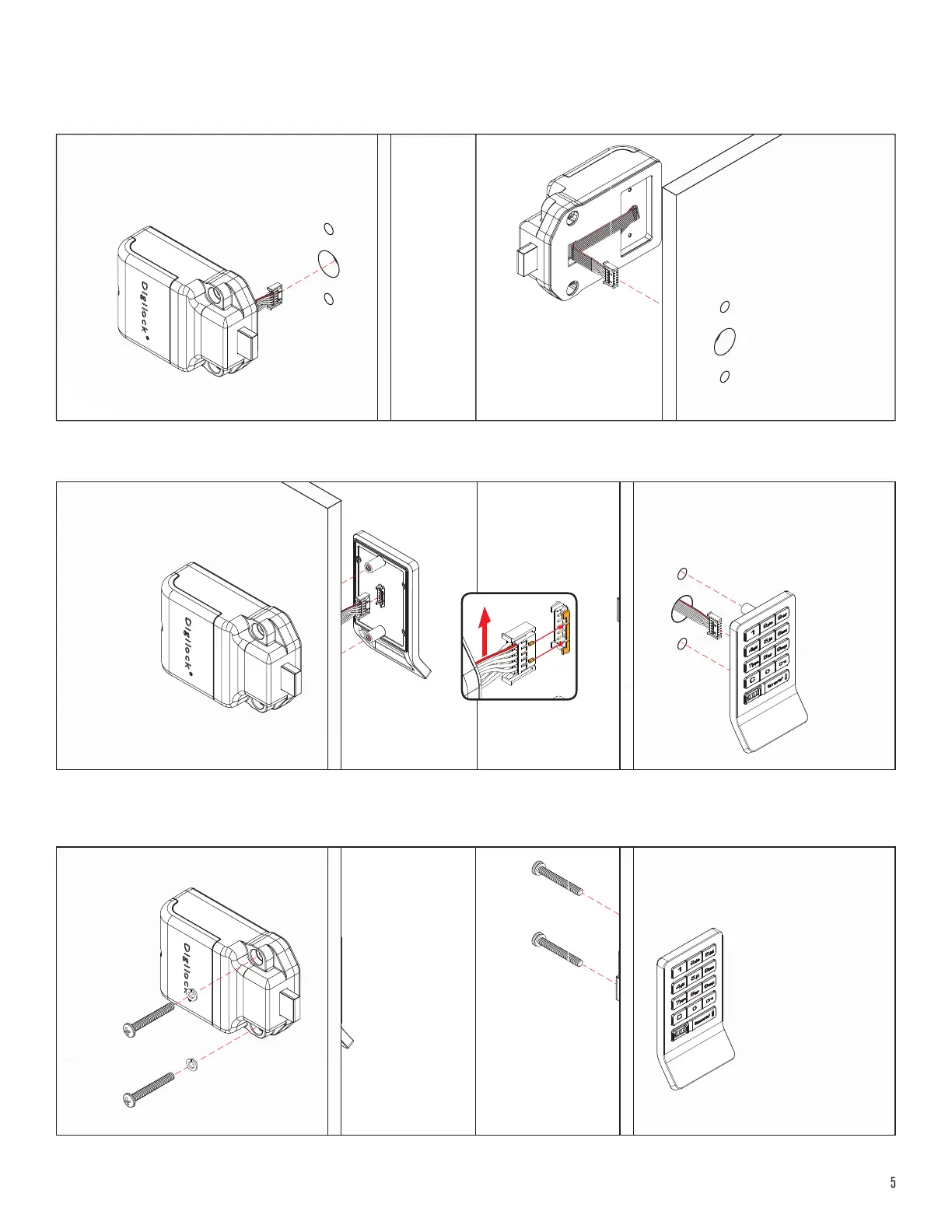
With the rear unit behind the door, extend the cable through the door’s mounting hole.
Installation
For illustration, a keypad front unit with a bolt rear unit is used.
REAR VIEW FRONT VIEW
3
Hold the front and rear units against the door and secure with the mounting screws. Ensure the remaining cable is not pinched.
REAR VIEW FRONT VIEW
2
Orient the cable with the red wire position on the top of the ribbon (see g-1). Attach the cable to the front unit using the corresponding
channel guides to ensure the snap connector is properly secured. Once connected a triple beep indicates successful connection.
g.-1



 To Next Page