_jjli:i£ IIIlIIIII!i!!lII:IIIlIII"""IIIlIII ••,
m
I
j
How to change audio preference.
MPAA Rating System (Movies)
G: General audience. No restriction.
PG: Parental guidance suggested. Some material may not be suitable for children.
PG.13: Parents strongly cautioned. Some material may be inappropriate for children under 13.
R: Restricted. Under 17 requires accompanying parent or adult guardian.
NC-17: No one 17 and under admitted.
X: Adults only.
Setting
up the
Audio
and
Video
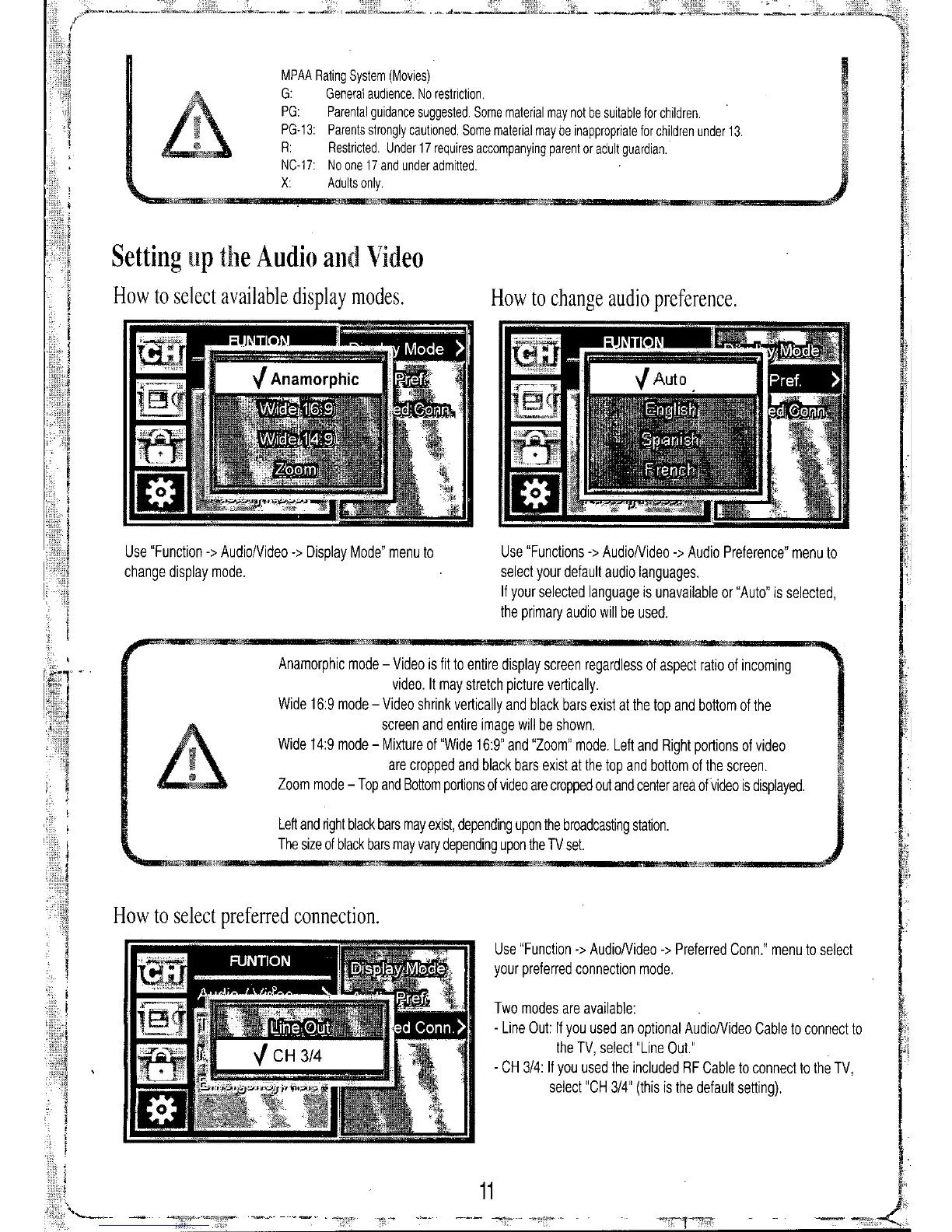
How to select available display modes.
Use "Function
->
Audio/Video
->
Display Mode" menu to
change display mode.
Use "Functions
->
AudioNideo
->
Audio Preference" menu to
select your default audio languages.
If your selected language is unavailable or "Auto" is selected,
the primary audio will be used.
Anamorphic mode - Video is fit to entire display screen regardless of aspect ratio of incoming
video. It may stretch picture vertically.
Wide 16:9 mode - Video shrink vertically and black bars exist at the top and bottom of the
screen and entire image will be shown.
Wide 14:9 mode - Mixture of "Wide 16:9" and "Zoom" mode. Left and Right portions of video
are cropped and black bars exist at the top and bottom of the screen.
Zoom mode - Top and Bottom portions of video are cropped out and center area of video is displayed.
Left and right black bars may exist, depending upon the broadcasting station.
The size of black bars may vary depending upon the TV set.
U@
How to select preferred connection.
Use "Function
->
AudioNideo
.>
Preferred Conn." menu to select
your preferred connection mode.
Two modes are available:
- Line Out: If you used an optional AudioNideo Cable to connect to
the TV, select "Line Out."
- CH 3/4: If you used the included RF Cable to connect to the TV,
select "CH 3/4" (this is the default setting).
11


 To Next Page