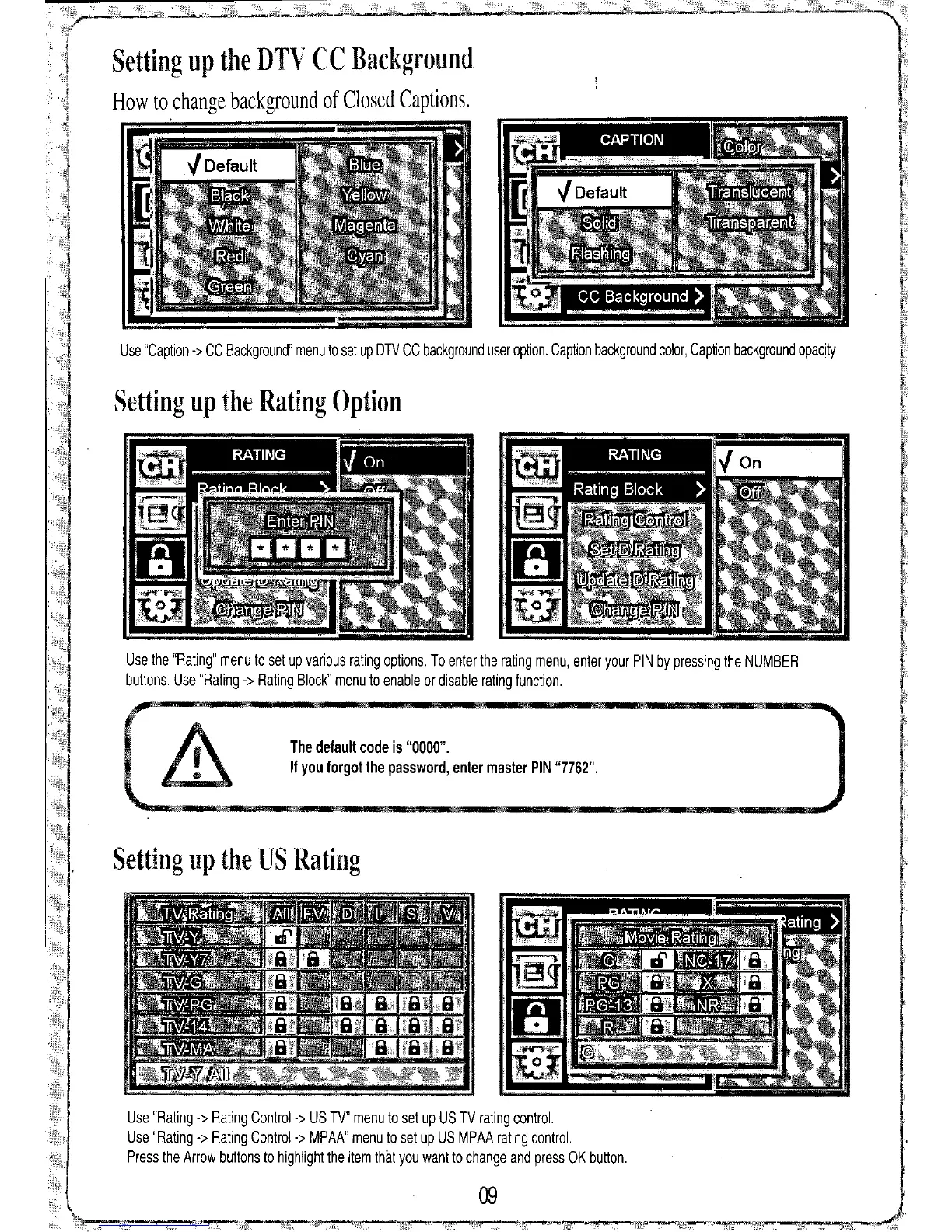
The default code
is
"0000".
If
you forgot the
password, enter master PIN
"7762",
09
Use "Rating -> Rating Control-> US TV" menu to set up US TV rating control.
Use "Rating -> Rating Control-> MPAA" menu to set up US MPAA rating control.
Press the Arrow buttons to highlight the item thilt you want to change and press OK button.
Use the "Rating" menu to set up various rating options, To enter the rating menu, enter your PIN by pressing the NUMBER
buttons. Use "Rating -> Rating Block" menu to enable or disable rating function.
Use "Caption -> CC Background" menu to set up DTV CC background user option, Caption background color, Caption background opacity
Setting up the Rating Option
Setting up the US Rating
Setting up the DTV CC Background
How to change background of Closed Captions,


 To Next Page