65 | VMAX960H CORE™ Digital Video Recorder
6.4.6 Site List
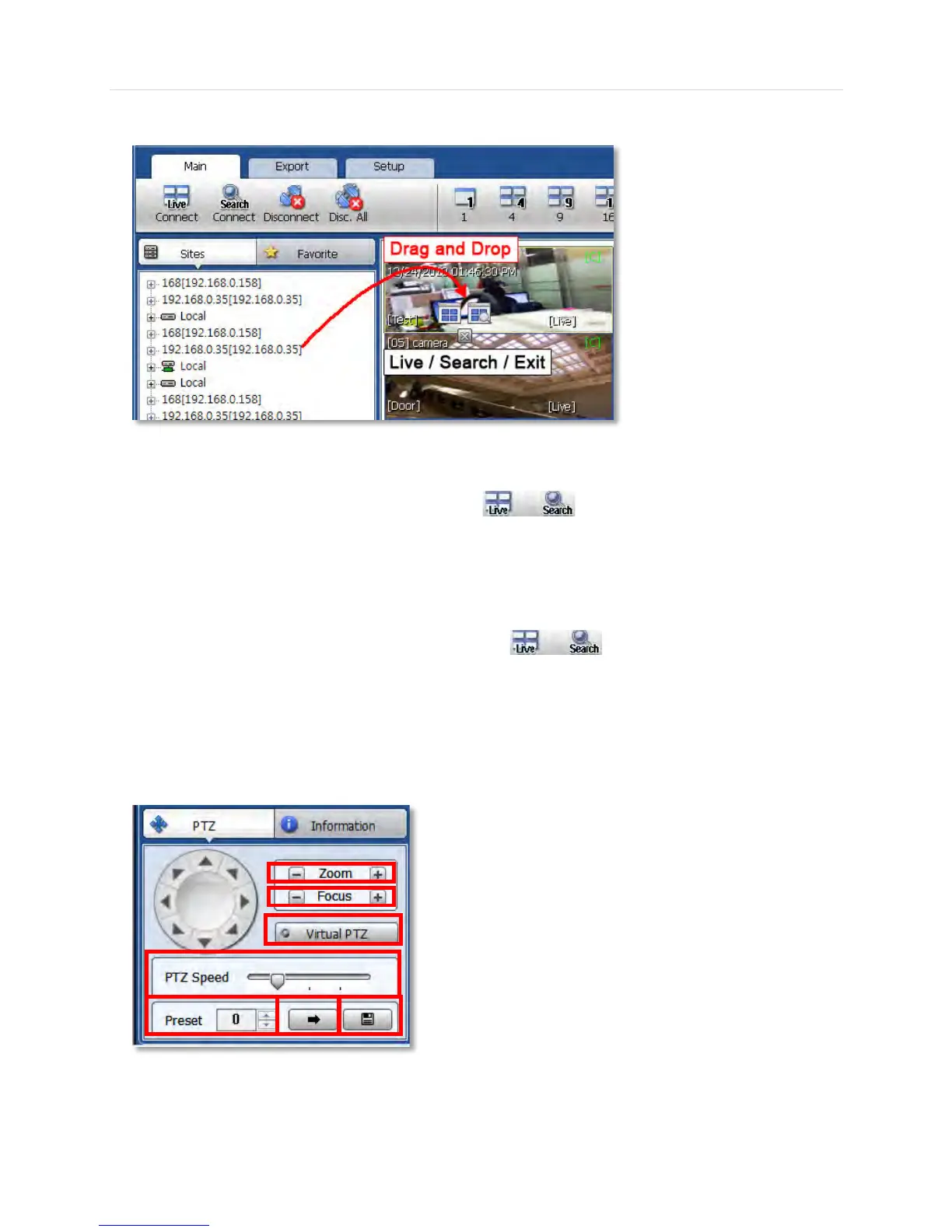
The Site List displays all of the sites that are currently setup for remote connection with the Pivot software.
To view a device from the sites list:
1. Click on the site’s name and drag it from the site list panel onto the viewing area.
2. Select to view the site in live or search mode ( ).
3. You can also right-click on the device name and select ‘Live’ or ‘Search’ from the drop-down menu
options.
To view a single camera from a device:
1. Click the + button next to the device list. This will collapse the view to display all cameras connected
to the device.
2. Click on the camera’s name and drag it from the site list panel onto the viewing area.
3. Select to view the camera in live or search mode
( ).
4. You can also right-click on the device name and select ‘Live’ or ‘Search’ from the drop-down menu
options.
6.4.7 PTZ Control
Any PTZ camera properly setup from the DVR can be controlled using the Pivot’s virtual joystick in Live mode.
①
②
③
④
⑤
⑥ ⑦ ⑧



 To Next Page