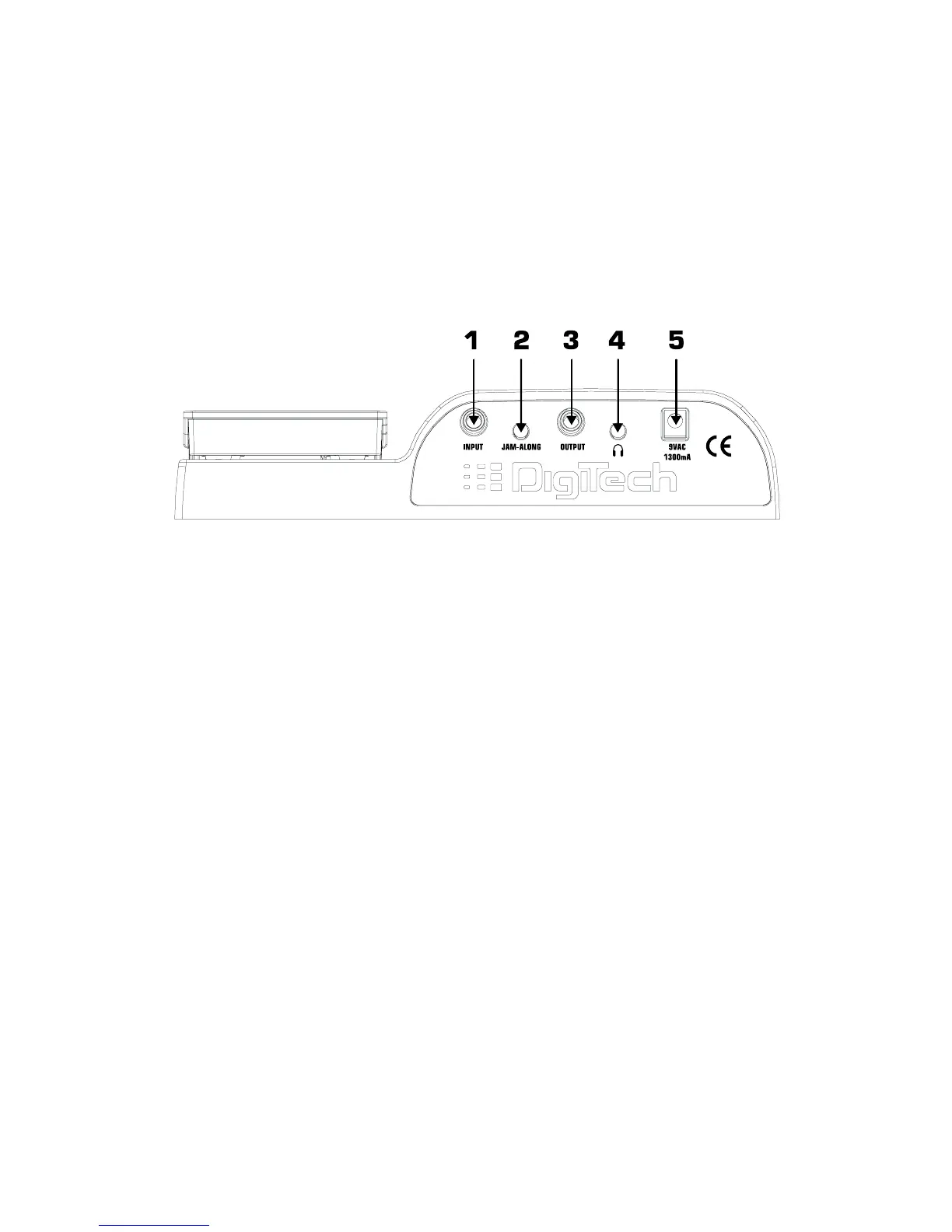
Rear Panel
1. Input - Connect your instrument to this jack.
2. Jam-A-Long - Connect the stereo output of a tape or CD player to this 1/8” stereo TRS jack
for rehearsing with your favorite pre-recorded material.
3. Output - This is a stereo TRS jack.Connect from this jack to the input of a single amplifier for
mono applications,or use a TRS stereo “Y” cord to connect to the inputs of 2
amplifiers for stereo applications.
4. Headphones - Connect a pair of stereo headphones to this 1/8” jack.
5. Power Input - Connect only the DigiTech PS0913B power supply to this jack.
5




 To Next Page