SYSTEM 3000 to 3505 CONVERSION MANUAL
DIGITIZE, INC. 700254-0001 REV B 02/04
Specifications Subject to Change Without Notice
3-11
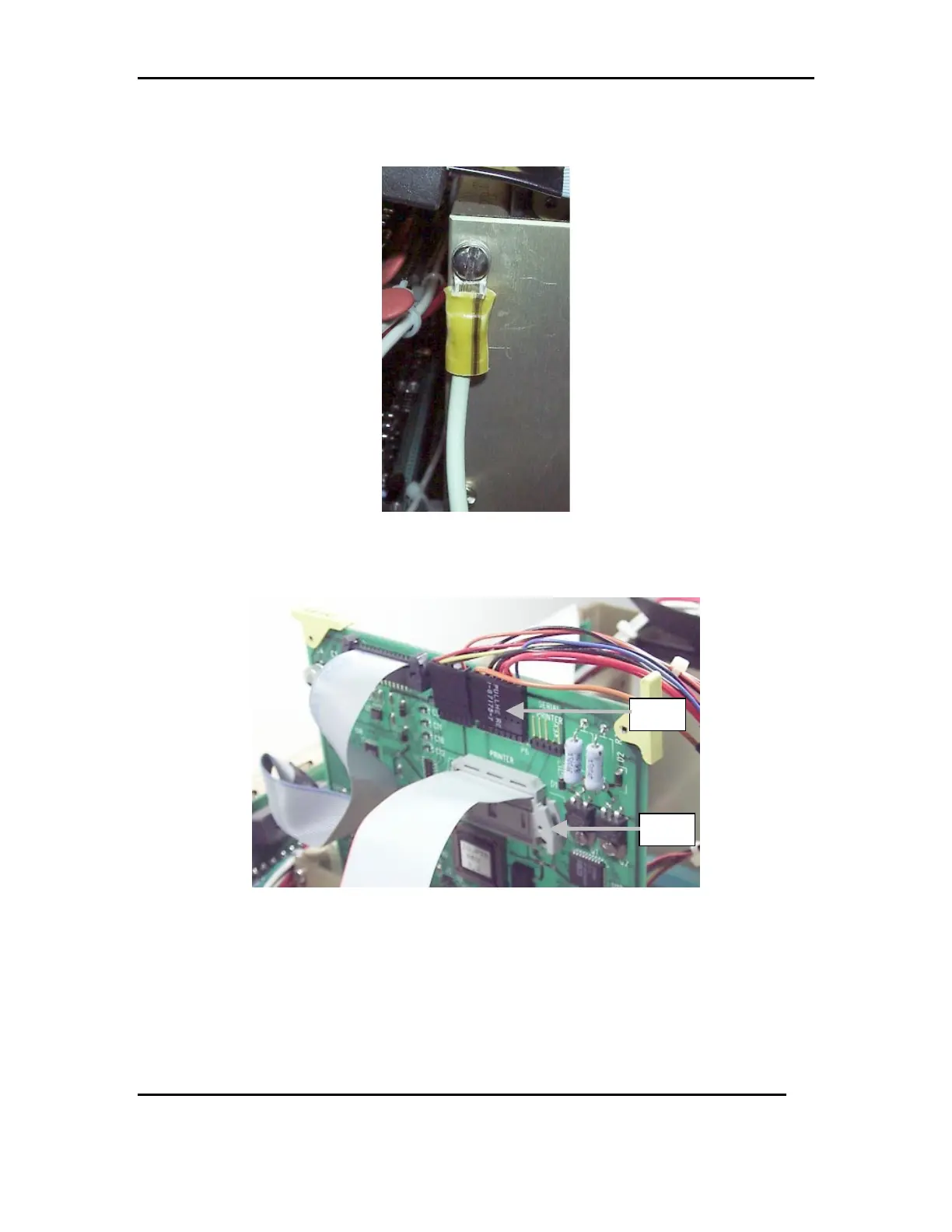
3.7.3 Attach the green and yellow ground wire to the upper left side of the card
cage. See FIG 7c
FIG 7c
3.7.4 Connect the printer power cable harness to P6 of the PRT/KB card and the
printer ribbon cable to P3 of the PRT/KB card. See FIG 7d.
FIG 7d
3.7.5 Carefully lower the PRT/KB card down on to the motherboard, taking care
not to loosen or disconnect the printer ribbon cable.
P6
P3



 To Next Page