SYSTEM 3000 to 3505 CONVERSION MANUAL
DIGITIZE, INC. 700254-0001 REV B 02/04
Specifications Subject to Change Without Notice
3-10
3.7 PRINTER MECH INSTALLATION.
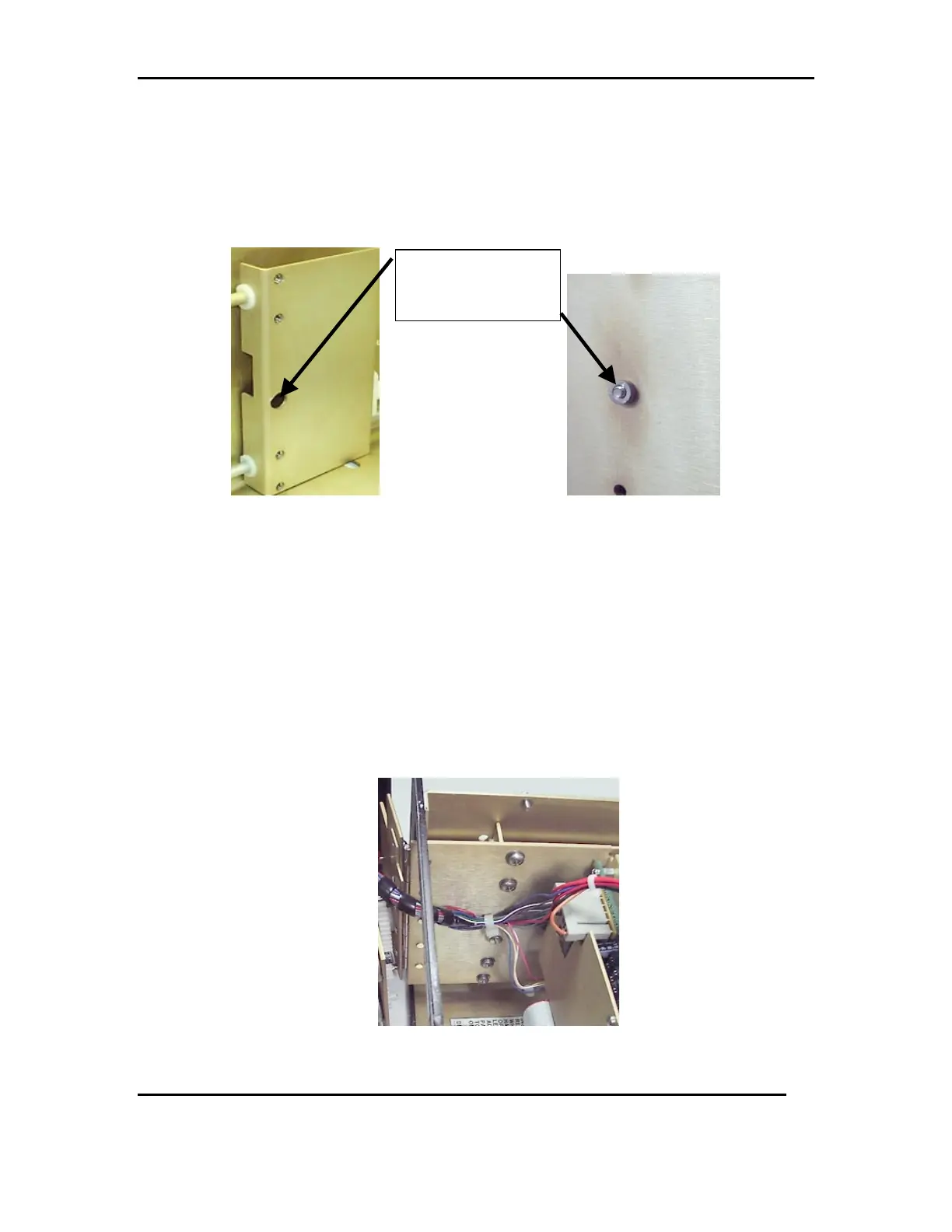
3.7.1 Pull the printer slide bracket to the front of the system, use the center hole
and the protruding screw holder on the printer, to line up the screw holes
for attaching the printer to the bracket. See FIG 7a.
FIG 7a
3.7.2 Attach the printer to the slide bracket with only the outer two screws
holes, using 2, 8-32x3/8 pan head screws, 2, #8 split washers and 2, #8 flat
washers. Do not tighten, allowing for adjustments to be made to the
printer. Slide the printer close to check:
1. Do the cabinet latches fit together snug and firmly?
2. Does the printer door fit securely into the system?
Make the necessary adjustments, by moving the printer, then tighten down
the outer screws. Use 2, 8-32x3/8 pan head screws, 2, #8 split washers
and 2, #8 flat washers to finish securing the printer to the slide bracket.
See FIG 7b.
.
FIG 7b
Slide Bracket
And
Printer MECH



 To Next Page