SYSTEM 3000 to 3505 CONVERSION MANUAL
DIGITIZE, INC. 700254-0001 REV B 02/04
Specifications Subject to Change Without Notice
2-1
2.0 SYSTEM 3000 Disassembly
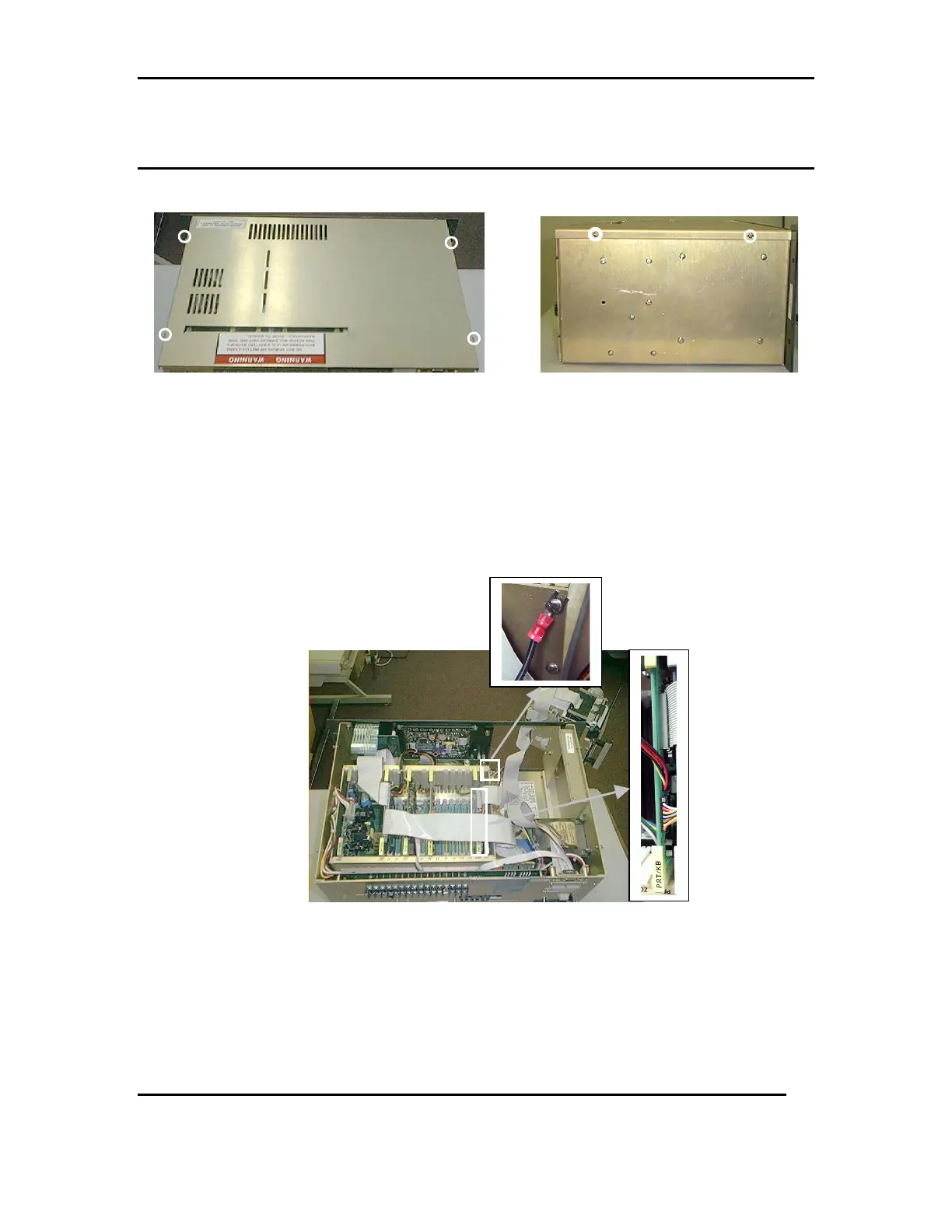
FIG 1a FIG 2a
2.1 Using a flat head screw driver, loosen the four screws holding the system cover in
place. Refer to FIG 1a &2a
2.2 With the cover removed, pull the printer mechanism fully out. Then disconnect the
printer MECH ribbon and power cable from the printer card. Disconnect the ground
wire located on the side of the card cage. Refer to FIG 3a
FIG 3a
GROUND WIRE
RIBBON CABLE
POWER CABLE



 To Next Page