SYSTEM 3000 to 3505 CONVERSION MANUAL
DIGITIZE, INC. 700254-0001 REV B 02/04
Specifications Subject to Change Without Notice
1-1
1.0 Preparation for SYSTEM Upgrade:
1.1 Tools:
The following tools are required to perform the system upgrade:
1. Assorted slotted screw drivers.
2. Assorted Phillips head screw drivers.
3. 11/32 open end wrench.
4. Diagonal cutters.
5. 7/64 Allen wrench.
6. Digital Volt/Ohm meter.
7. 3/16 Nut driver.
8. Solder Iron, Solder, Jumper Wire 22 or 24 ga (See 1.2 PCB Rework).
1.2 PCB Rework
Before preceding with the disassembling, of the SYSTEM 3000, check for 24VDC at
Pin 1 J6 Aux Port, to chassis, of rear panel, to determine if you need to update
(rework) the PCB. If 24VDC is not present, continue to Appendix A. If the 24VDC
is present, continue with the conversion and disregard Appendix A.
1.3 Preparing the SYSTEM
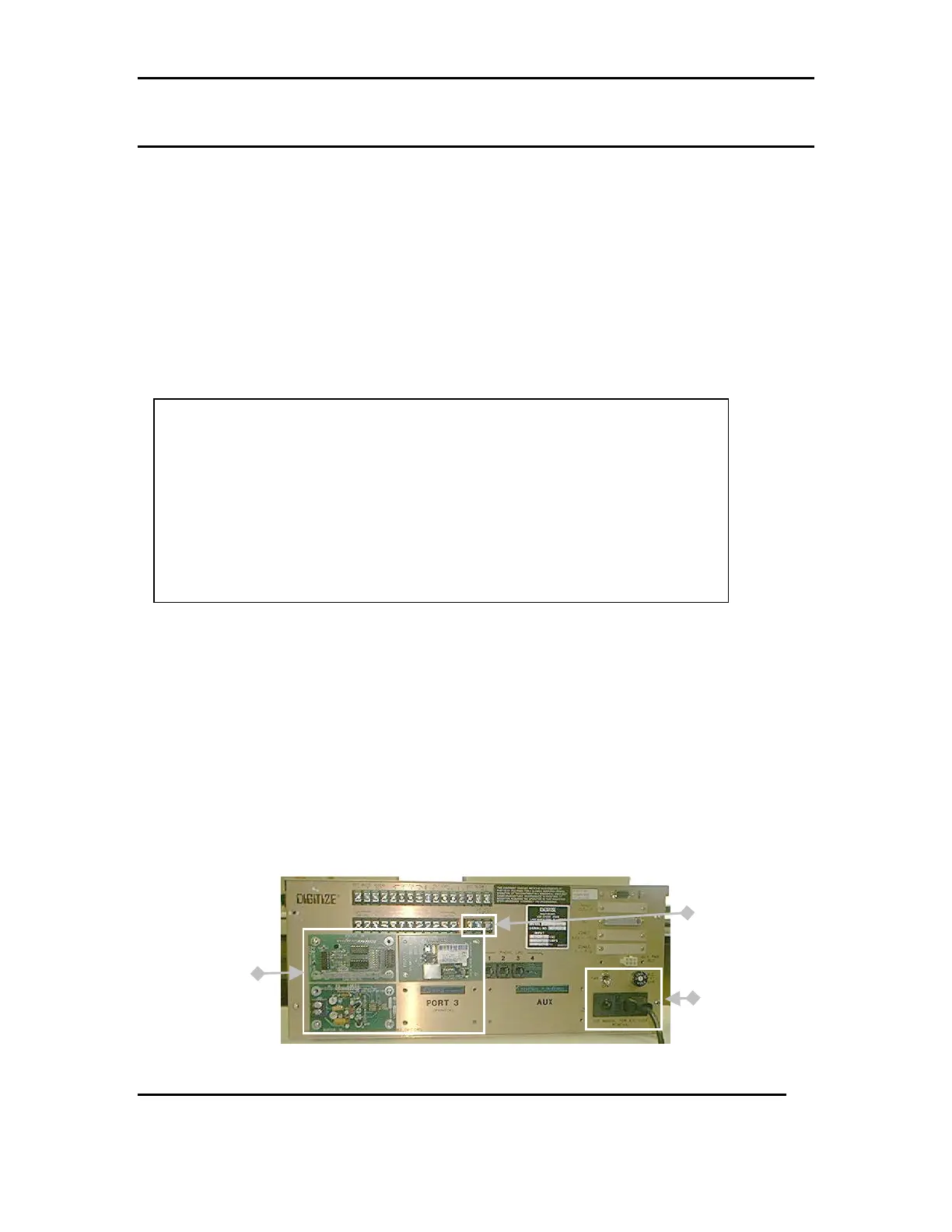
Turn off the power to the SYSTEM being upgraded, and remove both AC and DC
power sources. Refer FIG 1
FIG 1
Optional
Configuration Cards
DC Power
Input
AC Switch and
Power Cord
Recommended before upgrading your SYSTEM 3000 to a 3505
Digitize recommends using the Win3505 program to save the User Text from your
system 3000/3500 before the system is upgraded. This will eliminate having to
manually enter any system configurations. The system configurations consist of:
Multiplex, Network, Radio Box W/ Neg box, Dialer accounts W/ Neg dialer etc.
The Win3505 also allows the editing of the user text pages from 3000/3500 16 X 3 page
format to 3505 24 X 2 page format.
SYSTEM 3000 with CPU5 configuration can not be saved with WIN 3505.
SYSTEM 3000 with CPU5 will require a new EE2 PROM Board 400349-0003 for
MEM-600 chips. The 3000 CPU5 400349 board will not work in a SYSTEM 3505.



 To Next Page