SYSTEM 3000 to 3505 CONVERSION MANUAL
DIGITIZE, INC. 700254-0001 REV B 02/04
Specifications Subject to Change Without Notice
3-12
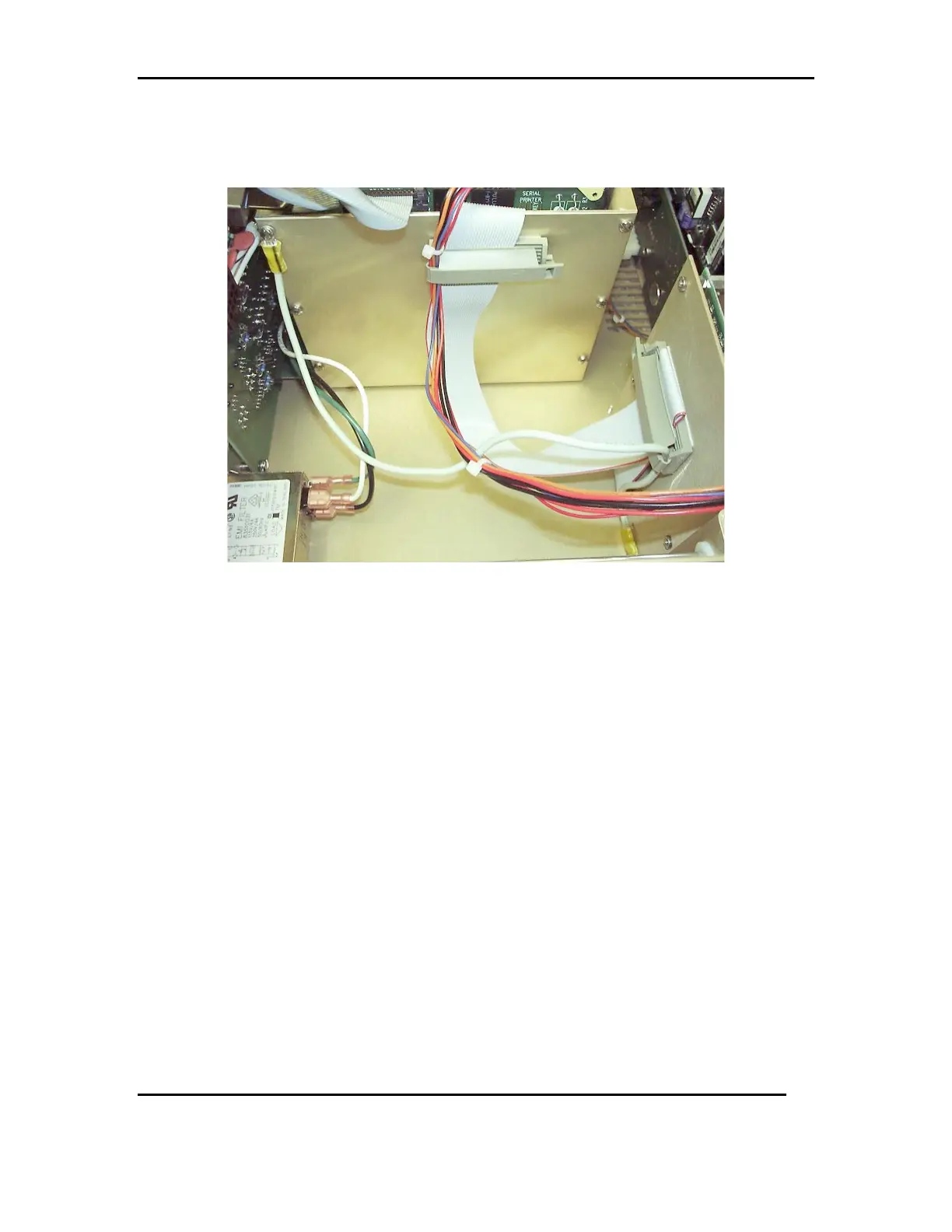
3.7.6 Slide the printer in and out and look for any cables that may get caught or
pinched. Secure the cables to the back of the printer and to the side of the
card cage, with the cable clamps, to prevent damage. See FIG 7e
FIG 7e
3.8 POWERING UP SYSTEM 3505
3.8.1 Before attaching any configuration cards or external options, run a power up
test. Connect the power cord to the SYSTEM 3505, then to an outlet. Turn
the unit on and allow the unit to boot up.
3.8.2 Using the WIN3505 software program, you can now down load your system
configuration. Saved in Section 1.3.
3.8.3 Finally, power down the SYSTEM 3505, and replace the cover, securing it to
the system with the four original pan head screws. Attach any external
options and configuration cards from Section 1.3.
3.8.4 The SYSTEM 3505 is now ready to be put into service. Place the new S/N
label on the chassis, printer side, to the back of the system.



 To Next Page