SYSTEM 3000 to 3505 CONVERSION MANUAL
DIGITIZE, INC. 700254-0001 REV B 02/04
Specifications Subject to Change Without Notice
3-9
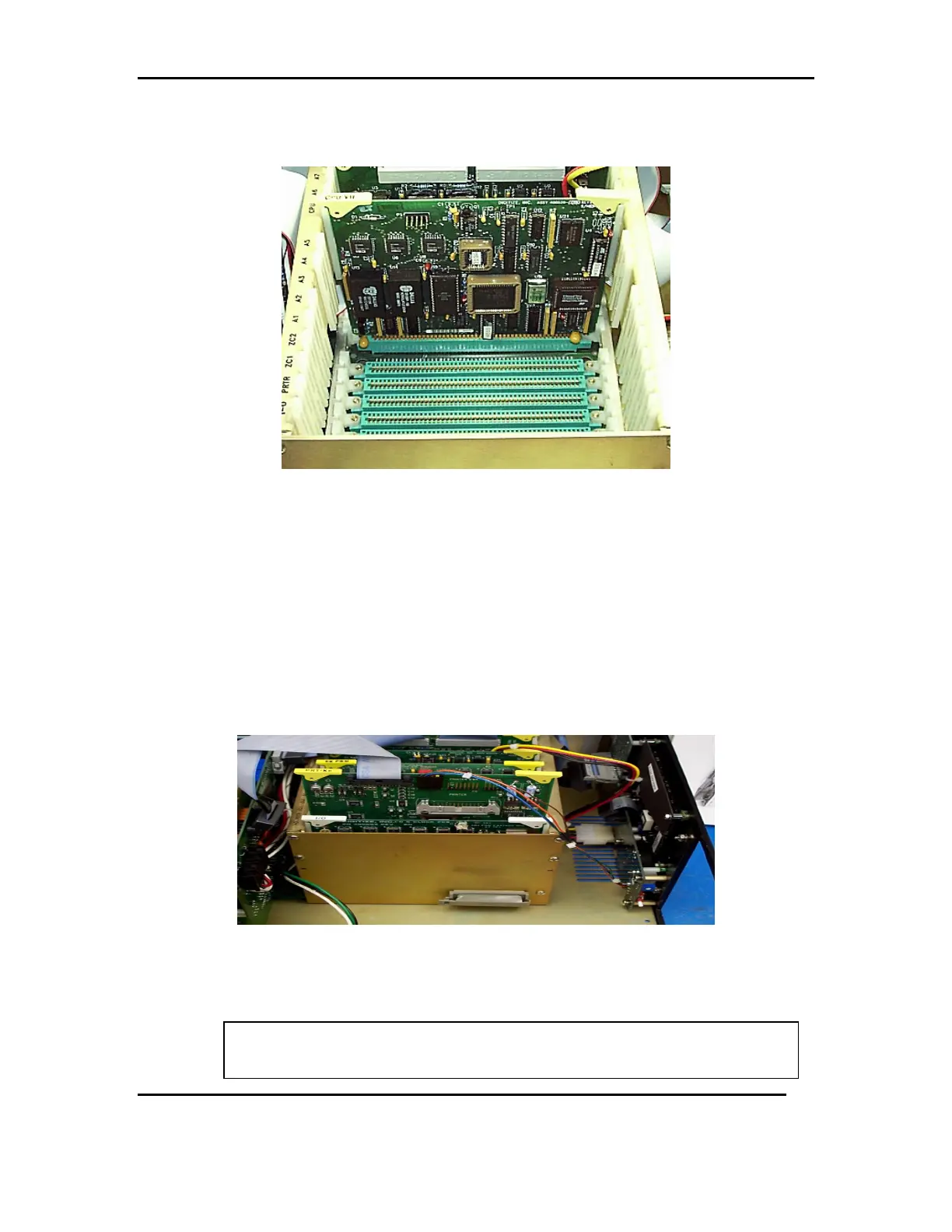
3.6.3 Insert the CPU-VII in to the slot marked CPU, pressing firmly and evenly
down, until it is seated on the motherboard. See FIG 5f
FIG 5f
3.6.4 Insert the I/O card (removed in Step 2.5) into the slot marked I.O, pressing
firmly and evenly down, until it is seated on the mother board.
3.6.5 Insert the new PRT/KB card into the slot marked PRTR. See FIG 6a
3.6.5.1 Connect the ribbon cable from P2 of the rear panel, to P2 of the
PRT/KB card. Note that the location P2 is marked REAR PANEL.
3.6.5.2 Connect the wire harness coming from the Din Keyboard plug, to the
P4 location, marked EXT. KYBD.
FIG 6a
NOTE: At this time, any additional or optional cards (EPROM, ZCONT., etc.) are
placed in to the card cage for SYSTEM 3000 with CPU5. Remove any
MEM-600 chips from old EPROM card and install in new EE2 PROM card
WARNING: Make sure the chips are installed in the same chip location on the
new board (i.e., U1 to U1, U2 to U2, U3 to U3 …U8 to U8).



 To Next Page