SYSTEM 3000 to 3505 CONVERSION MANUAL
DIGITIZE, INC. 700254-0001 REV B 02/04
Specifications Subject to Change Without Notice
3-8
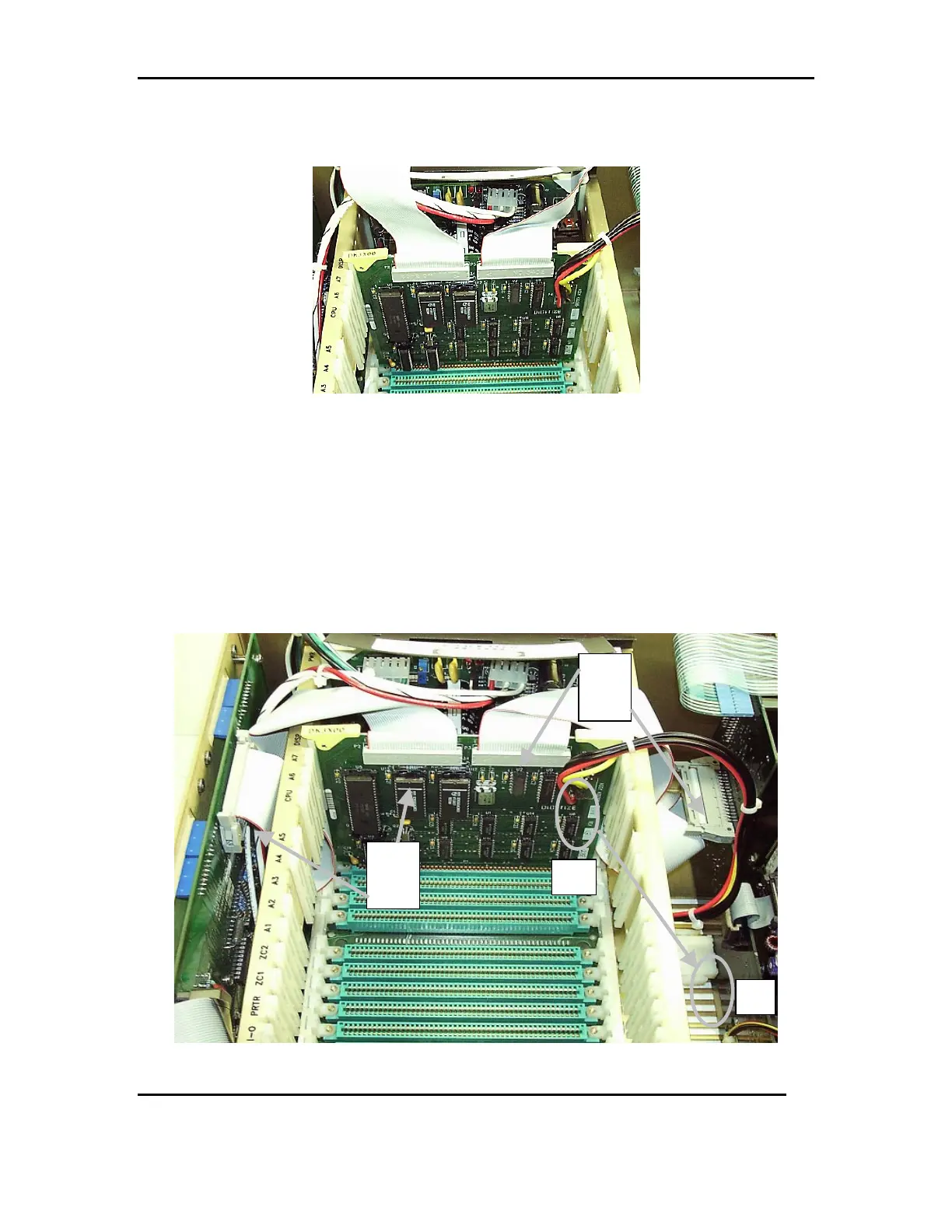
3.6.2 Insert the new DK3X00 card, into the slot marked DISP, pressing firmly
and evenly down, until it is seated on the motherboard. See FIG 5d
FIG 5d
3.6.2.1 Connect the Ribbon cable from the P2 location on the DK3X00
board, to the P3 location on the rear PC board.
3.6.2.2 Connect the Ribbon cable from the P3 location on the DK3X00
board, to the P3 location on the front PC board.
3.6.2.3 Lastly, connect the Black Red and Yellow wire harness from P4 of
the DK3X00 board, to the J2 location on the front PC board. See
FIG 5e
FIG 5e
P2
To
P3
To
J2
P4



 To Next Page