EasyManua.ls Logo

Digitroll SEED MASTER Plus - User Manual

Default Icon
24 pages
Print Icon
To Next Page IconTo Next Page
Loading...
2020.04.17. – B
www.digitroll.hu Tel: +36 52/ 557-480
info@digitroll.hu Fax: +36 52/ 557-482
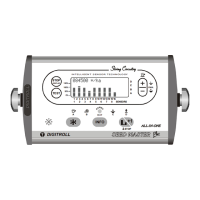
SEED MASTER
Plus
seeding control system for
PLANTERS
USER’S MANUAL
1
1
2
2
3
3
4
4
5
5
6
6
7
7
8
8
9 10 11 12 13 14 15 16
SENSORS
ALL-IN-ONE
INT ELL IGEN T S ENS OR TE CHN OL OGY
STOP
DISPLAY
TEST
INFO
A
B
C
D
100%
150%
50%
0%
OUT
A B C D
+1
L
R
max.
STOP
DIGITROLL
86000 */ha
ÿ
ÿ
ÿ
ÿ
ÿ
ÿ
ÿ
ÿ
ÿ
ÿ
ÿ
Ã
Å
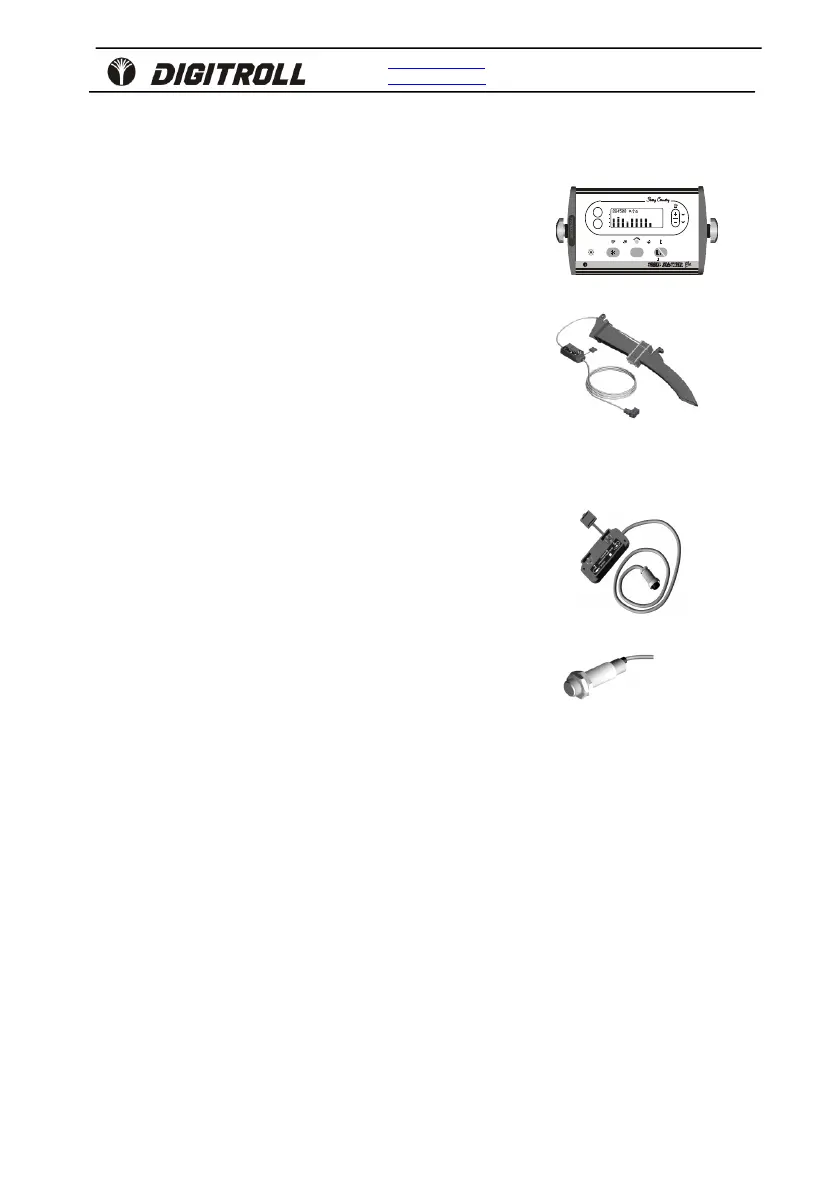
SEED MASTER
Plus
monitor
Version number: 8.8x
DS 1000 seed sensor
Version number: 1.x
or
DS 2000 seed sensor
Version number: 1.x
DA 02 speed sensor module
Version number: 1.x
DSI-18 speed sensor

Questions and Answers

Overview

The DIGITROLL SEED MASTER Plus is a seeding control system designed for planters with 1-16 rows, featuring an area counter and various monitoring and control functionalities.

Function Description

The SEED MASTER Plus system provides comprehensive control and monitoring of seeding operations. Its primary functions include:

  • Seeding Control: Monitors seeding continuity on all rows simultaneously, detects missing seed drops, and provides alarms. It supports individual seed spacing adjustments for each row and offers a seeding blockage control mode.
  • Population Ratio Control: Displays the ratio of desired to actual measured population in each row using bar graphs, suitable for seeds larger than 5 mm (e.g., maize, sunflower, sugar beet).
  • Hectare Counting: Measures and stores total and partial seeded areas up to 999.99 hectares and distance traveled up to 65,000 meters. Counting starts/stops based on seed sensor signals or continuously if sensors are not applied.
  • System Test: Performs sensor diagnostics, automatic recognition, and readiness tests of seed sensors, and displays dusty or blocked sensors.
  • Data Storage: Nonvolatile memory ensures safe storage of measured and adjusted data.

Important Technical Specifications

  • Monitor: Illuminated LCD display, massive aluminum housing, audible and visual alarms with adjustable horn volume, 8 selectable languages.
  • System Construction: Infrared sensation, linear string system connectivity for up to 16 rows, exchangeable modules with automatic sequence determination, harness-free network for easy cabling and mounting.
  • Seed Sensors:
    • DS 1000: Custom-designed for seeder type, placed in the seed tube.
    • DS 2000: Custom-designed for seeder type, placed in the coulter.
  • Speed Sensor: DA 02 speed sensor module (DSI-18 speed sensor). Inductive sensor detecting iron parts (e.g., bolt heads) on a non-slipping wheel. Optimal sensing distance is 4-6 mm from the bolt head. Provides at least one signal for every 30-60 cm traveled, not exceeding 100 cm per signal.
  • Power Supply: 12 VDC (min. 8.5V), connected after a fuse (max. 3A).
  • Measurement Ranges:
    • Seeded area: up to 999.99 hectares.
    • Distance: up to 65,000 meters.
    • Seed spacing adjustment: 3.0 - 45.0 cm.
    • Shortfall alarm length: 0.5 - 20 seconds.
    • Working width: 0.75 - 30 meters.
    • Seeded grains: up to 1 billion seeds.

Usage Features

  • Monitor Placement: Mount in a clearly visible location in the tractor cabin, using the U-bracket and bolts. Position to avoid direct sunlight on the LCD. The illuminated display ensures visibility at night.
  • Switch On: Upon power-up, the console displays the running software version, selected horn volume, seed spacing values, and offers instant setting options, followed by a system test.
  • Basic Data Settings:
    • Optimal Seed Spacing: Two options: "Normal" for a single spacing value, or "Hybrid" for individual spacing values per row.
    • Shortfall Alarm Length: Adjustable between 0.5 and 20 seconds.
    • Population Control Limits: Set minimum and maximum limits for population, triggering alarms if values go beyond these ranges. Audible alarms can be disabled.
    • Seed Size and Shape: For DS 2000 sensors, input seed characteristics (3-5 mm / 6-9 mm, round / long) for precise detection. Changes trigger a system test.
    • Row Skip: Temporarily disable control for unused rows to prevent continuous alarms.
    • Working Width: Enter the seeding machine's working width (0.75-30 meters) for accurate area calculation.
    • 100 Speed Signal Count: Calibrate the speed sensor by measuring the distance traveled over 100 speed signals. A warning beep sounds at the 90th signal to slow down.
  • Seeding Control Modes:
    • Blockage Control: Detects missing seed drops; if a seed is missing for longer than a preset limit (0.25-2.00 seconds, adjustable in 6 steps), the seed symbol disappears, and an alarm sounds. Alarm is disabled during turns at landmarks. A "display hold" function allows freezing the display to analyze the seeding situation when the machine is stopped.
    • Population Ratio Control: Displays desired vs. actual population using bar graphs, calculated over approximately 40 meters. Alarms sound if the difference exceeds set limits.
  • Stored Seeding Data: Access total and partial seeded area, total seeded grains, and average seed/hectare. Data can be reset (total or partial).
  • Distance Measurement: Measures distance traveled based on 100 speed signal data. Measurement starts/stops with button presses.

Maintenance Features

  • Cables and Connectors: Keep them unhurt and check regularly.
  • Sensors: Clean at the end of each seeding season. Close the end of extension cables with waterproof seals.
  • Monitor Protection:
    • Do not expose to direct water.
    • Store between -20°C and +40°C.
    • Protect from excessive heat and dust.
    • Remove from the cabin for winter storage and keep in a dry, vapor-free place.
    • Protect the front, display, and buttons from strong mechanical impacts.
    • Clean with a slightly wet wipe.
  • Internal Components: No battery or other parts requiring maintenance.
  • Troubleshooting:
    • No lights on display: Check 12VDC power supply, polarity, ON button, and main switch/electronic part. An auto-reset fuse is built-in.
    • "POWER OUT" LED not lighting or blinking: Indicates power supply status. Blinking suggests partial overload, off suggests total external short circuit. Disconnect modules systematically to identify cable pinch-in or defected seed modules.
    • Missing sensor signals: Check for mistaken row detection switch-off, hurt cables/connectors, or defected modules. Systematically disconnect and bridge modules to pinpoint the issue.
    • Blockage indicated after cleaning: Insert a stick into the seed sensor; if the LED gets dark, it works; otherwise, the sensor is defected.
    • Irregular seed drops when seeder stopped: Sensitivity may be too high; adjust the time limit.
    • No seed detection with working seeder: Adjust for small seeds or increase missing seed time interval. Check for defected modules by inserting a stick.

Digitroll SEED MASTER Plus Specifications

General IconGeneral
BrandDigitroll
ModelSEED MASTER Plus
CategoryControl Systems
LanguageEnglish

Related product manuals