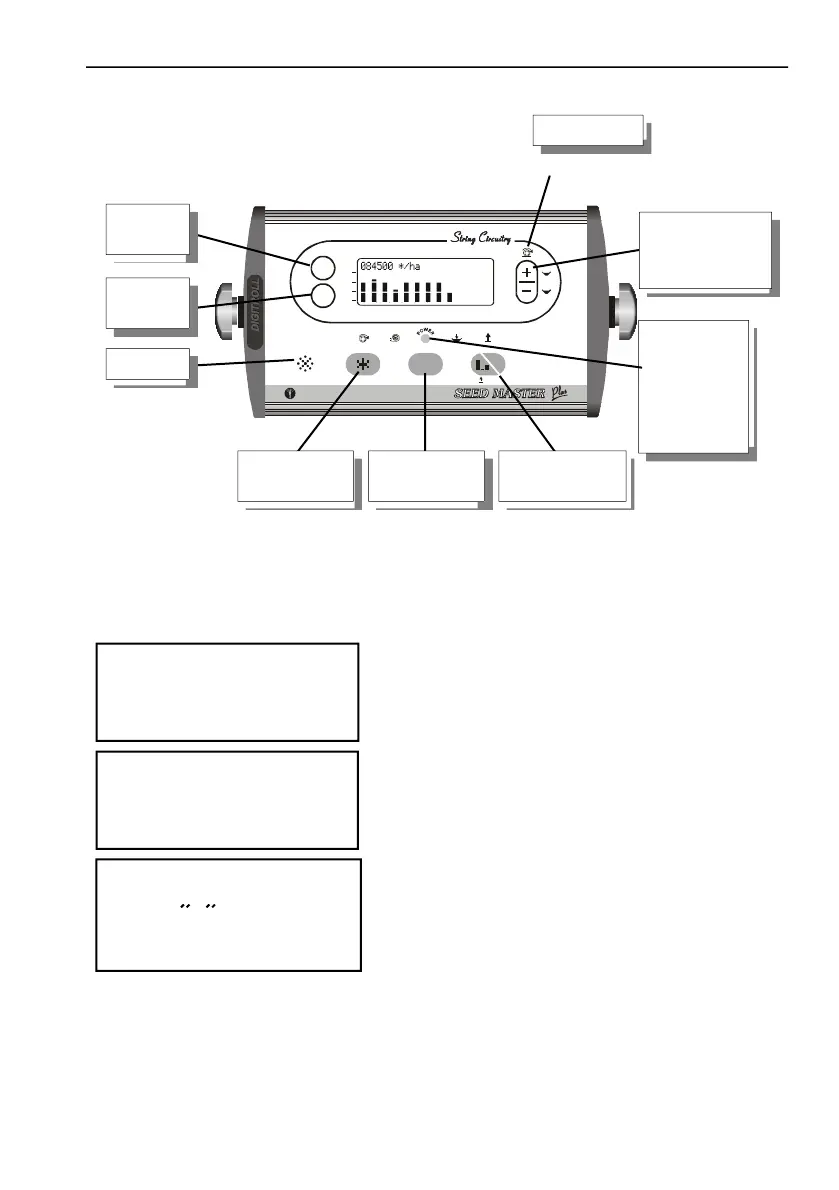
MONITOR FRONT
7
Seed Counting Pro
v8.71
DIGITROLL Ltd.
of straw residues or pebbles, they may hurt the sensor.
MONITOR FRONT
Every push of a button is accompanied by a short beep in case the button is
operative in that function.
SWITCH ON
Then appear the system test, which is followed by the display of test
results.
1
1
2
2
3
3
4
4
5
5
6
6
7
7
8
8
9 10 11 12 13 14 15 16
SENSORS
ALL-I N-ONE
IN TEL LIG EN T S EN SO R TE CH NO LO GY
STOP
DISP LAY
TEST
INFO
A
B
C
D
100%
150%
50%
0%
OUT
A B C D
+1
L
R
max.
STOP
DIGITROLL
86000 */ha
ÿ
ÿ
ÿ
ÿ
ÿ
ÿ
ÿ
ÿ
ÿ
ÿ
ÿ
Ã
Å
down
module current
supply control
LED (blinks or
get dark when
shortcut
occurs)
~
Following switch on the console presents
running software version,
selected horn volume,
seed spacing values,
and offers instant setting options.



 To Next Page