10
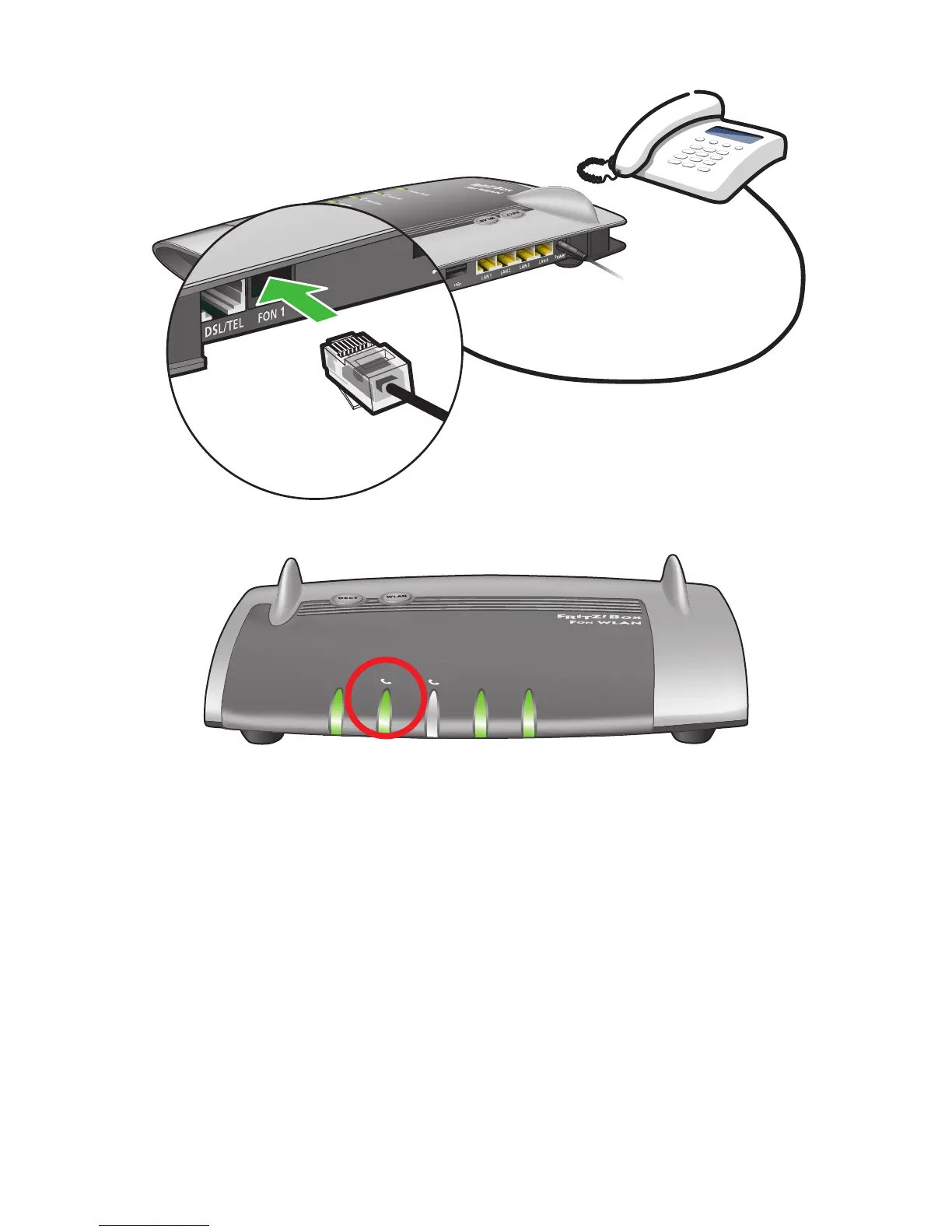
Step 8: Broadband Talk VoIP Phone Setup
IfyouhaveoptedforDigiweb’sBroadbandTalkVoIPtelephoneservice,please
connectyourtelephonetothe“FON1”portonthebackoftheFritz!Boxtostart
using your VoIP telephone service. The VoIP Internet light circled above will be
steady green when Digiweb Broadband Talk VoIP is active.
For more details on VoIP visit: http://www.digiweb.ie/support/phone-setup/
IfyouhaveoptedforDigiweb’sxedlinetelephoneservice,pleaseconnect
your telephone to the telephone socket as installed by the telecoms engineer
during the installation process. Do not connect your telephone to the Fritz!Box.
INFO
WLAN
Festnetz
Internet
Power
/
DSL
Info
WLAN
Power
/
D SL
Fixed Line
Internet
Fixed Line
Internet
WLAN
Power/DSL


 To Next Page