7
Fixed Line
Internet
WLAN
Power/DSL
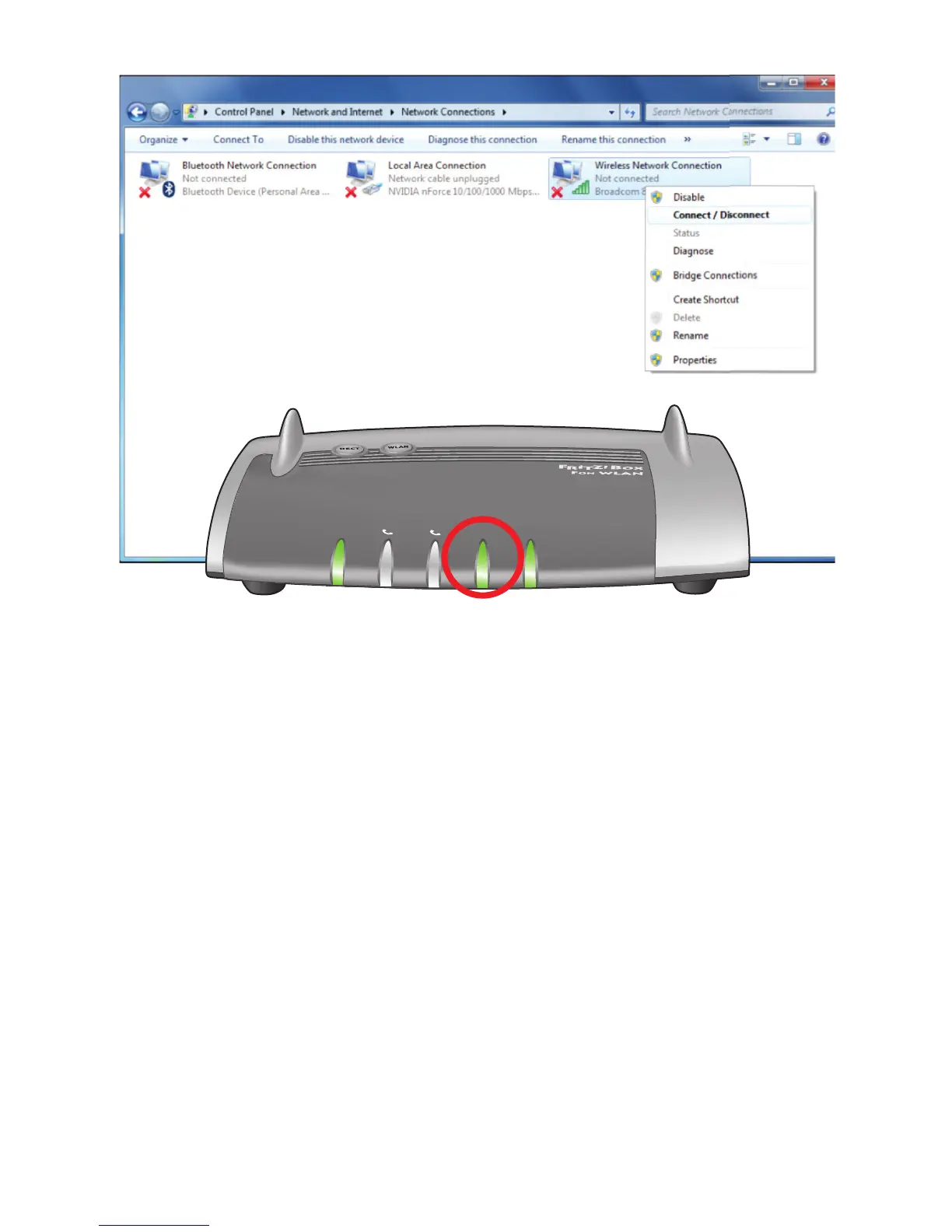
Step 5: Activate Wireless Connection
• EnsurethattheWLANLEDisONsteadygreenasperabove.
• IfWLANLEDisopressWLANbuttononce-
(do not hold down) to activate WLAN.
For Windows PC / Laptop:
• Rightclickonthe“WirelessNetworkConnection”
• Select“Connect/Disconnect”
For Tablet / Smartphone:
• Noadditionalstepsrequiredatthispoint.


 To Next Page