8
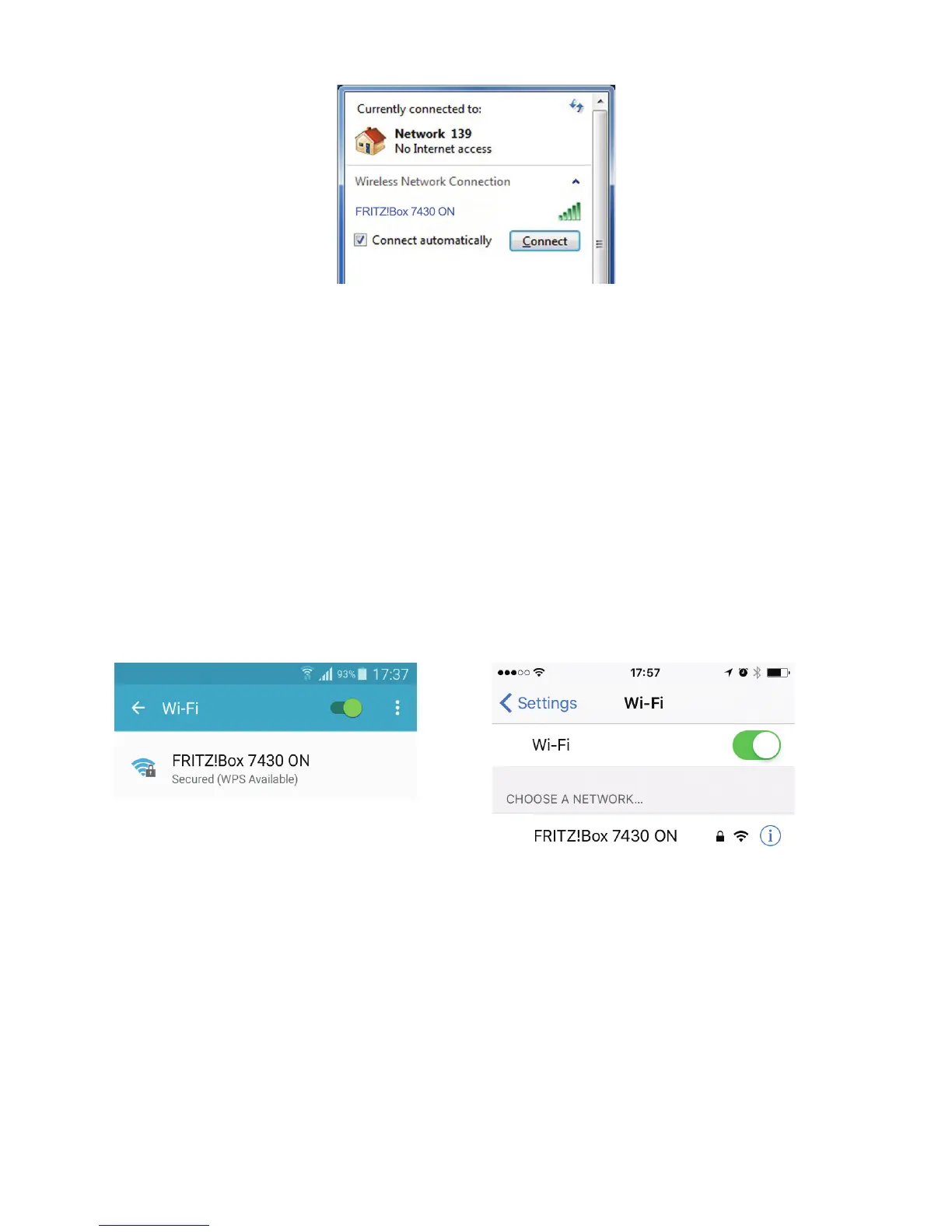
Step 6: Choose your Wireless Network
For Windows PC / Laptop:
• OnthebaseofyourFritz!Boxmodemyouwillndthenetworkname
forexample“FRITZ!Box7430ON”
• Select“FRITZ!Box7430ON”SSIDfromthelistcurrentlyappearingonyour
screen from Step 5.
• Selectthe“Connectautomatically”optionsothatyourcomputerremembers
the Wi-Fi network and automatically connects every time you turn on your
computer.
• Click“Connect”
For Tablet / Smartphone:
• Select“FRITZ!Box7430ON”SSID


 To Next Page