14
Factory Reset
WhereyourareexperiencingirresolvableproblemswiththeFritz!Box,please
complete the following steps to factory reset your Fritz!Box:
• OpenyourBrowser(InternetExplorer,Firefox,Chrome,etc)
• Type192.168.178.1orfritz.boxintotheaddressbarofyourselectedbrowser
• EntertheFritz!Boxpassword(seepage11).
• PreFactoryResetChecks:
o Save your phonebook if you are using the Fritz!Box phone book option.
Refer to user manual for full details on how to complete this.
o Please note that any user specific configuration changes will be lost
soyouneedtousethe“Backup”>“Save”optionisyouwishtorestore
these settings.
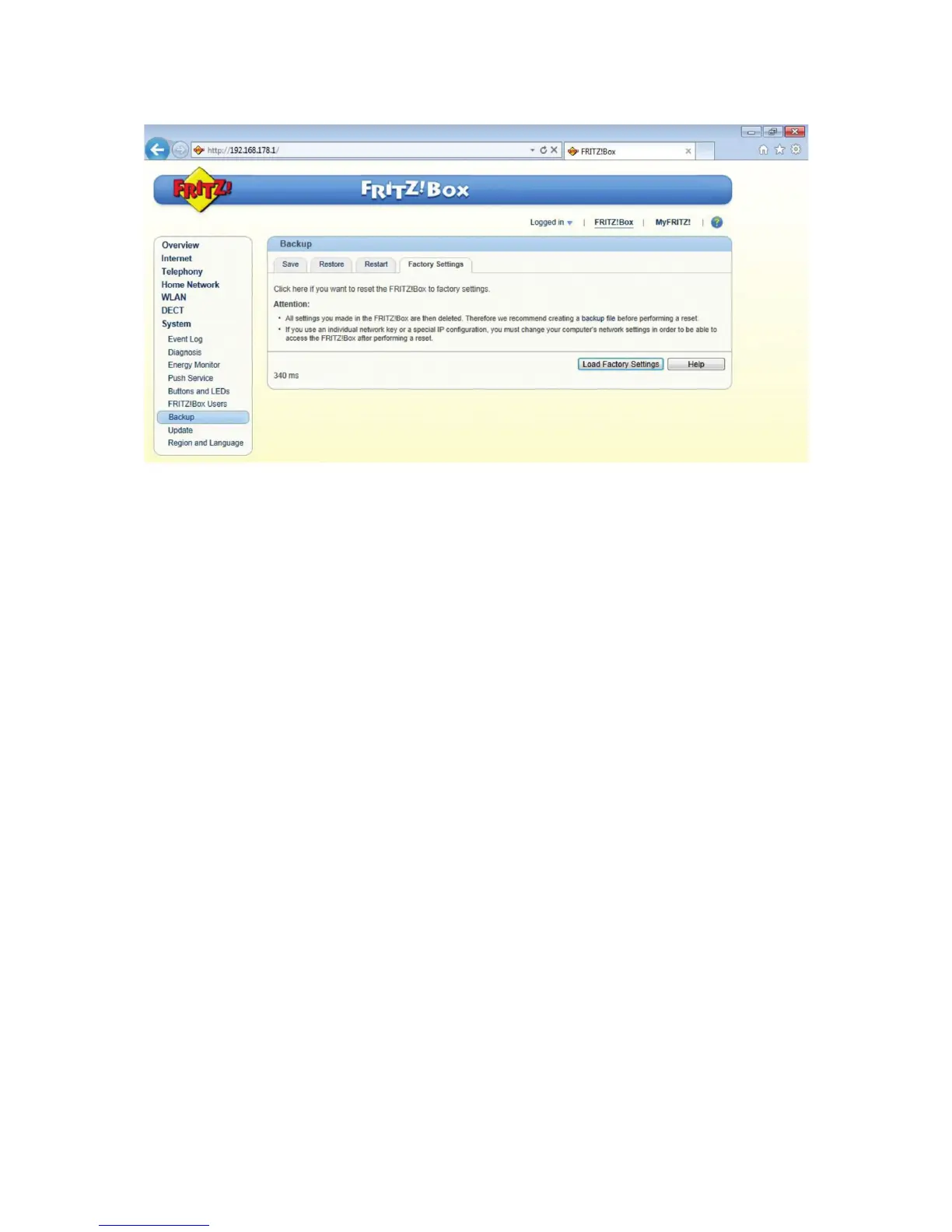
• Click“Backup”inthe“System”menu.
• Clickonthe“FactorySettings”tabandclick“LoadFactorySettings”.
• Answerthequestion“Doyouwanttorestorethefactorysettings?”
with“OK”.
• Restoreyoursavedphonebookandsavedusercongurationwhere
required.
• Alternativemethodviatelephonehandset:
oWithyourtelephonehandsetconnectedto“Fon1”onyourFritz!Box,
Dial #991*15901590* and press the call button (lift receiver).
o Hang up again after about 3 seconds.
o Allow up to 5mins before the Fritz!Box can be accessed again.
o This method will not back up your Fritz!Box phonebook and user
specific configurations
• IfyouareaDigiwebBroadbandTalkVOIPcustomer,pleasecontactDigiweb
TechnicalSupporttoreactivateyourVOIPphonesettings.


 To Next Page