USA
page 44
4.1 Setting the Parameters
Some parameters are adjustable upon diff erent application needs.
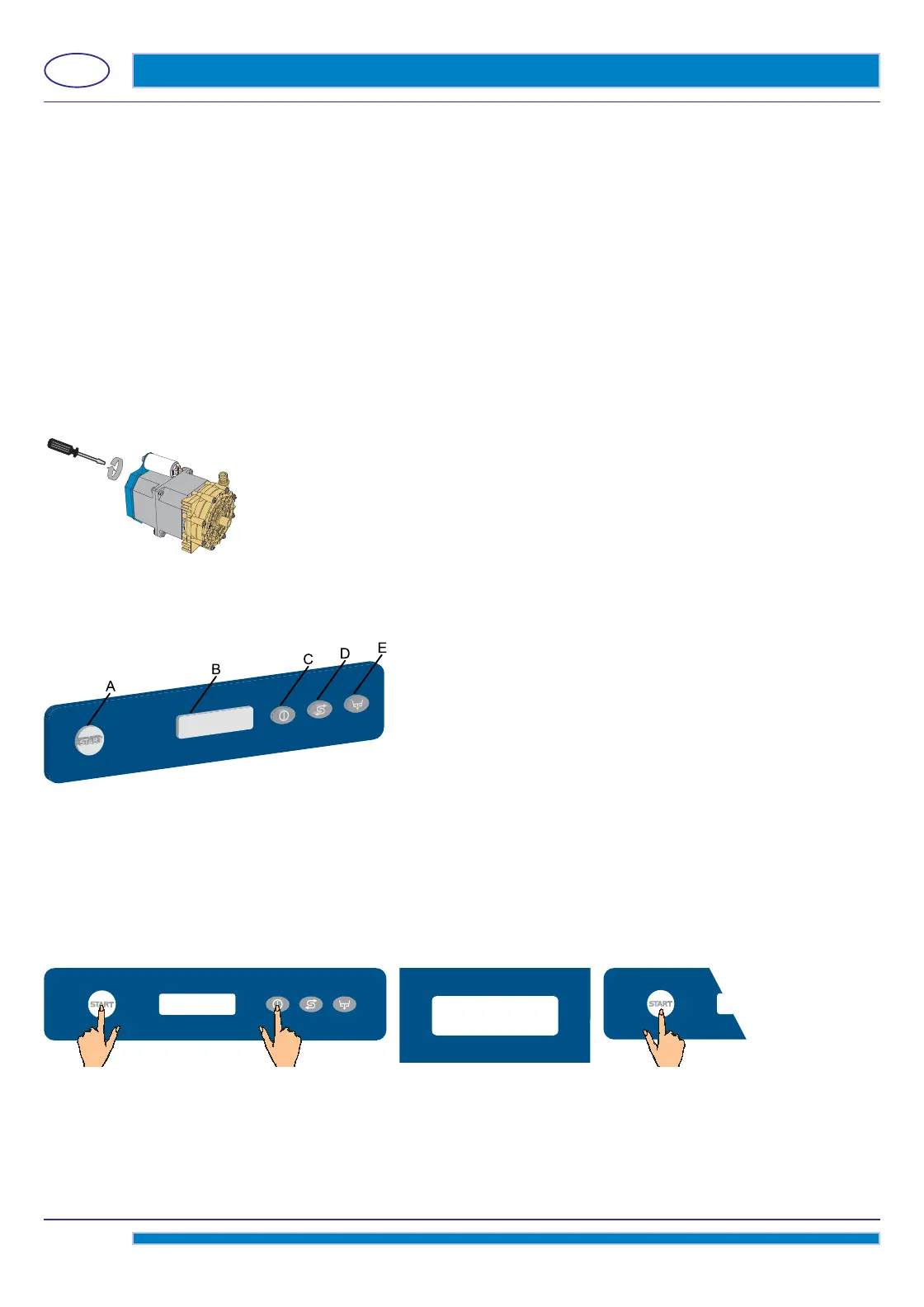
To set the parameters you enter by a “key” into the SERVICEMAN MENU.
Machine
switch ON. To enter the SERVICEMAN MENU keep pressed for a few seconds both the On/Off
C and Start A keys.
The Start A button will light in white.
By the D (decrease) and E (increase) keys, select the parameter 15.
Confi
rm the selection by pressing the Start A key.
Select the parameter you need to modify by acting on the D (decrease) key and the E (increase) key.
Confi
rm the selection by pressing the Start A key.
To exit the programming menu press the On/Off
C key.
3. TECHNICAL DATA AND USEFUL INFORMATION ON PUMPS
3.1 Washing pump
When the dishwasher has not been used for some time, check that the washing pump turns freely.
To do this, operate using a screwdriver in the special slot on the ventilating side of the motor shaft.
In case of blocking, turn the main switch off and move the motor shaft, inserting the screwdriver in the notch, turning it
clockwise and anticlockwise.
3.2 Booster pump
After a period of inactivity of the machine, check if the rinse booster pump rotates freely.
To do that, use a screwdriver in the slot on the fan side of the motor shaft (see pict. 16) to release.
pict. 16
4. CONTROL PANEL AND RELATIVE SYMBOLS
A) START push-button to start up cycle / select cycle
B) Display
C) Switching – On / STAND BY button
D) Regeneration push-button (optional)
E) Drain Push-button
15
2.3 Dispensing the detergent
The detergent dispenser capacity can be adjusted using a screwdriver as shown in pict. 15.
Every
13
/
16
(2 cm) of product drawn into the tube corresponds to
1
/
64
cubic inches (0,25 cm³) equivalent to 0,01 oz (0.3 g - with
a concentration of 0,70 oz/cubic inches - 1,2g/cm³).



 To Next Page