USA
page 50
5. OPERATION
5.1 Machine start-up
5.1.1 Start-up
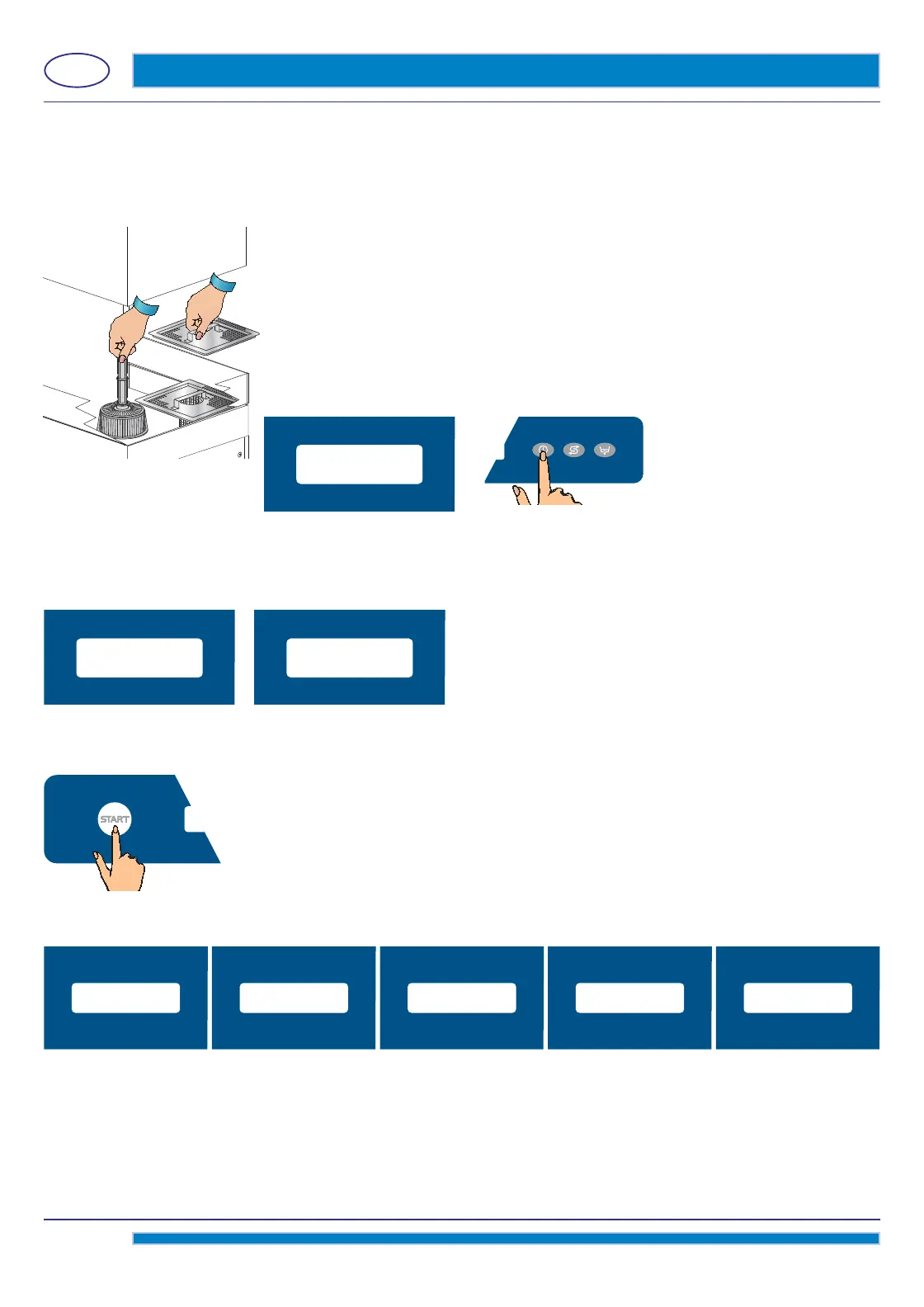
• Check if the pump suction fi lter is properly inserted in its seat in the wash-tank bottom (see pict. 17).
This fi lter must be cleaned every 20 wash-cycles or whenever necessary.
DO NOT use the appliance without the fi lter.
• Insert the overfl ow pipe in its seat inside the pump suction fi
lter (see pict. 17).
• If supplied, put the surface fi lters in place (see pict. 17).
• Shut the dishwasher hood.
• Turn the water valve “open”.
• Turn the main power switch ON.
• The machine is on STAND-BY. In the B display, the message STAND-BY will
appear.
• Turn the button C.
The machine start will be active when the A button will light and on the B display the STAND-BY message will be off .
The button A will light in white for a few seconds, while loading the software. After loading is complete, the button will
light in red. This happens only at the fi rst start of the day of the machine.
The water fi lling of the wash-tank is done by pre-heating via the boiler. On the B display, the messages FILLING WATER
and HEATING will alternate.
The display will read HEATING, till wash-tank and boiler will reach the set temperatures. During
this process, the machine
will not allow any cycle selection or start.
5.1.2 Operation
• Insert the rack fi lled with dishes to wash. The plates must be correctly placed in the rack
(see par. 5.2).
•
Select the wanted washing cycle by pushing the green START button A; the display will
show
in sequence all these available programs. Once the wanted program is displayed, do release
the button.
fi g. 17
FILLING WATER HEATING
SHORT CYCLE LONG CYCLEMEDIUM CYCLE INTENSIVE CYCLE
CYCLE
XX INTENSIVE
STAND-BY



 To Next Page