USA
page 46
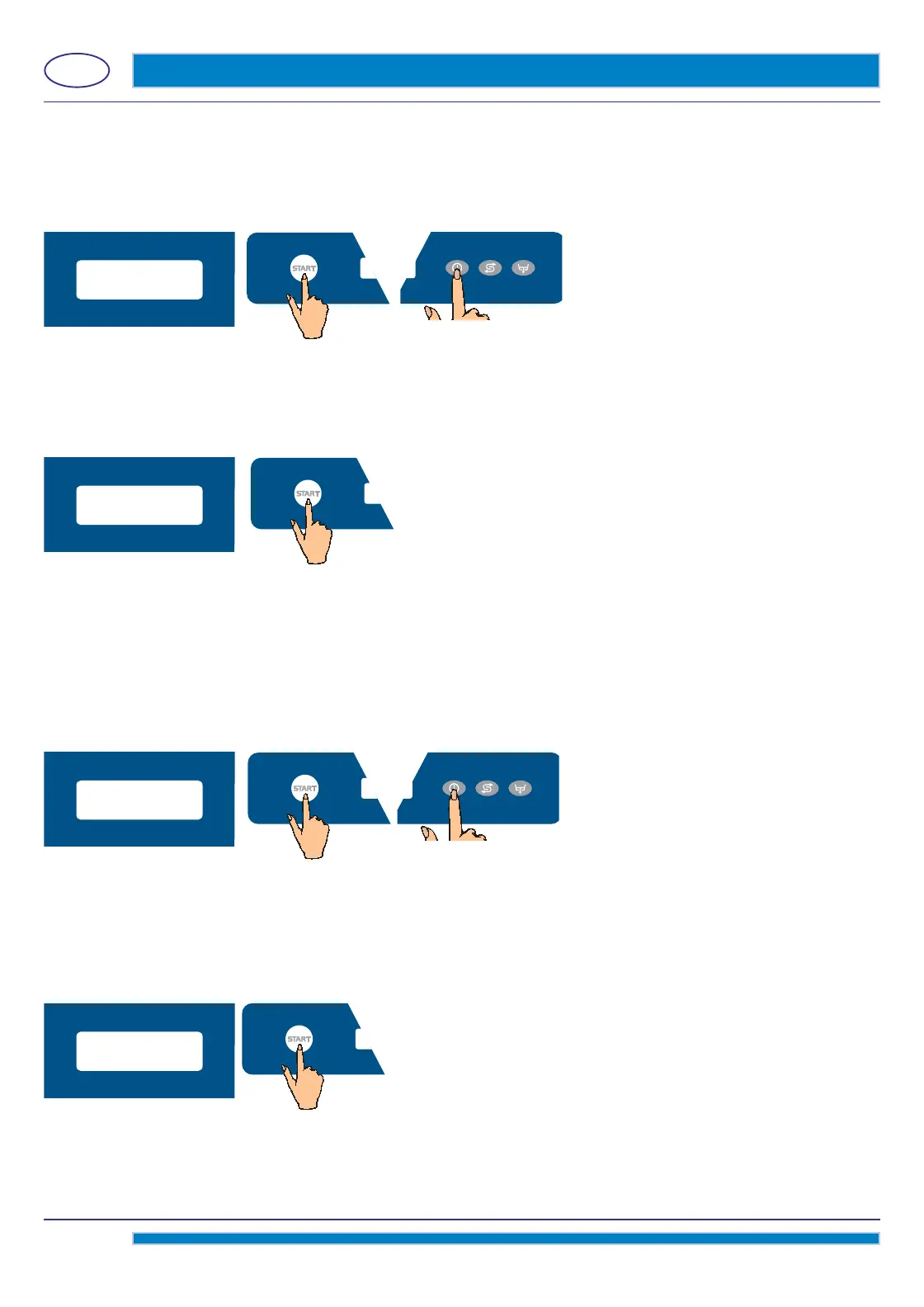
Set the desired wash temperature, by using the the D (decrease) key and the E (increase) key.
Factory-set wash temperature: 160°F (71°C)
The above indicated settings are valid for any cycle available on the machine.
Confi rm the selection by pressing the Start A key.
T
o exit the programming menu press the On/Off
C key.
4.1.4 WATER HARDNESS Setting (optional)
This parameter is visible and adjustable only on those models equipped with the optional built-in Water Softener.
Before setting this parameter a proper measurement of the water hardness is needed.
By the D (decrease) key and the E (increase) key, select the WATER HARDNESS parameter.
Confi
rm the selection by pressing the Start A key.
Set the desired value, by using the the D (decrease) key and the E (increase) key.
This parameter allows the selection of the right water feed hardness to the machine.
It is possible to select one of the following four parameters:
LOW 10 - 15°F (5 - 8°d)
MEDIUM 15 - 20°F (8 - 1
1°d)
MED/HIGH 20 - 25°F (11 - 14°d)
HIGH 25 - 35°F (14 - 20°d)
Confi rm the selection by pressing the Start A key.
T
o exit the programming menu press the On/Off
C key.
4.1.5 START BY DOOR - Function activation
As a factory setting the cycle starts by shutting the machine hood down.
This is a feature reserved to Hood machines only.
In case of Customers’ need it is possible to deactivate this function and start the machine by using the Start A key only.
By the D (decrease) key and the E (increase) key, select the START BY DOOR parameter.
Confi rm the selection by pressing the Start A key.
160°f
WATER HARDNESS
START BY DOOR
medium,
15-20°f



 To Next Page