C
Note:
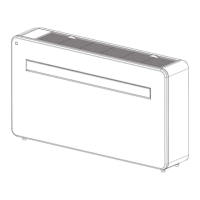
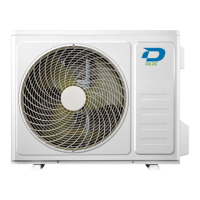
Illustratons n ths manual are for explanatory purposes. The actual shape of your
ndoor unt may be slghtly dfferent. The actual shape shall preval.
• Setting angle of air flow
Setting vertical angle of air flow
Whle the unt s on, use the SWING/DIRECT button to set the drecton (vertcal angle) of arflow.
1. Press the SWING/DIRECT button once to actvate the louver. Each tme you press the button, t
wll adjust the louver by 6°. Press the button untl the drecton you prefer s reached.
2. To make the louver swng up and down contnuously, press and hold the SWING/DIRECT button
for 3 seconds. Press t agan to stop the automatc functon.
Setting horizontal angle of air flow
The horzontal angle of the arflow must be set manually. Grp the deflector rod (See Fig.B) and
manually adjust t to your preferred drecton.
For some units, the horzontal angle of the arflow can be set by remote control, please refer to the
Remote Control Manual.
C
Note on louver angles:
When usng COOL or DRY mode, do not set louver at too vertcal an angle for long
perods of tme. Ths can cause water to condense on the louver blade, whch wll drop
on your floor or furnshngs. (See Fig.A)
When usng COOL or HEAT mode, settng the louver at too vertcal an angle can reduce
the performance of the unt due to restrcted ar flow.
Do not move louver by hand. Ths wll cause the louver to become out of sync. If ths
occurs, turn off the unt and unplug t for a few seconds, then restart the unt. Ths wll
reset the louver.
2 Unit specifications and features
Splt-type room ar condtoner / User Manual


 To Next Page