• Sleep operation
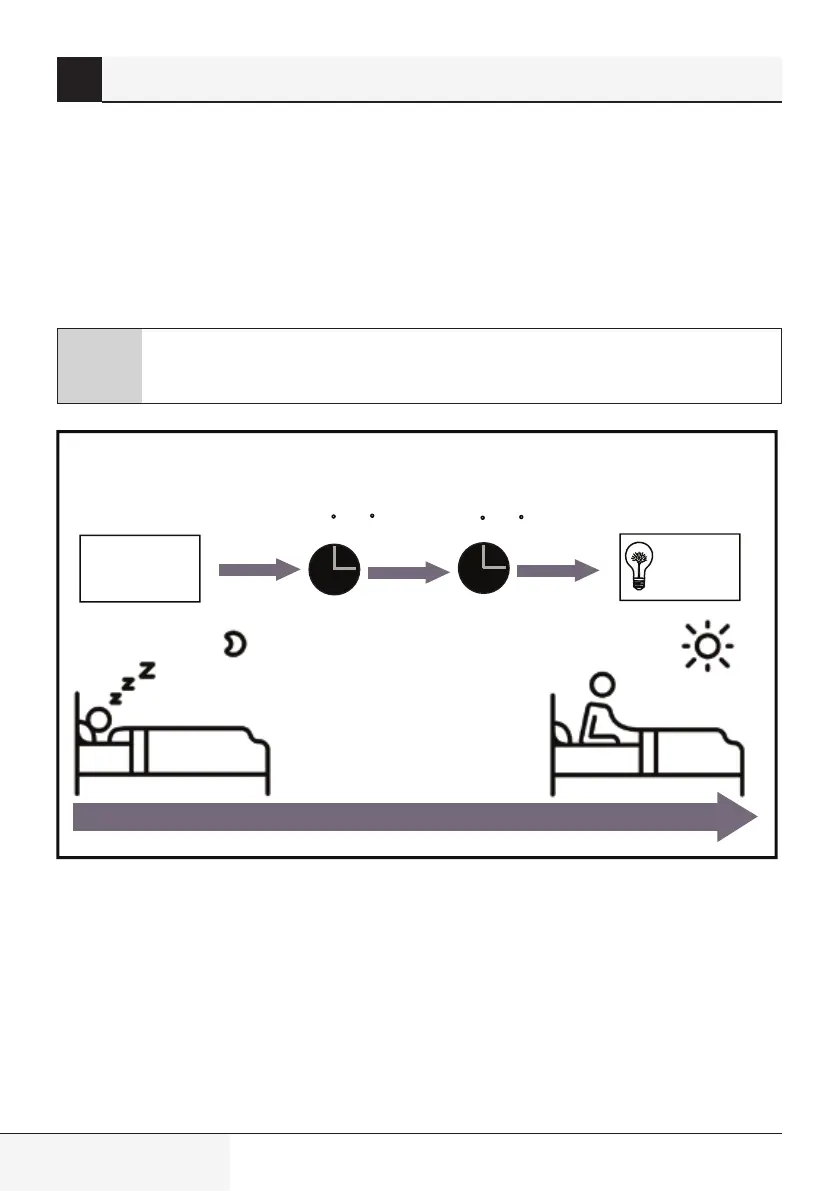
The SLEEP functon s used to decrease energy use whle you sleep (and don’t need the same
temperature settngs to stay comfortable). Ths functon can only be actvated va remote control.
Press the SLEEP button when you are ready to go to sleep. When n COOL mode, the unt wll ncrease
the temperature by 1°C (2°F) after 1 hour, and wll ncrease an addtonal 1°C (2°F) after another
hour. When n HEAT mode, the unt wll decrease the temperature by 1°C (2°F) after 1 hour, and wll
decrease an addtonal 1°C (2°F) after another hour.
It wll hold the new temperature for 5 hours, then the unt wll turn off automatcally.
C
Note: The SLEEP function is not available in FAN or DRY mode.
1hr
1hr
+/- 1 C/2 F
+/- 1 C/2 F
SLEEP Operation
Set
temperature
7 hours
tmer off
Saving energy during sleep
2 Unit specifications and features
Splt-type room ar condtoner / User Manual


 To Next Page