Resetting the Temperature Cutoff Switch
Thisunitisequippedwithathermostatwhichcontrolsthetemperature
oftheroom.Itdoesthisbyturningtheheateronandoff.Theheater
isprotectedwithasafetydevicetopreventoverheating.Shouldthe
heater overheat, an automatic cut out will turn the heater off and it will
notcomebackonwithoutbeingreset.Itcanberesetbyswitching
theMainOn/OffSwitchto“O”(Off)andwaitingve(5)minutesbefore
switchingtheunitbackon.
CAUTION: Ifyouneedtocontinuouslyresettheheater,unplugthe
unitandcallyourlocaldealer.
Remote Control
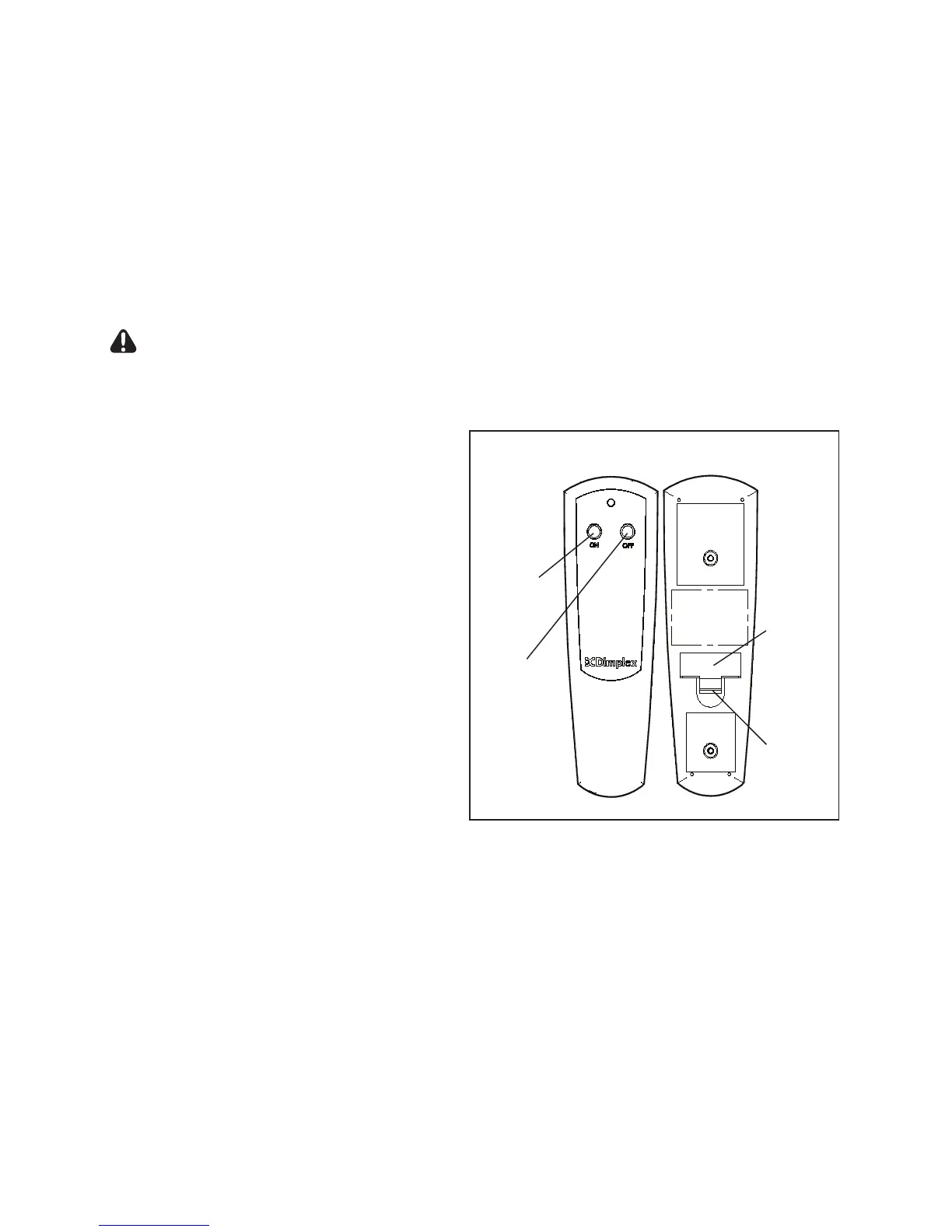
Thereplaceissuppliedwithan
integratedOn/Offremotecontrol.
!
NOTE: Ensurethatthe
replace’sThreePosition
SwitchissettotheRemote
Controlsetting(“II” position).
Tooperate,pushtheONbutton
toturnreplaceon,pushtheOFF
buttontoturnthereplaceoff
(Figure11).
Remote Control Initialization
Follow these steps for remote
controlinitializationandifrequired,re-initialization:
1.Disconnectpowertoreplace.
2.SettheThreePositionOn/OffSwitchtotheRemoteposition
(Figure10A).
3.Waitaminimumofve(5)secondsandthenre-acquirepowerto
stove.
4.Within10secondsofre-acquiringpower,presstheONbutton
locatedontheremotecontroltransmitter(Figure11).
Figure 11
On
Button
Off
Button
Battery
Battery
Cover



 To Next Page