265RXT II: w = 80 kg
6. lift the boom and extend the telescope
• Themovementstopsassoonastheredoutreachlimitsignallightlightsup(atmax.
outreach).Now:
theliftingoftheboomshouldbeoperational-theloweringoftheboommustNOTbe
operational
theretractionofthetelescopeshouldbeoperational-theextensionofthetelescope
must NOT be operational
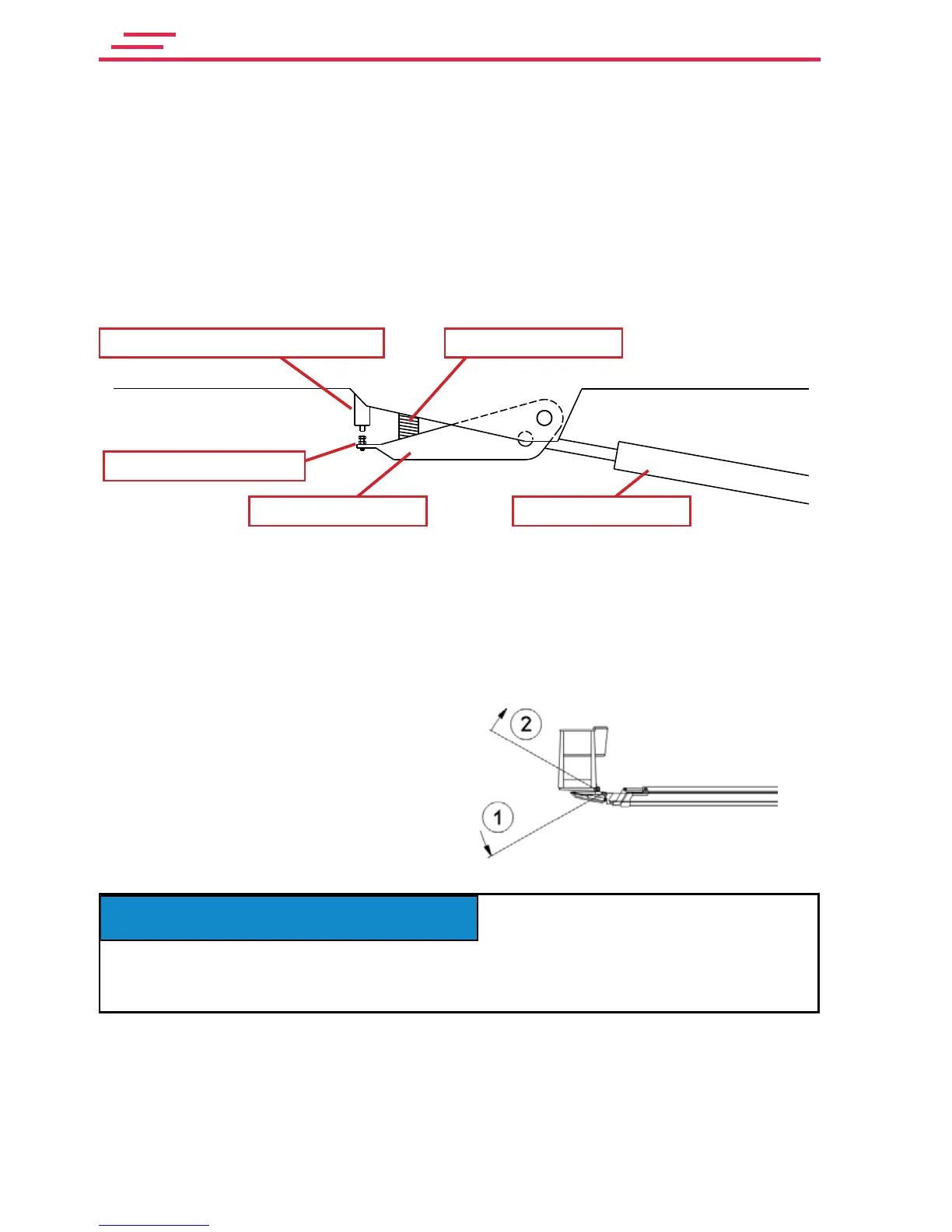
4.3.15. Testing the outreach- and overload limit switches (RK4 and RK5)
PRESSURE SPRING
LIFTING CYLINDERARTICULATED ARM
LIMIT SWITCHES RK4 AND RK5
ADJUSTMENT SCREW
Check the correct adjustment of the outreach limit switches
For the test, keep the same carefully weighed and placed test load on the platform, as used
in the previous test.
To check the adjustment of outreach limit switch RK 4:
1. Drive the boom to a horizontal position from
the chassis control panel.
2. Drive the platform with the levelling control
to a horizontal position so that that the last
stage of the adjustment procedure is lifting.
Before testing the outreach, the platform must be driven with the levelling control to a
horizontal position so that that the last stage of the adjustment procedure is lifting of the rear
edge. Otherwise you may not get the correct result.
3. Extend the telescope until it stops. Do not correct the position of the platform.
4. Makesurethataredsignallightontheplatformisashingandthatthefollowingtextis
on the display: Outreach limit!
At the outreach limit!
2. Lifting the rear edge
of the platform
1. Lowering the rear edge
of the platform



 To Next Page