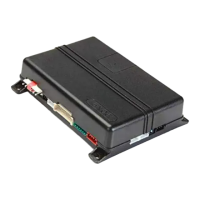
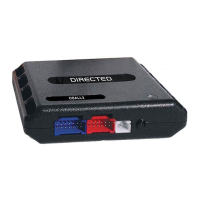
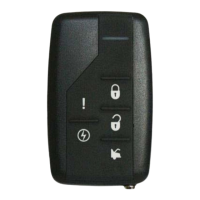
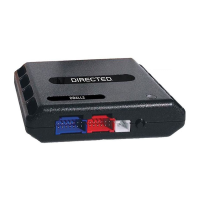
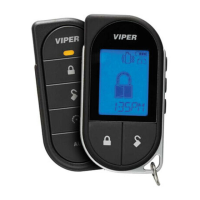
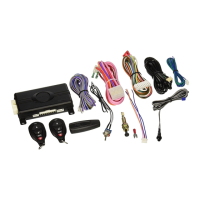
This document is a user guide for the Directed SmartStart Model ASRA-2510, a 5-button remote car starter system designed for both automatic and manual transmission vehicles. It is designed and engineered in Canada.
Function Description:
The ASRA-2510 is a state-of-the-art remote car starter system offering advanced features for vehicle control and security. It enables remote starting and stopping of the engine, keyless entry, trunk release, and panic mode activation. The system is also compatible with SmartStart™ technology, allowing users to access its features via a smartphone for functions like keyless entry, trunk release, panic, remote start/stop toggle, and alarm notifications. The SmartStart™ feature requires professional installation.
Important Technical Specifications:
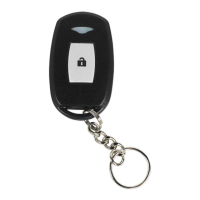
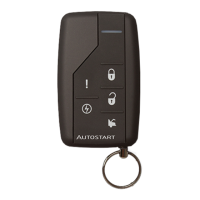
The system operates with a 5-button multi-channel remote control, capable of operating two independent vehicles equipped with the same remote car starter model (Multi-Car Operation). The transmitter is powered by two lithium cells (CRXXXX), which are replaceable.
Usage Features:
Remote Control Functions:
- AUX: Stops the engine and activates panic mode (if held for more than 3 seconds). Locks doors and turns on the alarm sound.
- LOCK: Locks the doors and arms the Starter Kill.
- START: Remote starts the engine, activates Cold Weather mode (if held for 3 seconds), or triggers Panic mode (if held for more than 3 seconds).
- UNLOCK: Unlocks the doors and disarms the Starter Kill. Activates AUX 1 output if priority door access is configured.
- TRUNK: Opens the trunk or activates the AUX 3 output.
- Pressing LOCK and UNLOCK simultaneously activates the AUX 2 output.
Vehicle Presets:
- Heater: Recommended to preset blower motor (fan) settings to LOW or MEDIUM before remote starting.
- Windshield Wipers, Radio & Headlights: Ensure these are OFF before leaving the vehicle to prevent battery drain or continuous operation after remote starter shutdown.
Arming and Disarming the Starter Kill:
- Passive Mode (Default): The Starter Kill automatically arms 1 or 3 minutes after the ignition is turned OFF or the last door is closed. The LED on the antenna flashes quickly during the countdown, then sends quick double flashes when armed. To arm, press LOCK. To disarm, press UNLOCK. It re-arms automatically after 1 or 3 minutes if no door is opened and the ignition is OFF.
- Active Mode: To arm, press LOCK. Parking lights flash once, the LED flashes slowly, and if remote door locks are installed, doors lock and the OEM-style alarm arms. To disarm, press UNLOCK. Parking lights flash twice, the LED turns OFF, and doors unlock.
- Note: If the Starter Kill is installed, it protects against starter motor damage if the ignition key is turned to CRANK during remote start.
Remote-Starting Your Vehicle:
- Manual Transmission (Ready Mode): The vehicle must be in Ready Mode to remote start. This can be enabled by remote or handbrake, depending on installation.
- Remote Enabled Ready Mode: Engine running, apply parking brake once, release brake pedal. Within 20 seconds, press and hold LOCK, UNLOCK, or START/STOP (SmartStart™ uses START/STOP only). Parking lights flash 3 times quickly and remain lit. Remove key, engine continues running. Exit vehicle, close all doors, hood, and trunk.
- Option 1 (No Lock): Engine stops. Vehicle is not armed or locked.
- Option 2 (Manual Shutdown - Default): Engine runs until LOCK (locks doors, shuts down engine), UNLOCK (unlocks doors, shuts down engine), or START/STOP (shuts down engine without affecting doors) is pressed.
- Option 3 (Automatic Shutdown): Engine runs for 8 seconds, then locks doors, then shuts down.
- Handbrake Enabled Ready Mode: Engine running, apply parking brake twice within 10 seconds. Release brake pedal. Parking lights flash 3 times quickly and remain lit. Remove key, engine continues running. Exit vehicle, close all doors, hood, and trunk.
- Exiting Ready Mode: Opening a door, hood, or trunk, pressing the brake pedal, disengaging the parking brake, or turning the ignition key to IGNITION ON (RUN) will exit Ready Mode.
- Remote Starting: Press START for approximately 1 second. Parking lights turn ON for 5 seconds, then the engine starts. Parking lights remain ON during the pre-programmed run time. Automatic transmission vehicles will attempt to start 3 times if the first attempt fails.
- Driving Off (Takeover): With the engine running via remote start, press UNLOCK to disarm the Starter Kill/OEM-style alarm and unlock doors. Enter the vehicle, turn the ignition key to IGNITION ON (RUN) (do not CRANK), and press the brake pedal to disengage the remote starter.
- Note: For some Push-To-Start (PTS) vehicles, takeover may not be possible; consult your technician.
Remote Door Locks:
- Locking: Press and hold LOCK for approx. 1 second. Parking lights flash once.
- Unlocking: Press and hold UNLOCK for approx. 1 second. Parking lights flash twice.
Remote Trunk Release:
- Press TRUNK for 3 seconds.
Idle Mode:
- Allows the engine to run with doors locked and no key in the ignition.
- Activating (Automatic Transmission): Engine running, release brake pedal. Press LOCK, UNLOCK, or START (SmartStart™ can be configured for START) until parking lights turn ON. Remove ignition key, engine continues running. Exit vehicle, close all doors, hood, and trunk. Press LOCK to lock doors, arm starter kill, and arm alarm. Engine runs at idle speed.
- Re-entering: Insert key, turn to ON (not Crank) without pressing brake. Once key is ON, press brake pedal to put transmission in gear. Drive off.
- Activating (Manual Transmission): Follow Ready Mode routine (page 9), but at the last step, press TRUNK to lock doors, arm system, and leave engine running.
- Push-To-Start Idle Mode: Similar to normal Idle Mode, but when re-entering, close all doors. You have 1.5 or 3 minutes to press the brake pedal, get in gear, and drive off. Pressing the brake pedal after this period will shut down the engine.
- Note: Engine runs until user re-enters or run time expires. If run time expires or engine is shut down remotely, vehicle enters Ready Mode.
- Caution: Do not leave children or pets unattended in Idle Mode.
Valet Mode:
- Disables remote starter and alarm functionalities. Prevents accidental remote starts when servicing or parking indoors.
- Activating (Ignition Valet Mode): Insert key, within 10 seconds, turn key 5 times successively to IGNITION/RUN and OFF. Parking lights flash 3 times. Turn ignition OFF. LED on antenna turns ON solid.
- Activating (Remote Valet Mode): Press UNLOCK and START simultaneously until parking lights flash 3 times. LED on antenna turns ON solid.
- Exiting (Ignition Valet Mode): Insert key, within 10 seconds, turn key 5 times successively to IGNITION/RUN and OFF. Parking lights flash twice. Turn ignition OFF. LED on antenna flashes quickly.
- Exiting (Remote Valet Mode): Press UNLOCK and START simultaneously until parking lights flash twice. LED on antenna turns OFF.
- Warning: If someone attempts to remote start in Valet Mode, parking lights turn ON then OFF, then flash twice.
Panic Mode:
- Activated by pressing and holding START for more than 3 seconds until the horn honks. If remote starting, engine shuts down first.
- To stop horn: Press LOCK (locks doors, deactivates panic) or UNLOCK (unlocks doors, deactivates panic). Can also be stopped by activating Valet Mode.
- Automatically shuts down after 30 seconds.
- Note: Requires horn to be adequately configured by installer.
Quick Lockout™ (Secure Panic):
- For fast protection in emergencies, the system locks all doors when the brake pedal is pressed while the sound signal is heard. Only available when Panic mode has been set off.
Cold Weather Mode:
- Engine starts every 2 hours and runs for 3 minutes (or 8/20 minutes for diesel engines). Automatically ends after 24 hours (or 12 starts).
- Manual Transmission: Ready Mode must be set first.
- Entering: Press and hold START for at least 3 seconds. Parking lights flash for 2 seconds, pause, then flash 3 times.
- Exiting: Open the hood, start engine by remote, or turn ignition key to IGNITION ON (RUN).
- Verifying (Automatic Transmission): Press the brake pedal. If in Cold Weather Mode, parking lights remain ON while brake pedal is pressed.
- Safe Start Enabled: If Safe Start is enabled, press and release START, then press and hold START until parking lights flash 3 times.
Extended Run Time:
- With engine running via remote start, press and hold START for more than 3 seconds to reset the run time counter and restart the run time cycle. Horn honks once, parking lights flash slowly 3 times then remain lit.
- Can only be done once per remote start.
Disable/Enable LED Flashing:
- Disable: Press LOCK and TRUNK simultaneously until parking lights flash 3 times.
- Enable: Press TRUNK and UNLOCK simultaneously until parking lights flash once.
Constant Output:
- Pressing and holding LOCK for more than 3 seconds locks all doors and sends a constant pulse (max 15 seconds) for functionalities like rolling up windows.
- Pressing and holding UNLOCK for more than 3 seconds unlocks all doors and sends a constant pulse (max 15 seconds) for functionalities like rolling down windows.
- Consult installer for vehicle compatibility.
Advanced Features (Installation-programmable Options):
- Ignition-controlled Door Locks: Doors automatically lock when ignition is turned to IGNITION ON (RUN) and brakes are pressed. Unlocked/opened doors re-lock when brake pedal is pressed again. Doors automatically unlock when ignition is turned OFF.
- Secure Lock (Disabled by default): Disarms factory security system before remote start, then re-locks doors once started. Rearms factory security and re-locks doors after engine shutdown or run time expiration.
- Safe Start: Requires pressing START twice within 3 seconds to remote start, preventing accidental starts.
- Swap Start: If enabled, press LOCK and UNLOCK simultaneously to remote start. AUX 2 output can be activated by pressing START.
- Engine Run Time: Configurable for 3, 15, or 25 minutes for gas engines (15 minutes default); 8, 20, or 30 minutes for diesel engines (20 minutes default).
- Turbo Mode: Allows turbocharger to idle down for 60 seconds after user leaves vehicle, then shuts down engine.
- Automatic Transmission: Engine running, release brake pedal. Press LOCK, UNLOCK, or START until parking lights turn ON. Remove ignition key, engine continues running. Exit vehicle, close all doors, hood, and trunk. Press TRUNK to lock doors, arm OEM-style alarm, and confirm Turbo Mode. Engine shuts down after 60 seconds.
- Manual Transmission: Follow Ready Mode routine (page 9). At the last step, press LOCK (locks doors, arms OEM-style alarm and starter kill, engine shuts down after 60 seconds), UNLOCK (unlocks doors, engine shuts down after 60 seconds), or START (shuts down engine without affecting doors).
- Note: Vehicle enters Ready Mode once engine run time expires.
- Home Valet™ Mode: Sets vehicle to no-remote-start mode, keeping OEM alarm active.
- Entering: Press LOCK or UNLOCK. Within 3 seconds, press LOCK and START simultaneously for 3 seconds. P-lights flash once.
- Exiting: Turn ignition key to IGNITION ON (RUN). If someone attempts to start in Home Valet Mode, parking lights turn ON then OFF, then flash twice, pause, then flash twice again.
- AUX 1 (500 mA negative output): Can be used for various applications.
- Priority Door: Unlock driver's door with a single press of UNLOCK. Press UNLOCK a second time to unlock other doors.
- Horn Confirmation: AUX 1 can trigger the horn every time LOCK is pressed, or twice within 3 seconds. Enables panic mode.
- Horn Chirp Timing: Pulse duration configurable from 5 ms to 200 ms.
- Multi-car Operation: Control two vehicles with one remote. Simultaneously press TRUNK and the desired function button (LOCK, UNLOCK, START, STOP, or START for 3 seconds for Cold Weather Mode).
- OEM-Style Alarm: Monitors doors, hood, and ignition switch. Sounds horn if triggered.
- Car Finder: If configured, press and hold LOCK or UNLOCK to send a pulsating horn signal to locate the vehicle.
- Intrusion Codes via Horn: If an intrusion occurs (max 1 minute horn sound), pressing UNLOCK will provide an intrusion code:
- 1x = power interruption
- 3x = Hood
- 4x = Doors intrusion
- 6x = Ignition
Maintenance Features:
- Battery Replacement: The transmitter is powered by two lithium cells (CRXXXX).
- Release the lock on the battery cover.
- Remove the battery cover.
- Remove old batteries.
- Install two new lithium batteries (CRXXXX) with the positive (+) mark toward the battery cover.
- Install and lock the battery cover.
- Push the lock button; the buzzer should sound, indicating correct installation.
- Note: Do not install old and new batteries together.
Troubleshooting Poor Transmitting Range:
Factors affecting range include:
- Battery condition in the transmitter.
- Operating environment (e.g., radio-frequency noise, airports, cellular towers).
- Presence of metal (including the vehicle itself).
- Vehicle shape (vans generally have less range).
- Vehicle roof and A-pillar shape causing radio-frequency deflection. Range is generally best when standing in front of the vehicle, second best from the back, and lowest from the sides.
- Crowded parking lots reduce range compared to open spaces.
- Hold the transmitter high, approximately at shoulder height.
- Vehicles with aftermarket or factory alarms may have slightly lower operating range.

 Need help?
 General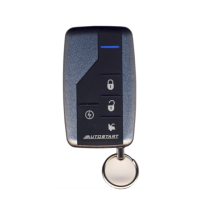



 To Next Page