page 28 of 56 ANDIAMO 2.XT (SRC) Hardware Guide - Version 2.1
CHAPTER 4: Operation
The selection of the active MADI port depends on the set redundancy mode of the
device. The redundancy mode is adjusted via remote control.
Default setting ‘Standard’:
The MADI input that locks fi rst will be selected automatically, switchover at signal
loss, no revert when signal is regained.
Clocking to MADI
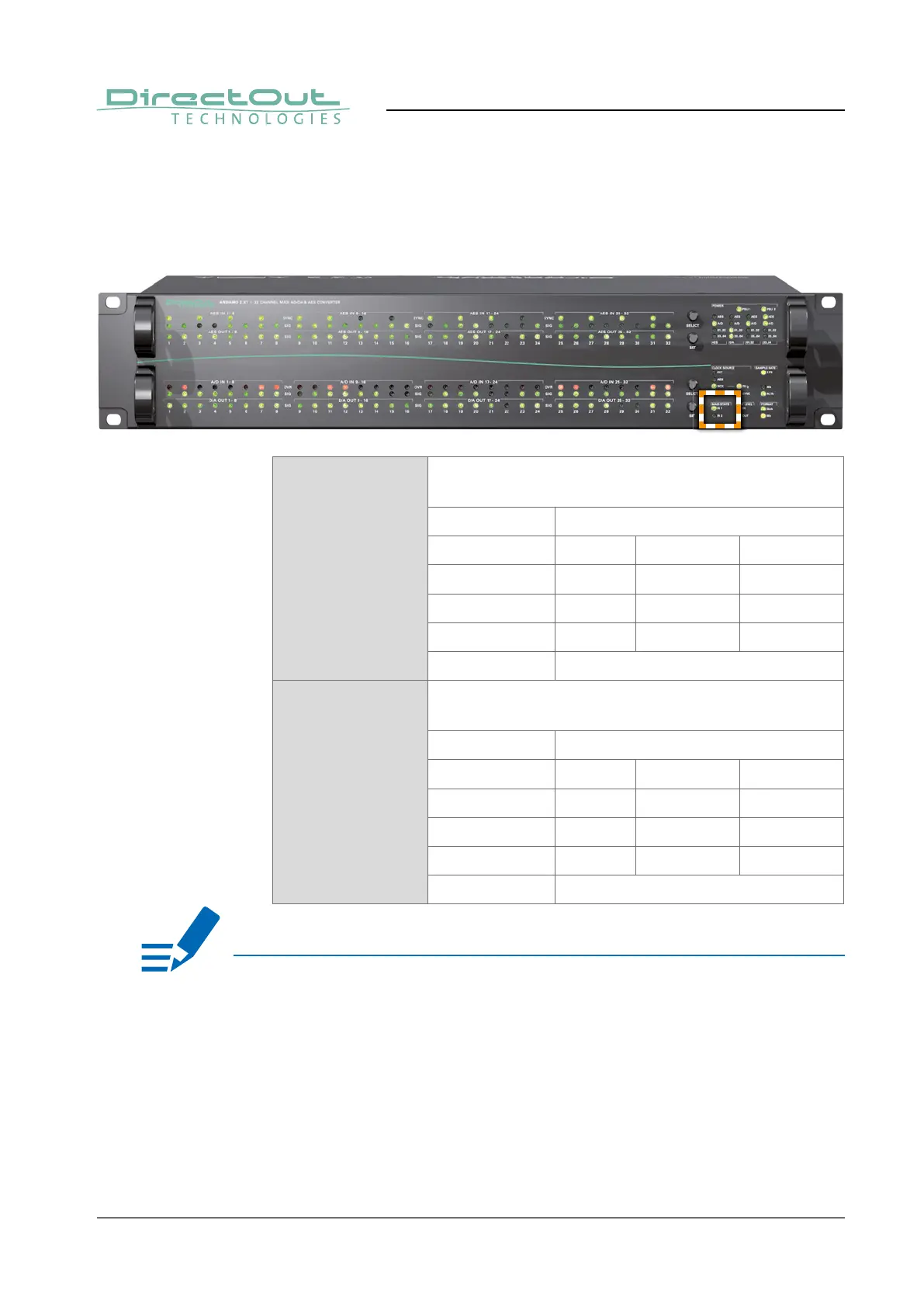
Lock and sync states of the two MADI inputs are indicated individually by two
LEDs (MADI STATE). If both MADI inputs are connected the LED of the unselected
input will glow or blink with a reduced intensity (50%).
IN 1 LED (green): indicates the selection state and
lock/sync state of MADI input1
LED MADI input is
ON (100%) locked in sync selected
ON (50%) locked in sync not selected
Blinking (100%) locked not in sync selected
Blinking (50%) locked not in sync not selected
OFF no MADI signal detected
IN 2 LED (green): indicates the selection state and
lock/sync state of MADI input2
LED MADI input is
ON (100%) locked in sync selected
ON (50%) locked in sync not selected
Blinking (100%) locked not in sync selected
Blinking (50%) locked not in sync not selected
OFF no MADI signal detected
NOTE


 To Next Page