page 43 of 56ANDIAMO 2.XT (SRC) Hardware Guide - Version 2.1
CHAPTER 5: Menu Navigation
System Settings
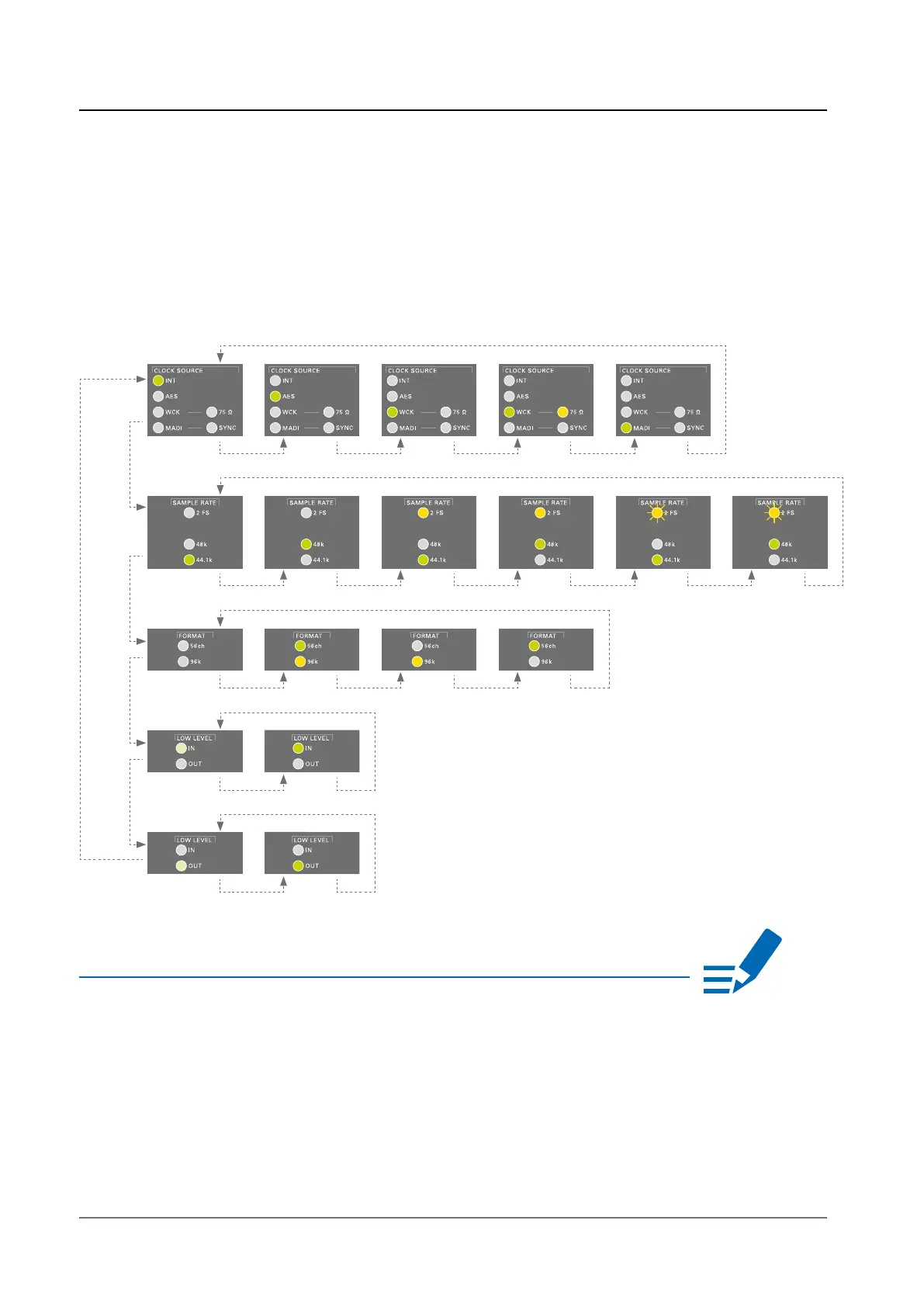
• Press the button <SELECT> longer than two seconds to enter the menu
mode
• Press <SELECT> to cycle through the menu.
• Press <SET> to change a setting.
NOTE
SET SET SET SET SET
SET SET SET SET SET SET
SET SET SET SET
SET SET
50% 100%
SET SET
50% 100%
SELECT
SELECT
SELECT
SELECT
SELECT
Blinking LEDs are also used to indicate an error (e.g. missing sync). Concentrate on
the section where one LED is blinking and the remaining LEDs are glowing weak.


 To Next Page