7
FEATURES AND FUNCTIONS
Key Charts (continued)
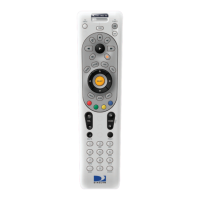
Press MUTE to turn the
sound off or back on.
Press PREV to return to the
last channel viewed.
Press the number keys to di-
rectly enter a channel number
(e.g. 207) while watching TV
or in the Guide.
Press DASH to separate main
and sub-channel numbers.
Press ENTER to activate
number entries quickly.
MUTE
PREV
ABC
21
DEF
3
JKL
5
GHI
4
MNO
6
TUV
8
PQRD
7
WXYZ
9
0
DASH ENTER
Remote Control UG-Philips.indd 7Remote Control UG-Philips.indd 7 7/26/05 11:10:50 AM7/26/05 11:10:50 AM



 To Next Page