EN
9
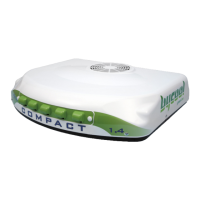
COMPACT 1.4
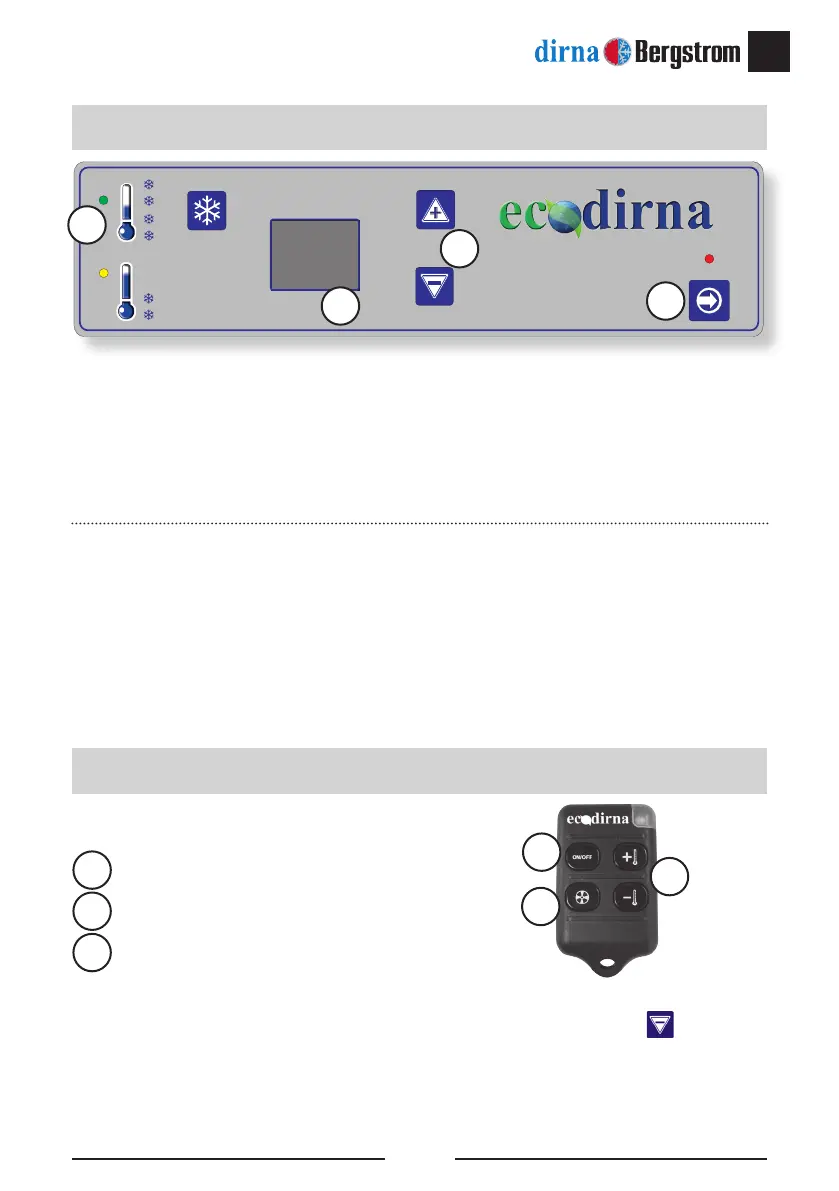
1.- On/off switch on /off the unit and functioning selection mode.
2.- Indicate the compressors functioning.
3.- Display: Screen where it shows the slected functioning and condition of the unit.
4.- Temperature selectors: Selecting room temperature and centrifugal blower speed (in
manual mode only), programming of the control and degrees Fahrenheit.
• When you connect, the engine make leds control and you can read 88--bd on the display
and the engine swith off.
Remote control functions:
Switching on /off of equipment.
Centrifugal blower speed control.
Temperature control.
How to activate remote control:
In order to activate remote control, while equipment is switched off, push key
from control
panel until
C
C
ashes on display. When it stops ashing, push the On/off key on in the remote
control. You will have to do it within 30 seconds or else you will have to repeat the whole
operation.
Control panel
Remote control
2
3
1
1
2
3
4
1
2
3
Special display symbols (please see troubleshooting manual):
Lb: Low battery.
EO: Poor contact of the sensor wires or sensor failed.
E2: Condenser fan or centrifugal blower failure.
E9: Compressor protection (cabin tilted).



 To Next Page