EasyManua.ls Logo

Dish Network Hopper Sling - Page 34

Dish Network Hopper Sling
143 pages
Print Icon
To Next Page IconTo Next Page
To Previous Page IconTo Previous Page
Loading...
24
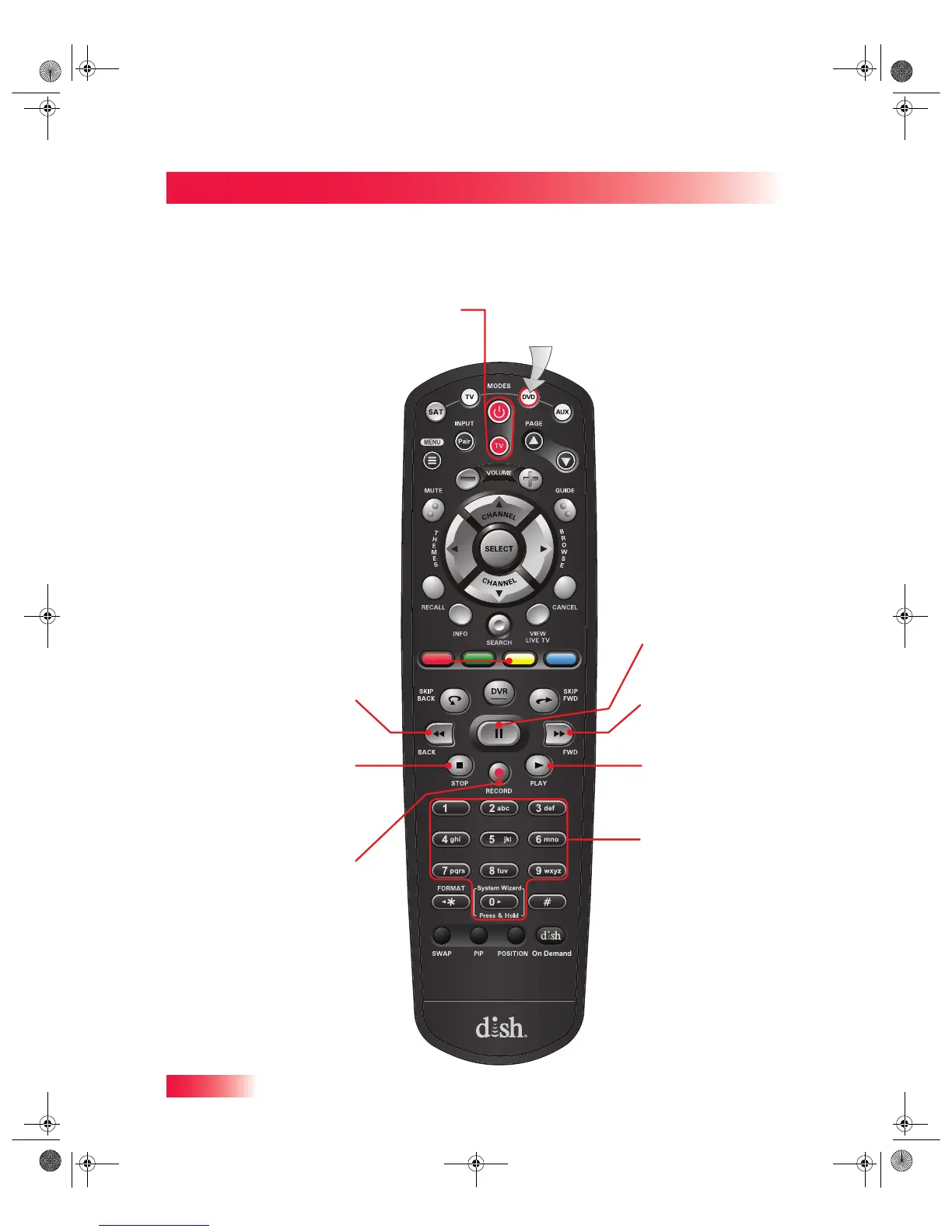
Controlling Other Components
Chapter 2
Press this
button for
DVD Mode
Power & TV Power
T
op Button turns the DVD/BR/VCR on/off
Bottom button turns the TV on/off
Number Buttons
Use to get to specific
chapters on the DVD;
the function of the
remote number
buttons depends on
the device
Pause
Pause a DVD, Blu-ray
disc, or videotape
Back
Rewind a DVD, Blu-ray
disc, or videotape
FWD (Forward)
Forward a DVD, Blu-ray
disc, or videotape
Play
Play a DVD, Blu-ray
disc, or videotape
Stop
Stop playing or
recording a videotape,
or stop playing a DVD
or Blu-ray disc
Record
Record on a videotape
DVD Mode
913.book Page 24 Tuesday, January 15, 2013 4:57 PM

Table of Contents

Related product manuals