Selecting the parameters:
In the setting mode, the flashing value can always be set. First of
all, this is the pulse frequency setting (Hz flashes). By pressing
the key (CH1 ), you will reach the pulse duration setting (µs
flashes) and, by pressing this key again, the application time
setting in min. (clock symbol flashes). By pressing the key
(CH1 ) again, you return to the pulse frequency etc.
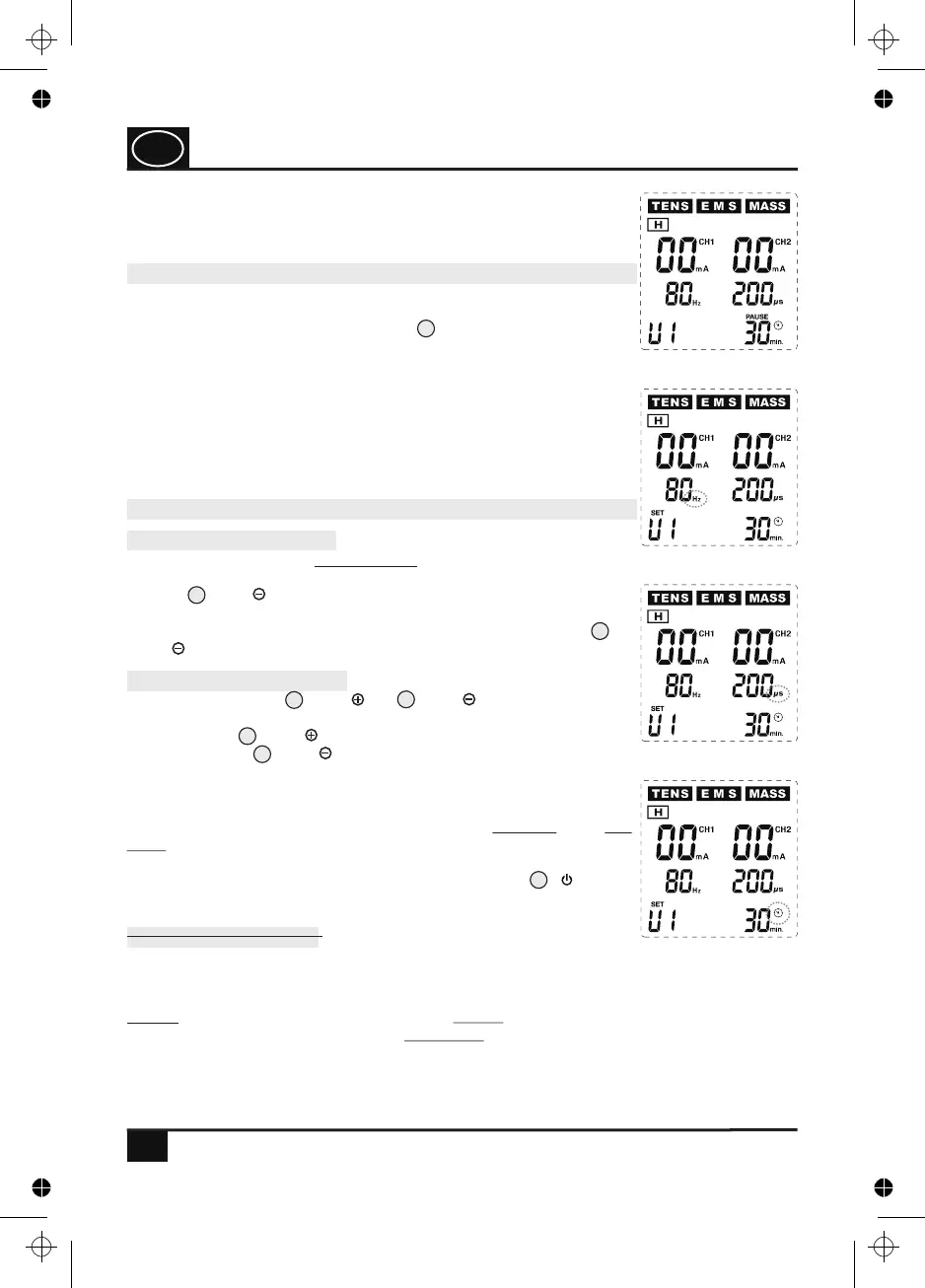
Fig. 19
Fig. 20
Fig. 21
Fig. 22
6
9
9
11
11
20
NOTE: In the programmes TENS U3 - U5, ranges instead of individual values can be set
depending on the programme. Here, two values (lower value and upper value) can be set
for pulse frequency in Hz (U4 and U5) and for pulse duration in µs (U3 - U5)!
Adjustable parameters:
Pulse frequency: 2 - 150 Hz (hertz)
Pulse duration: 50 - 350 µs (microseconds)
Application time: 5 - 90 min. (minutes)
is then shown. Now, press the corresponding one-touch key
repeatedly until the programme U1 appears on the left at the
bottom of the display (see Fig. 19).
USAGE
7
7
12.4 Selecting and setting the parameters
12.3 Setting mode of the U programmes
If you have selected one of the adjustable user programmes
according to section 12.1 (e. g. U1), you can reach the setting
mode by pressing and holding the key (P/II) for several
seconds until the display SET appears on the display via the
number of the selected user programme (e.g. U1), accompanied by
an acoustic signal. At the same time, Hz to the right of the display
of the pulse frequency starts flashing, which signals that this
value can be set now. You are now in the setting mode and can set
the values according to your needs one after the other for pulse
frequency (Hz) (see Fig. 20), pulse duration (µs) (see Fig. 21)
and application time (min.) (see Fig. 22).
4
Setting the parameters:
By pressing the keys (CH2 ) or (CH2 ), you can now
change the set values of the respectively selected area in single
steps. The key (CH2 ) is used for increasing the values,
whereas the key (CH2 ) is used for reducing the values. Each
keystroke is accompanied by an acoustic signal. If you press and
hold these keys for several seconds, a quick continuous increase or
reduction of the respective set values is started, whereas
confirmed by an acoustic signal. If you release the
respective key, the currently reached value remains set. If you have
set the values according to your needs, press the key ( ) in
order to save these values.
each
increase or reduction by one unit (Hz and min.: one step / µs: five
steps) is
GB
4. PJN157-14_GA-GB_HHD_TEN250_31.03.14
Montag, 31. Mrz 2014 12:10:42


 To Next Page