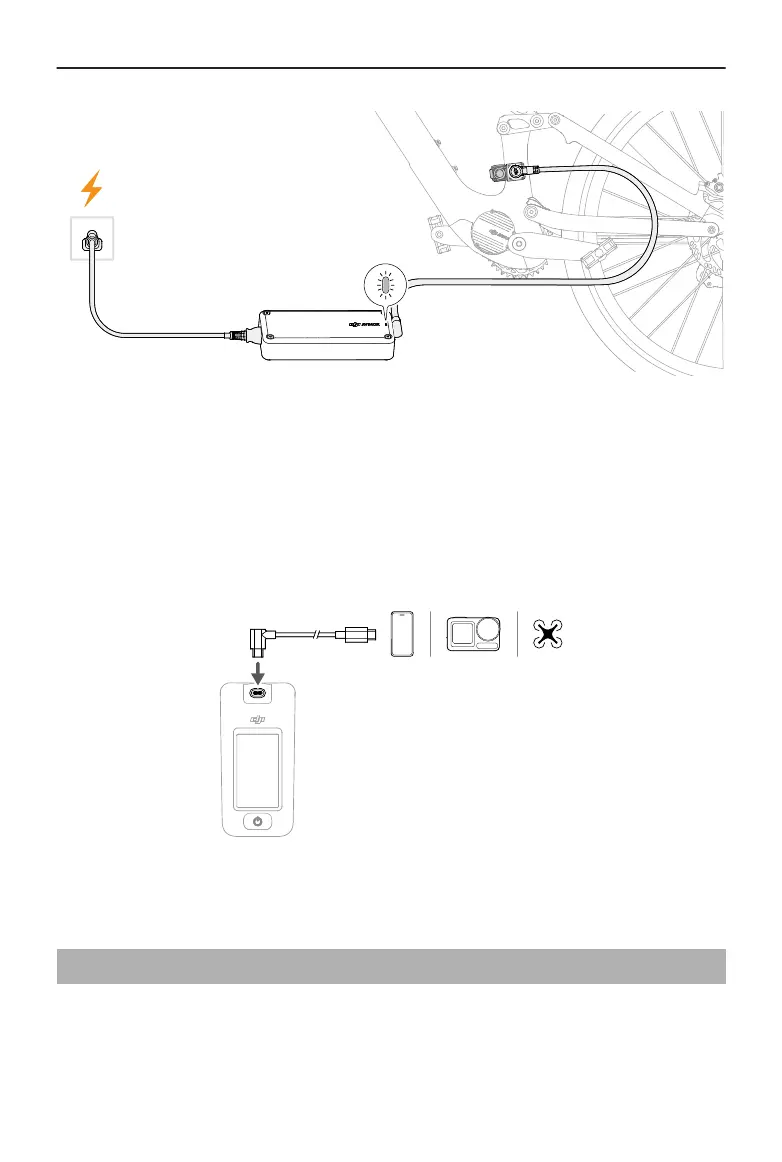
LED Indicator
Red: The battery is charging.
Green: Fully charged.
Yellow: The charger is connected incorrectly or abnormal.
Charging the External Devices
Use the USB-C cable to connect the control display with an external device, and then
power on the control display to charge the connected device.
2.4 Avinox App
When the drive system is paired with the Avinox App via Bluetooth, users can customize
the assist parameters and bike screen, and enable the bike protection function on the
app. After inserting SIM card in the control display, users can remotely control the bike
using the app.
DJI Avinox User Manual
© 2024 DJI All Rights Reserved. 11



 To Next Page