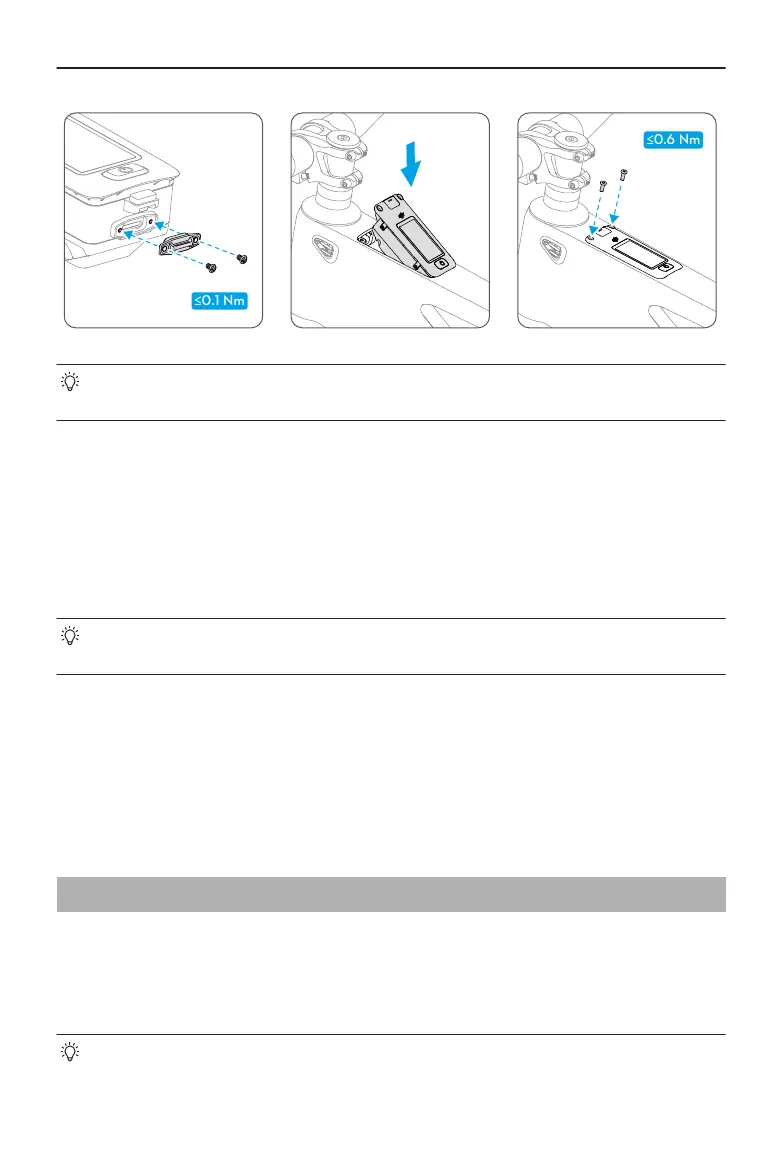
• When removing from the frame, it is recommended to pry up the control display
using a tool instead of pulling the Type-C port cover.
Bike Connectivity
After installing the nano-SIM card, power on the control display and open the app, tap
Cloud and then enable Bike Connectivity (SIM).
Swipe up the bike screen to check the signal. If the signal is normal, the connection status
will display 4G in the app after turning o the Bluetooth on the mobile phone.
• If the bike screen displays no signal, check whether the nano-SIM card is
working normally and the signal is good in the area.
Ride Data Sync
Open the app, tap Cloud and then enable Ride Data Sync. Ride data can be synced
automatically using the mobile data. The synced ride data can be viewed on other devices
by logging into the account.
3.2 Bike Protection
The drive system provides bike protection functions, allowing users to set a digital
password and use the phone as the Bluetooth key to unlock the bike automatically. If
the bike is moved by accident, it will sound an alarm and the app will also receive a
notication.
• The bike protection functions may not be available for extended use when the
bike is in an environment below 0° C (32° F) or the battery level is lower than 5%.
DJI Avinox User Manual
© 2024 DJI All Rights Reserved. 15



 To Next Page