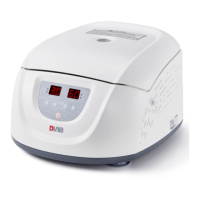
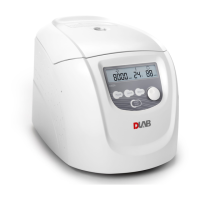
High Speed (Refrigerated) Micro-Centrifuge
17
8.1.4 End the operation
(1)The centrifuge will brake when it reaches the setting time or
button is pressed.
When the rotor stops rotating, centrifuge will start beeping to alarm the operation was over.
(2)Open the door
The door can be released automatically when the operation was over.
After door closed, you are able to press the
button to open it.
After ending the operation, the program will store the setting parameters of this operation, and
will recall these parameters when restart the program.
(3)Open the door and take out the rotor and sample.
8.2 RCF (Relative Centrifugal Force) operation
(1) Turn on the POWER switch
(2) Set a RCF value
CAUTION:
● Do not exceed the allowable maximum RCF value of the rotor and adapters.
Press the select button , choose speed unit ×g, the speed symbol will flash into
RCF parameter input status.
If no button is pressed after the speed parameter has flashed after 5 seconds, the
inputting mode will be shut down.
Rotate parameter button to input a RCF value, RCF increment is10×g.
(3)Set operating conditions.
The other operation, please refer to the section 8.1.
8.3 Pulse operation
This function is used to remove the residual samples adhered on the interior of the tubes.
(1)Turn on the POWER switch and load the rotor on the shaft, tighten the rotor door and make sure it is
in secured position, and then close the door.
Note:The button works only when the rotor stopped and the door locked.


 To Next Page