8860 Installation and Programming Guide | Digital Monitoring Products 13
TRAIN YOUR CUSTOMERS
This section contains instructions on how users can access the user menu, arm and disarm their system, change the
system Wi-Fi password, and clean the keypad. All of the examples displayed assume that CLOSING CODE is YES in panel
programming.
For more information about using your system, refer to the appropriate system user guide.
Access the User Menu
1. In the Carousel menu, select Keypad.
2. Tap CMD to advance to MENU? NO YES. Tap YES.
3. Enter your user code, then tap CMD.
4. Tap CMD to advance through the menu items. To enter a menu, tap any select area.
Arm and Disarm the System
Area System Type
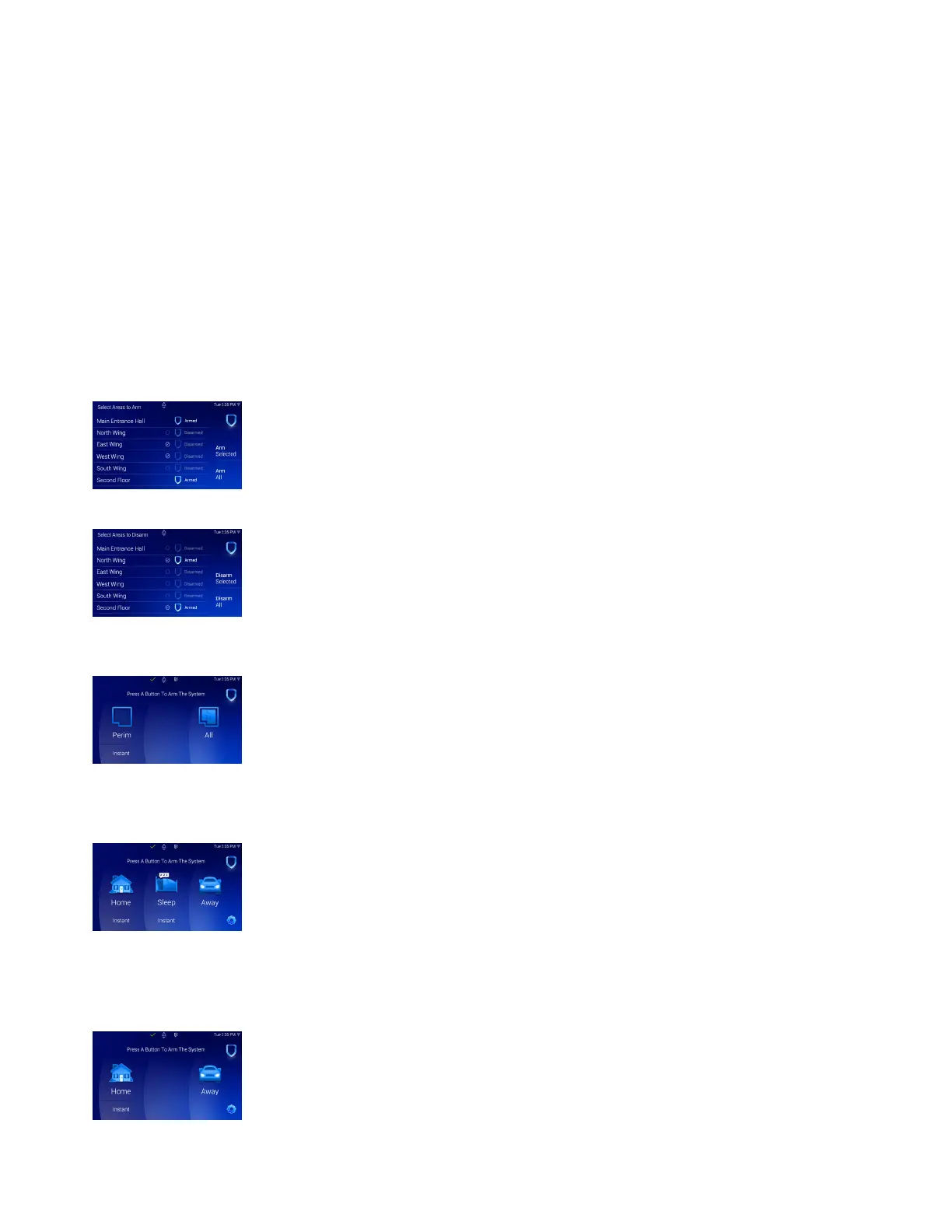
1. Press and release the shield to open the arming options screen. Tap your preferred
option.
2. If arming, the keypad displays ALL? NO YES. Select NO to arm individual areas. Tap
the area name and then select Arm Selected at the right of the screen. To arm all
areas, select Arm All at the right of the screen.
3. If disarming, the keypad displays ENTER CODE. Enter your user code. The keypad
will display ALL? NO YES. Select NO to arm individual areas. Tap the area name and
then select Disarm Selected at the right of the screen. To disarm all areas, select
Disarm All at the right of the screen.
All/Perimeter System Type
1. Tap the home screen shield in the center of the keypad.
2. If arming, select ALL to arm all areas or PERIM to arm only the perimeter. If ENTER
CODE displays, enter a user code at the keypad.
3. If disarming, enter a user code at ENTER CODE.
Home/Sleep/Away System Type
1. Tap the home screen shield in the center of the keypad.
2. If arming, HOME SLEEP AWAY displays. Select HOME to arm the perimeter, select
SLEEP to arm everything except the bedroom areas, or select AWAY to arm all
areas. If a selection is not made, all areas will automatically arm AWAY.
3. If ENTER CODE displays, enter a user code at the keypad.
Home/Away System Type
1. Tap the home screen shield in the center of the keypad.
2. If arming, HOME AWAY displays. Select HOME to arm the perimeter or select AWAY
to arm all areas. If a selection is not made, all areas will automatically arm AWAY.
3. If ENTER CODE displays, enter a user code at the keypad.



 To Next Page