8860 Installation and Programming Guide | Digital Monitoring Products 4
USE THE KEYPAD
Enter Characters
To see how to enter characters, watch the video How to Type on a Keypad.
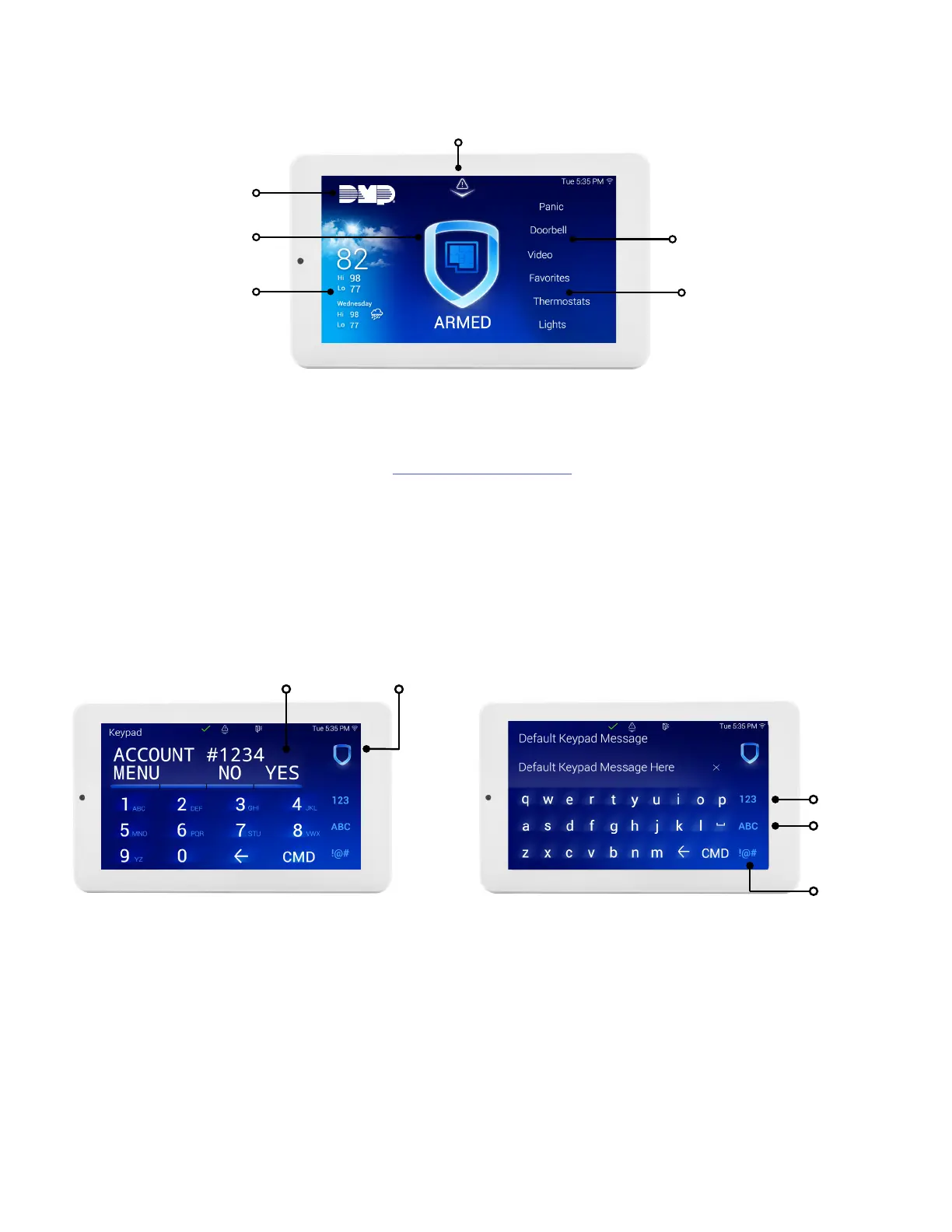
Standard Keyboard
▶ Press ABC to enter uppercase letters.
▶ Press abc to enter lowercase letters.
▶ Press !@# to enter special characters.
▶ Press 123 to enter numbers and to return to the number pad.
Select Areas
Return to
Home Screen
Figure 4: Number Pad
Figure 5: Standard Keyboard
Number Pad
Uppercase/
Lowercase
Letters
Special
Characters
Keypad Layout
Figure 3: Keypad Layout
Dealer Logo
Carousel Menu
Local
Weather
Interactive
Arming/
Disarming
Home Shield
Drag the menu
to scroll
Drag down the attention
list to view events



 To Next Page