1 [Net 00, Subnet 0, Universe 0]
Note: sACN Universe 1 = Art-Net 00:0:0
4. CONFIGURATION UTILITY
The eDMX Configuration utility provides a simple interface to all device parameters. Typically, these are set once during initial
configuration and left untouched.
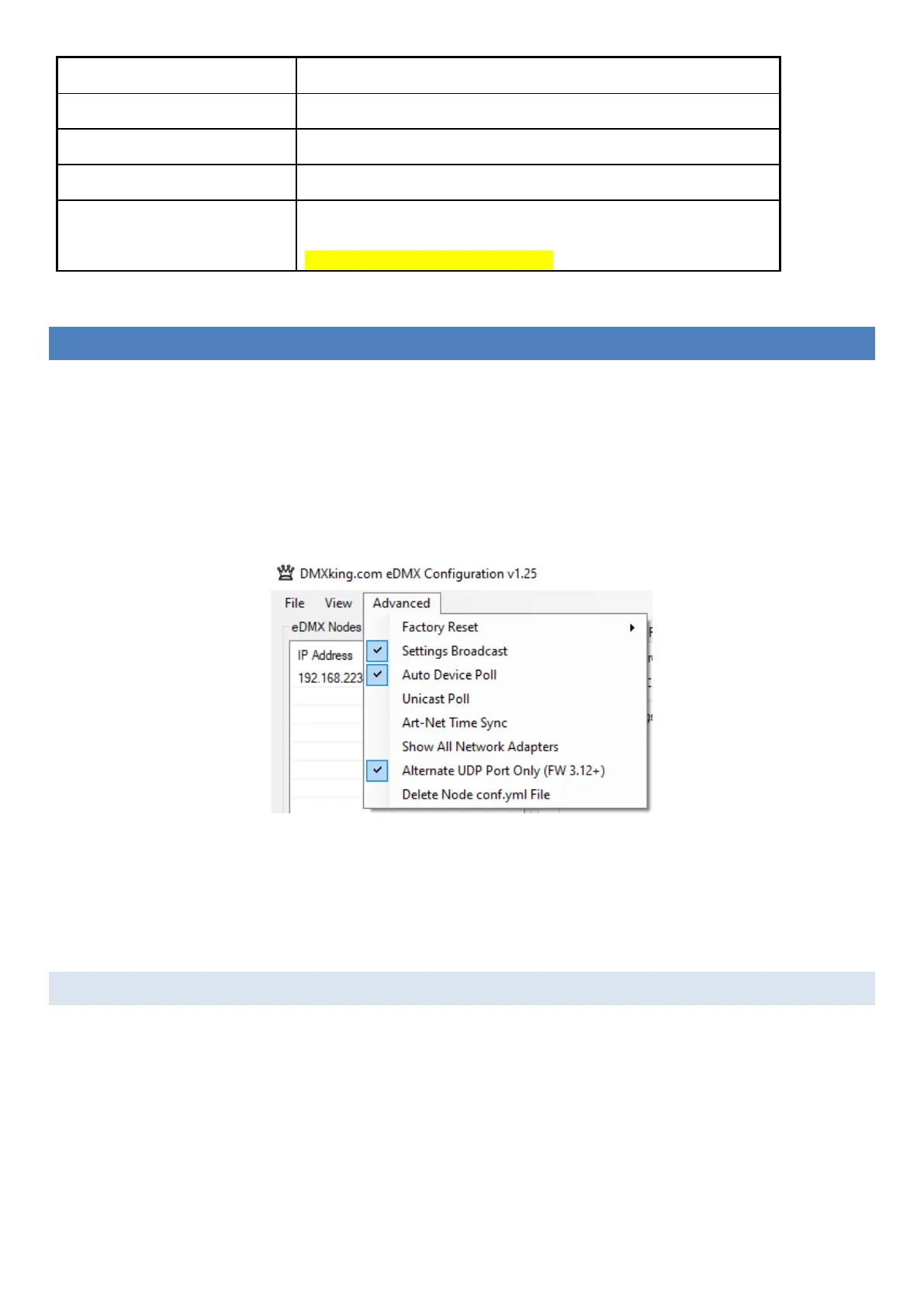
eDMX Configuration functions with primary Art-Net UDP 6454 and an alternate UDP 16454 port for device configuration. This is
helpful when simultaneously running eDMX Configuration and a lighting control application. Automatic selection of alternate port
is performed upon utility startup if the primary Art-Net port is unavailable. It is also possible to lock eDMX Configuration to the
alternate port via the Advanced menu. Note that DMXking nodes are always listening on both primary and alternate ports so there
is no device configuration required to change.
eDMX Node configuration can be saved/loaded from a simple Key:Value YML file. Select the node and perform Load/Save
accessible in the File menu. Configuration files can be loaded from a file named “conf.yml” on the SD card however updates
made to configuration are not currently saved by the node back to the conf.yml file. This is intended as a deployment
mechanism where complete device configuration and show content can be prepared externally on an SD card.
NETWORK TAB



 To Next Page