EasyManua.ls Logo

DNP DP-DS820 - Chapter 2 Properties; Open the Printer Properties

DNP DP-DS820
40 pages
Print Icon
To Next Page IconTo Next Page
To Previous Page IconTo Previous Page
Loading...
9
[DP-DS820/DP-DS820 (A) Printer Driver] Instruction Manual (For Windows 11)
Chapter 2 Properties
You can configure various printer settings from the Properties of the driver. Make sure you
understand the contents well before changing settings. To use the properties, log in as an
administrator. Depending on the application you are using, you must perform this operation from the
print settings of the application.
2.1 Open the printer properties

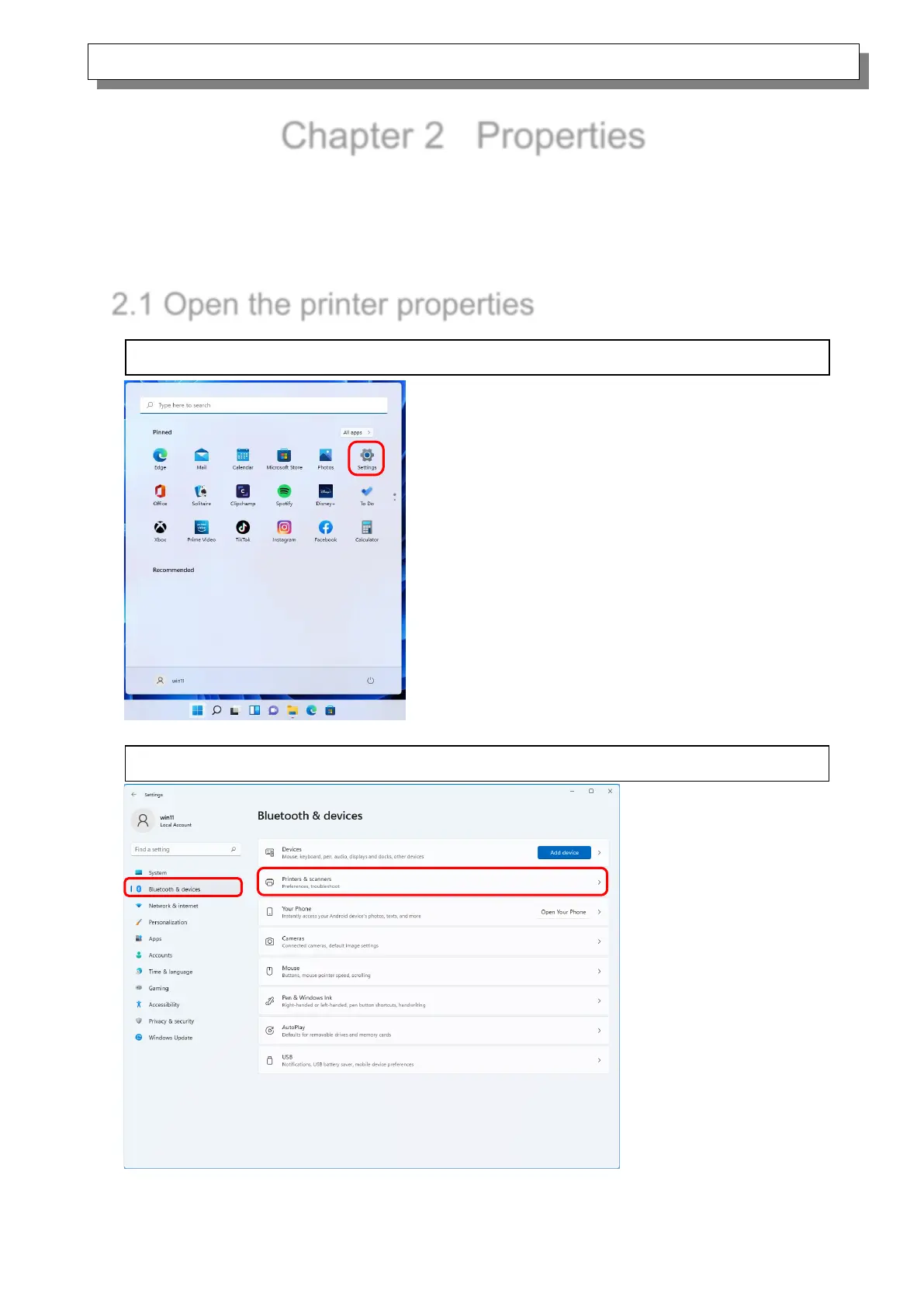
1. Click “Start”, and then select “Settings” to open the Settings screen.
2. From the “Settings” screen, select “Bluetooth & devices-> “Printers & scanners”.

Related product manuals