1.3 Install the printer driver
Use the USB cable to connect the printer and computer, and then switch on the power of the DP-
DS820 printer. After the printer is recognized, installation of the driver starts.
*For information on the connection, refer to the User Guide of the printer.
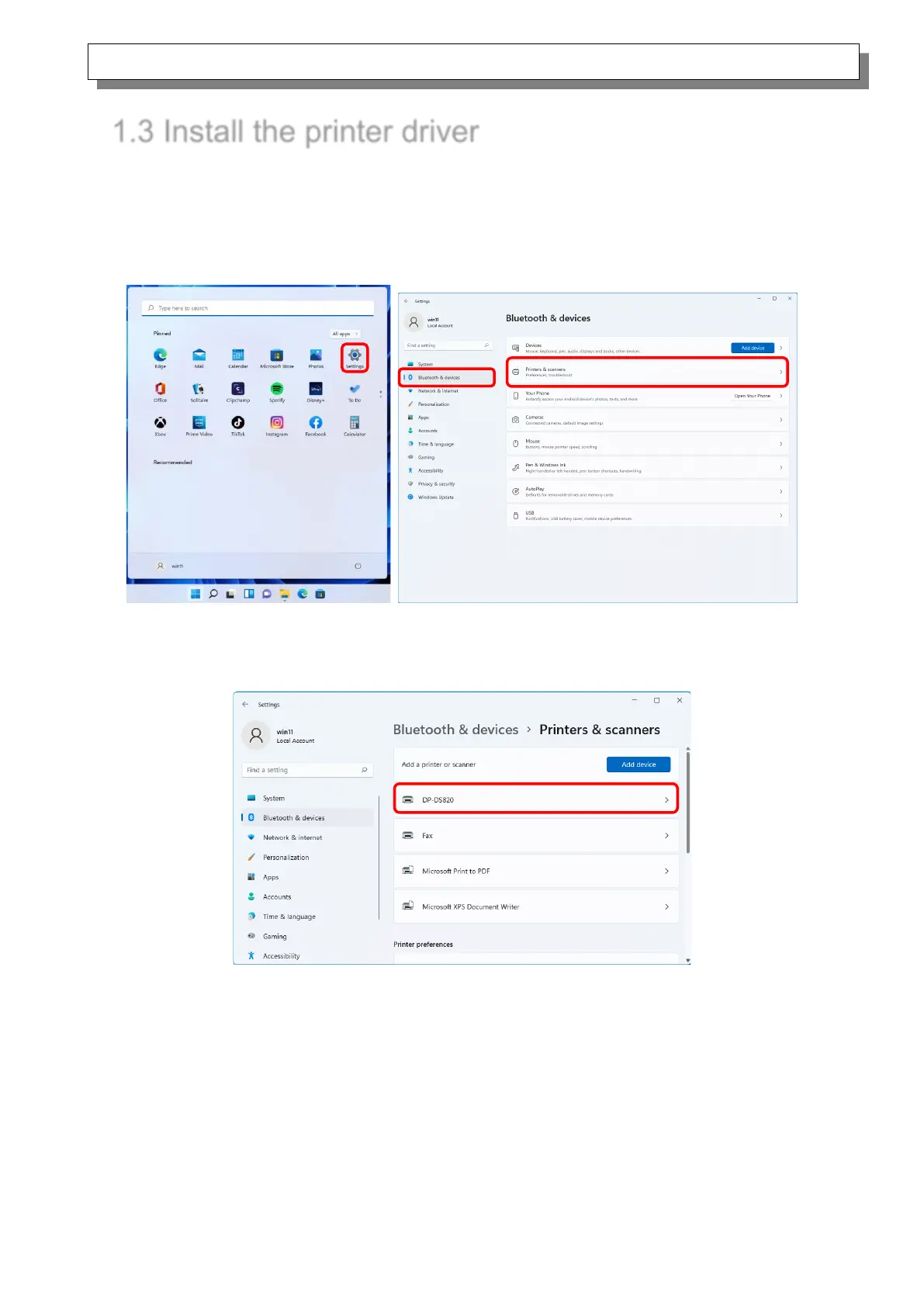
Click “Start”, select “Settings” -> “Bluetooth & devices”, and then open “Printers & scanners”.
Figure 1.3.1 Bluetooth & devices
On the Printers & scanners screen, check that DP-DS820 appears.
This completes installation of the printer driver.
Figure 1.3.2 Printers & scanners
After the installation of the printer driver is complete, always restart the computer.



 To Next Page