4.2 Manual deletion of printer drivers
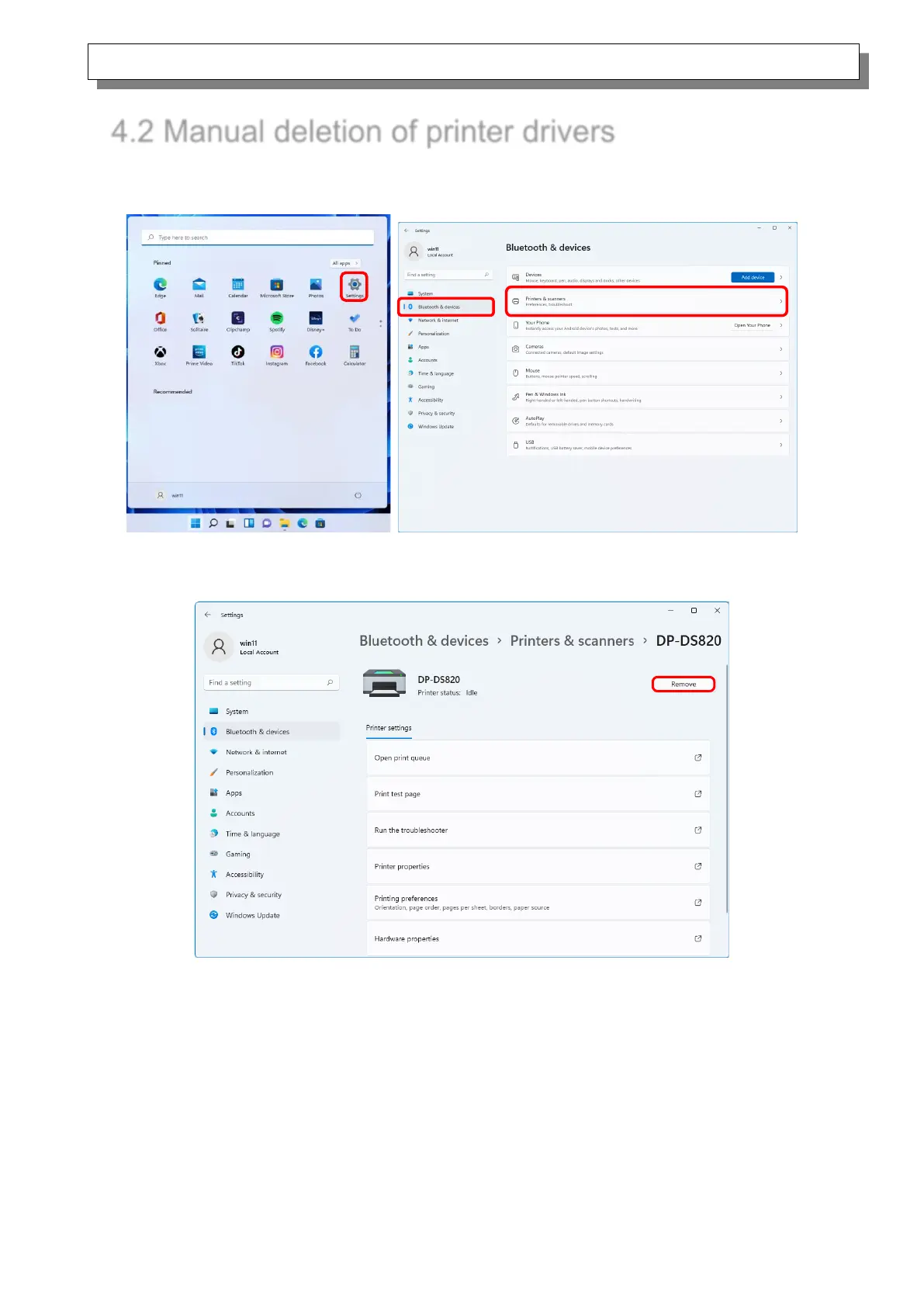
1) Click “Start”, select “Settings” -> “Bluetooth & devices”, and then open “Printers & scanners”.
Figure 4.2.1 Bluetooth & devices
2) From the “Printers & scanners” screen, select DP-DS820, and then click “Remove”.
Figure 4.2.2 Screen when DP-DS820 is selected and Remove is clicked



 To Next Page