If the printer is on but not connected, the DP-DS820 icon is not displayed. In such cases, use the
following procedure to delete the device.
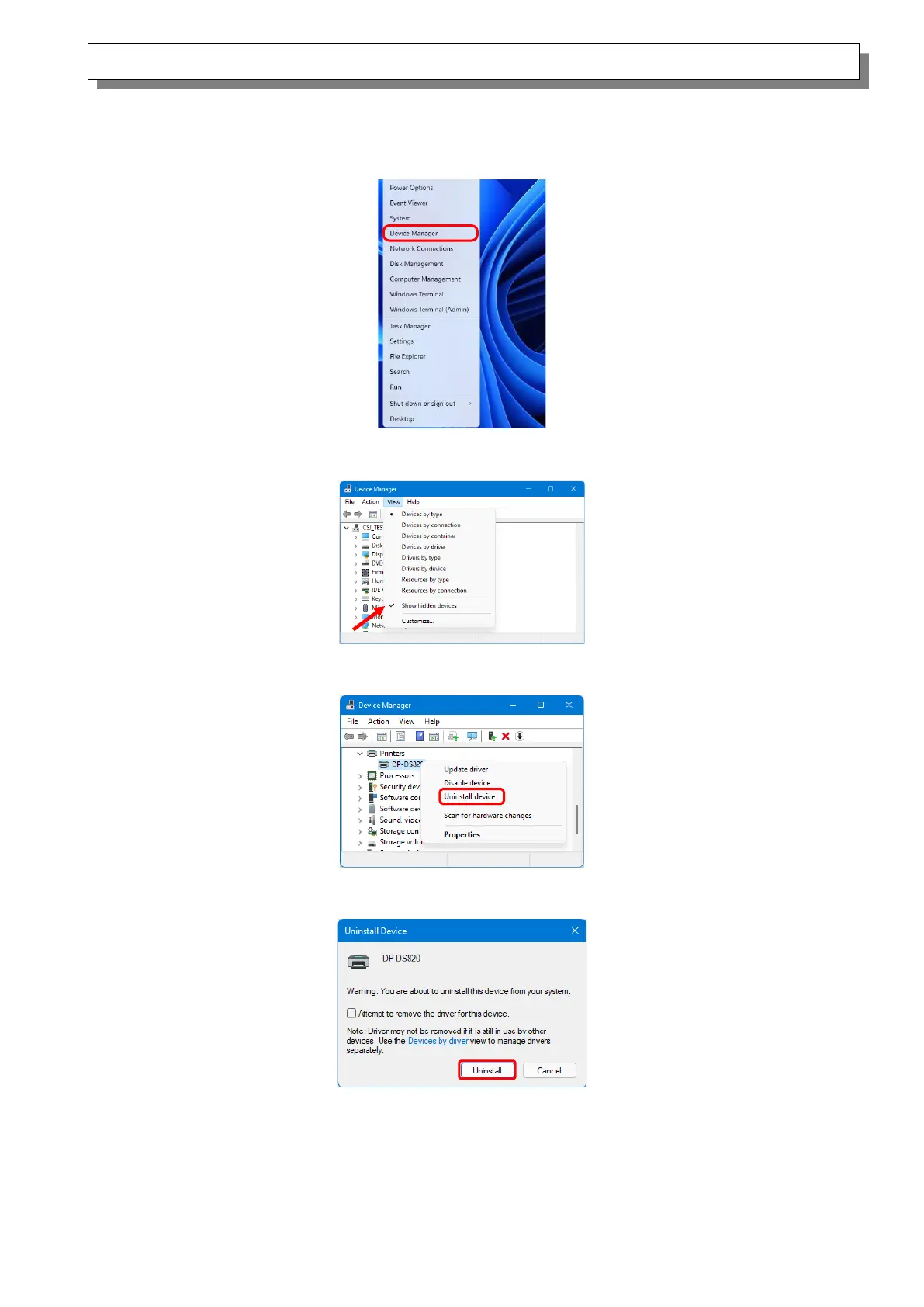
(i) Right click “Start”, and then select “Device Manager”.
Figure 4.2.2.i Screen when the Start button is right clicked
(ii) Click “View”, and then select “Show hidden devices”.
Figure 4.2.2.ii Displaying the View menu for hidden devices
(iii) Under “Printers”, right click “DP-DS820”, and then select “Uninstall device”.
Figure 4.2.2.iii Displaying the menu to delete DP-DS820
(iv) At the "Uninstall Device" screen, click “Uninstall”.
Figure 4.2.2.iv Uninstall Device screen



 To Next Page