3
[DP-DS820/DP-DS820 (A) Printer Driver] Instruction Manual (For Windows 11)
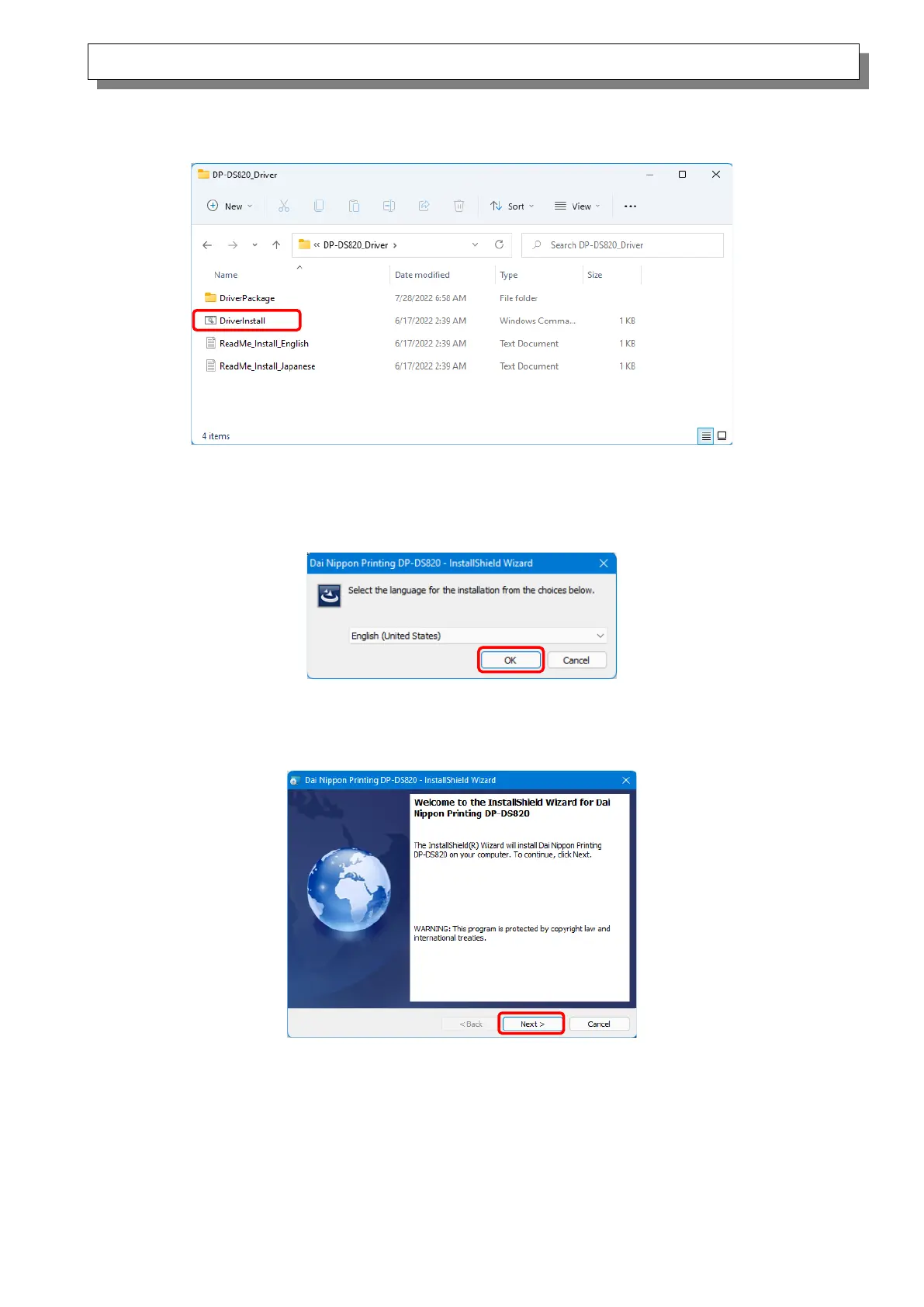
In the selected folder, double click the following file: DriverInstall.CMD. (Depending on your usage
environment, the .CMD extension may not be displayed.)
Figure 1.2.2 Installation file
When you start the installer, a window appears for selecting the language that will be used during the
installation. After you select the language to use, click “OK”.
Figure 1.2.3 Language selection screen
Click “Next >” when the Installation Wizard screen appears.
Figure 1.2.4 Installation Wizard start screen



 To Next Page