EasyManua.ls Logo

DNP DP-QW410 - 2.5 Print Area

DNP DP-QW410
40 pages
Print Icon
To Next Page IconTo Next Page
To Previous Page IconTo Previous Page
Loading...
25
[DP-QW410 Printer Driver] Instruction Manual (For Windows 11)
2.5 Print Area
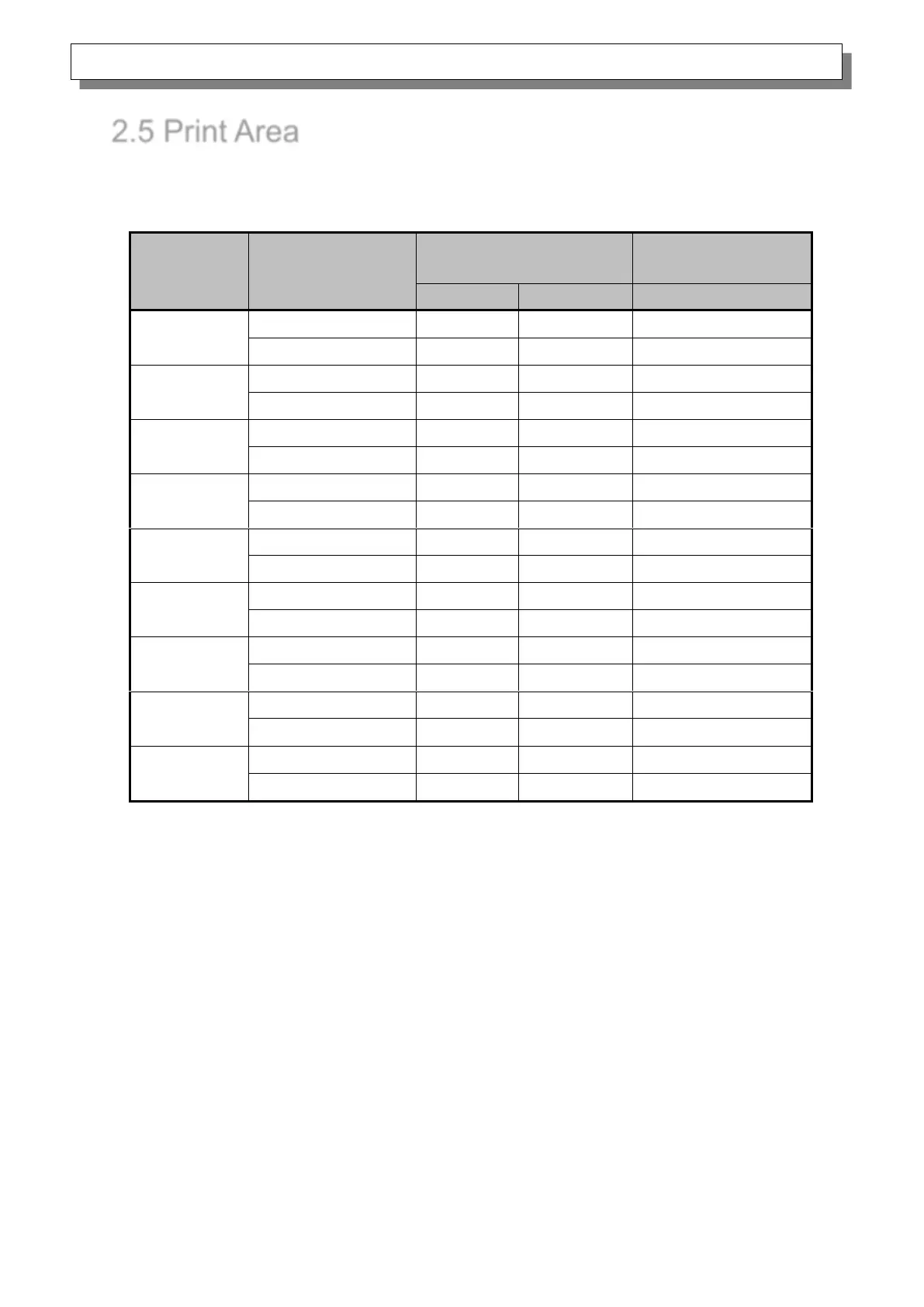
The following section shows the image sizes and numbers of dots generated by the paper size setting
of the driver.
Paper size
Print
direction
Image size
(width x height)
Number of image dots
(width x height)
(inch)
(mm)
300x300dpi
(4x3)
Portrait
4”x 3”
107.2 x 79.3
1266 x 936
Landscape
3”x 4”
79.3 x 107.2
936 x 1266
(4x4)
Portrait
4”x 4”
107.2 x 104.7
1266 x 1236
Landscape
4”x 4”
104.7 x 107.2
1236 x 1266
(4x4.5)
Portrait
4”x 4.5”
107.2 x 117.4
1266 x 1386
Landscape
4.5”x 4”
117.4 x 107.2
1386 x 1266
(4x6)
Portrait
4”x 6”
107.2 x 155.5
1266 x 1836
Landscape
6”x 4”
155.5 x 107.2
1836 x 1266
(4.5x3)
Portrait
4.5”x 3”
119.3 x 79.3
1408 x 936
Landscape
3”x 4.5”
79.3 x 119.3
936 x 1408
(4.5x4)
Portrait
4.5”x 4”
119.3 x 104.7
1408 x 1236
Landscape
4”x 4.5”
104.7 x 119.3
1236 x 1408
(4.5x4.5)
Portrait
4.5”x 4.5”
119.3 x 117.4
1408 x 1386
Landscape
4.5”x 4.5”
117.4 x 119.3
1386 x 1408
(4.5x6)
Portrait
4.5”x 6”
119.3 x 155.5
1408 x 1836
Landscape
6”x 4.5”
155.5 x 119.3
1836 x 1408
(4.5x8)
Portrait
4.5” x 8”
119.3 x 206.3
1408 x 2436
Landscape
8” x 4.5”
206.3 x 119.3
2436 x 1408