Chapter 3 Update the driver
As when performing the installation, log in as an administrator before carrying out this operation.
1. Check the job
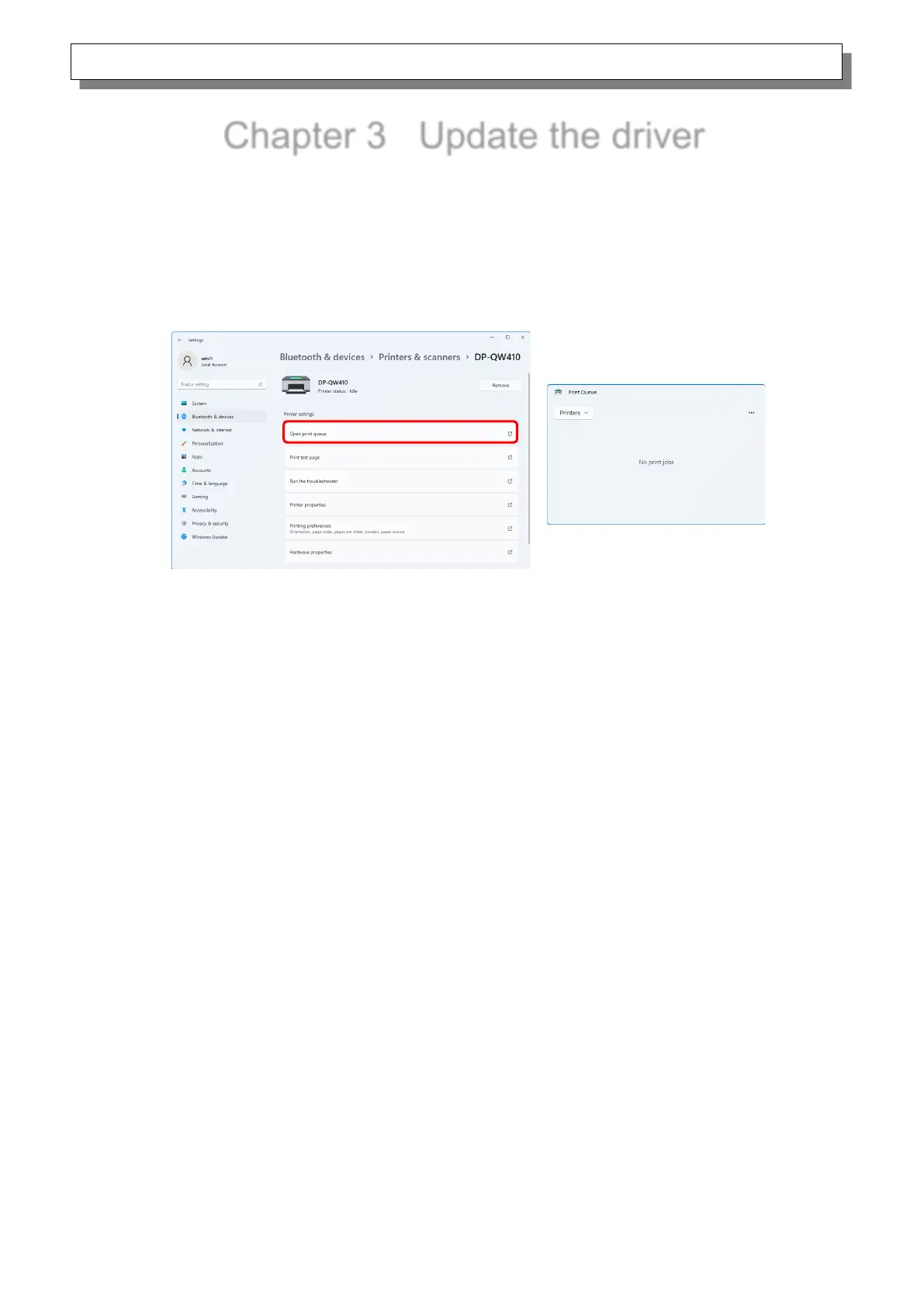
1) Before updating the printer driver, close all applications. Furthermore, click on the printer to be
deleted on the “Printers & scanners” screen, and then click “Open print queue”. Confirm that
there are no print jobs, and then start deletion of the driver.
Figure 3.1 Screen when Open print queue is clicked


 To Next Page