4.2 Manual deletion of printer drivers
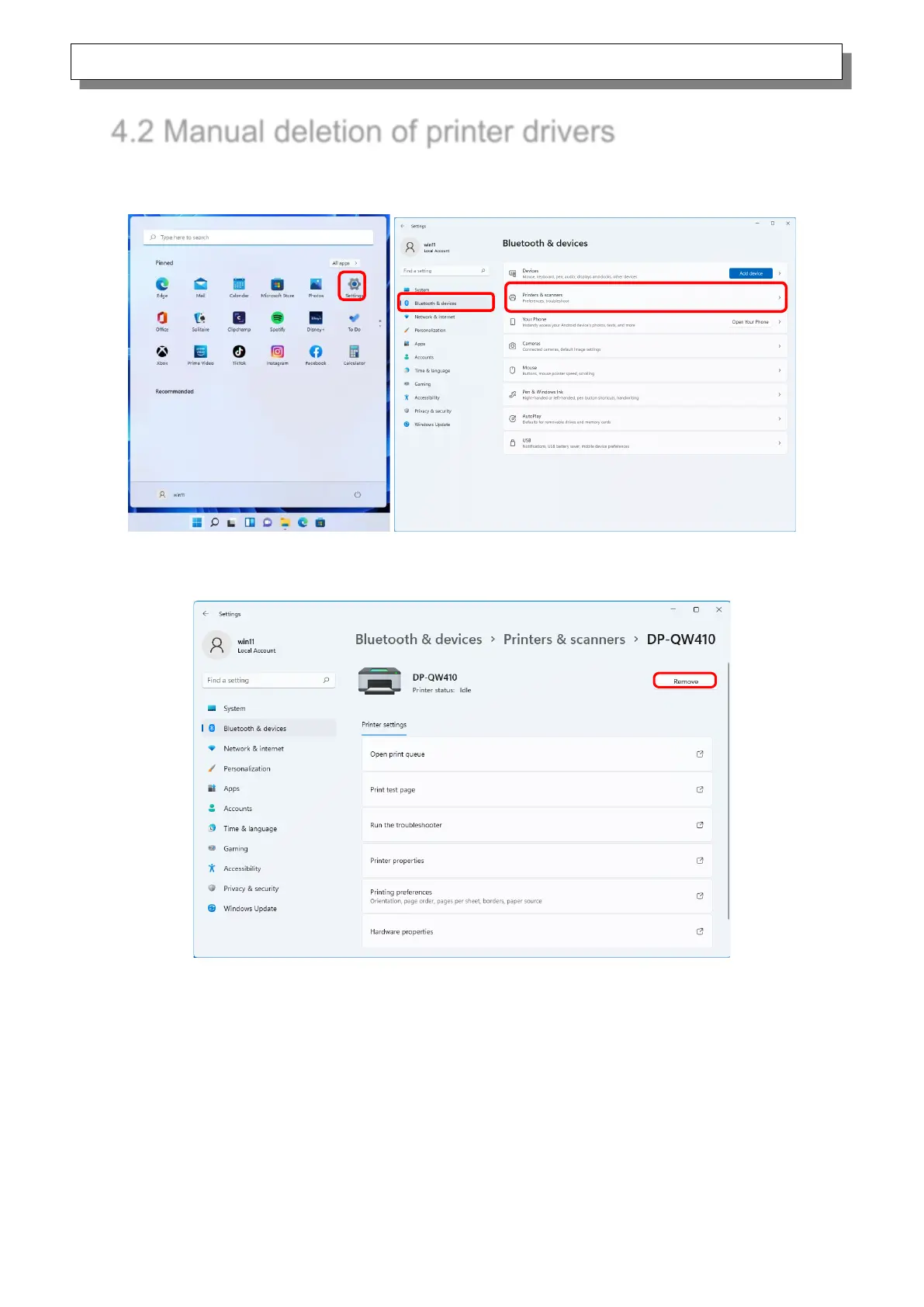
1) Click “Start”, select “Settings” -> “Bluetooth & devices”, and then open “Printers & scanners”.
Figure 4.2.1 Bluetooth & devices
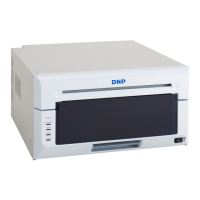
2) From the “Printers & scanners” screen, select DP-QW410, and then click “Remove”.
Figure 4.2.2 Screen when DP-QW410 is selected and Remove is clicked


 To Next Page