EasyManua.ls Logo

DNP DS?RX1 - Explanation of Print Setting Functions; Layout

DNP DS?RX1
33 pages
Print Icon
To Next Page IconTo Next Page
To Previous Page IconTo Previous Page
Loading...
14
Dai Nippon Printing Co.,Ltd.
[DS-RX1 Printer Driver] Instruction Manual for Windows Vista
2
2
.
.
2
2
E
E
x
x
p
p
l
l
a
a
n
n
a
a
t
t
i
i
o
o
n
n
o
o
f
f
P
P
r
r
i
i
n
n
t
t
S
S
e
e
t
t
t
t
i
i
n
n
g
g
F
F
u
u
n
n
c
c
t
t
i
i
o
o
n
n
s
s
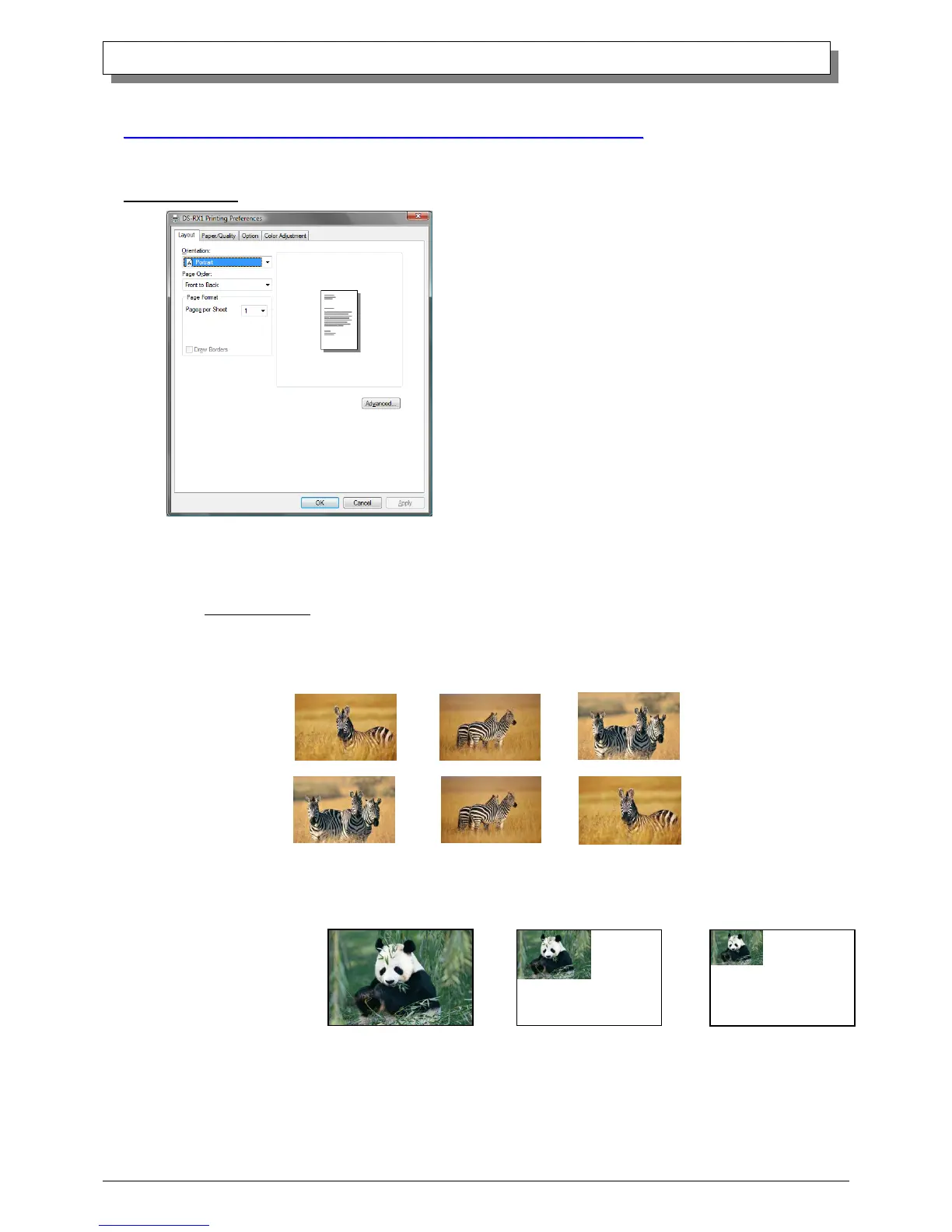
From the Properties window, by selecting Printing Preferences you can make various print settings.
2.2.1 Layout
Orientation
Assign print orientation as Landscape or Portrait.
Refer to 2.6 Print direction.
Page Order
When printing multiple images in the application, you can set the order.
Ex.) Print order
Pages per Sheet
Prints the designated fractional size.
Ex.) Fractional size

In order
Fig 2.2.1 Layout tab
No.1
No.2
No.3
1 (Whole)
11
4 (Quarter-size)
9 (One-ninth size)
11

Other manuals for DNP DS?RX1

Related product manuals