2.2.3 Paper/Quality
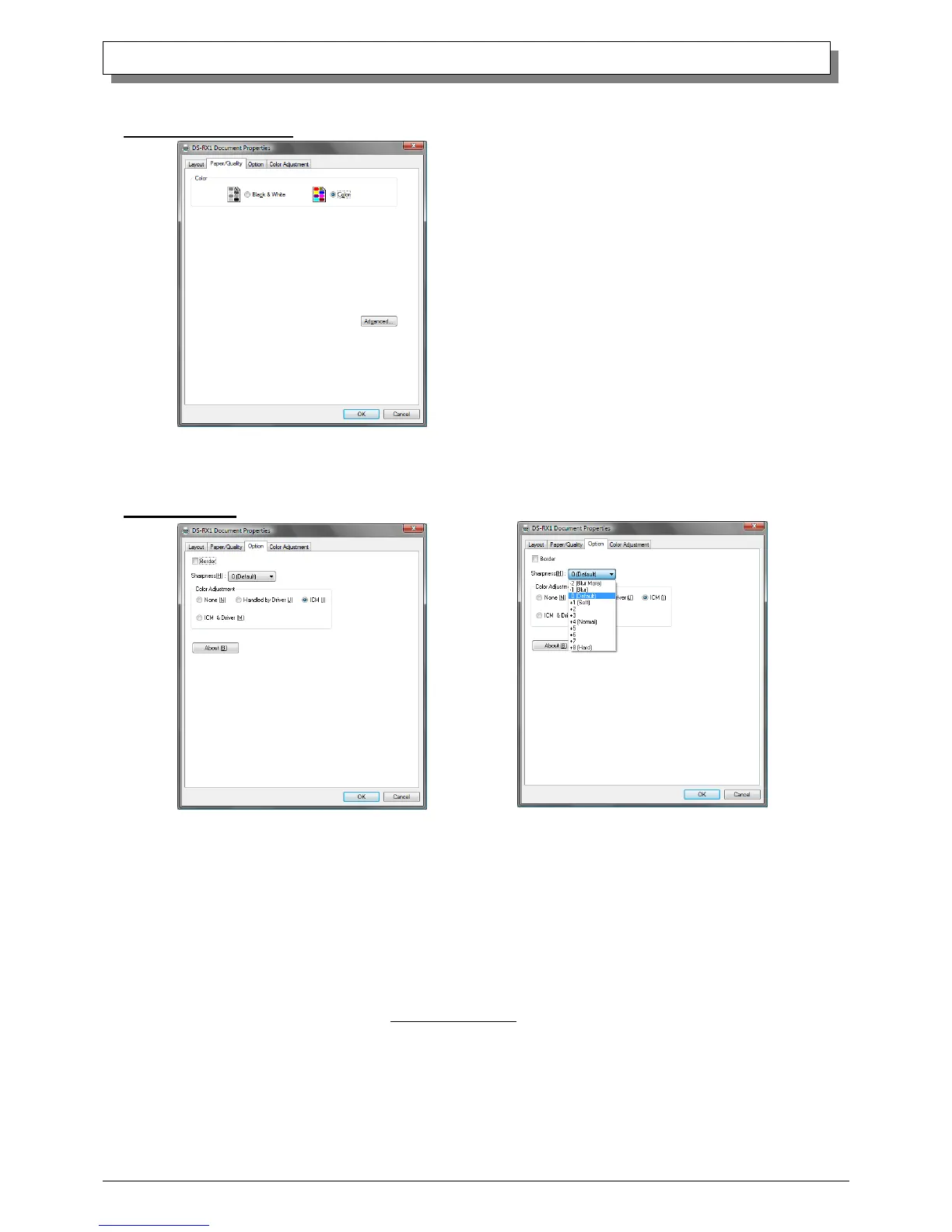
Color Please set to color print. Do not use for black and white printing.
2.2.4 Option
Border
Designates yes or no for border (check means with border). Synchronous with border in the Advanced Settings.
Sharpness
Processes for 11 sharpness levels (Fig 2.2.4.2). 0(Initial setting) means there is no sharpness processing. Minus(-) blurs the
image, and plus(+) increases the sharpness.
Color Adjustment
None
Synchronous with the ICM Method in the Advanced Settings. Checking this item disables ICM and the Color Adjustment
tab, and color management does not occur from the driver.
Handled by Driver
Checking this item disables ICM and 2.2.5 Color Adjustment is enabled. The adjustment values for gamma, brightness,
contrast, and chroma are shown.
ICM
Synchronous with the ICM Method in the Advanced Settings (ICM Handled by Host System). Checking this item enables
color management from the driver.
ICM & Driver
If you check this, ICM (color management) and color adjustment will be enabled.
About
Displays the driver version.



 To Next Page