Dai Nippon Printing Co.,Ltd.
[DS-RX1 Printer Driver] Instruction Manual for Windows Vista
2
2
.
.
3
3
D
D
e
e
f
f
a
a
u
u
l
l
t
t
V
V
a
a
l
l
u
u
e
e
s
s
f
f
o
o
r
r
V
V
a
a
r
r
i
i
o
o
u
u
s
s
S
S
e
e
t
t
t
t
i
i
n
n
g
g
s
s
Default values for each option (at the time of installation) are shown below. If the printer driver does not work correctly after
changing the options, please return the options to the default settings.
Note) According to the Service Pack and use environment of OS, the default value at the time of installation may differ from the following chart.
Advanced
(Click [Advanced]
button of Layout tab)
ICM Handled by Host
System
Advanced Printing Features
Chart 2.3 Print Setting Default Values
2
2
.
.
4
4
C
C
o
o
l
l
o
o
r
r
M
M
a
a
n
n
a
a
g
g
e
e
m
m
e
e
n
n
t
t
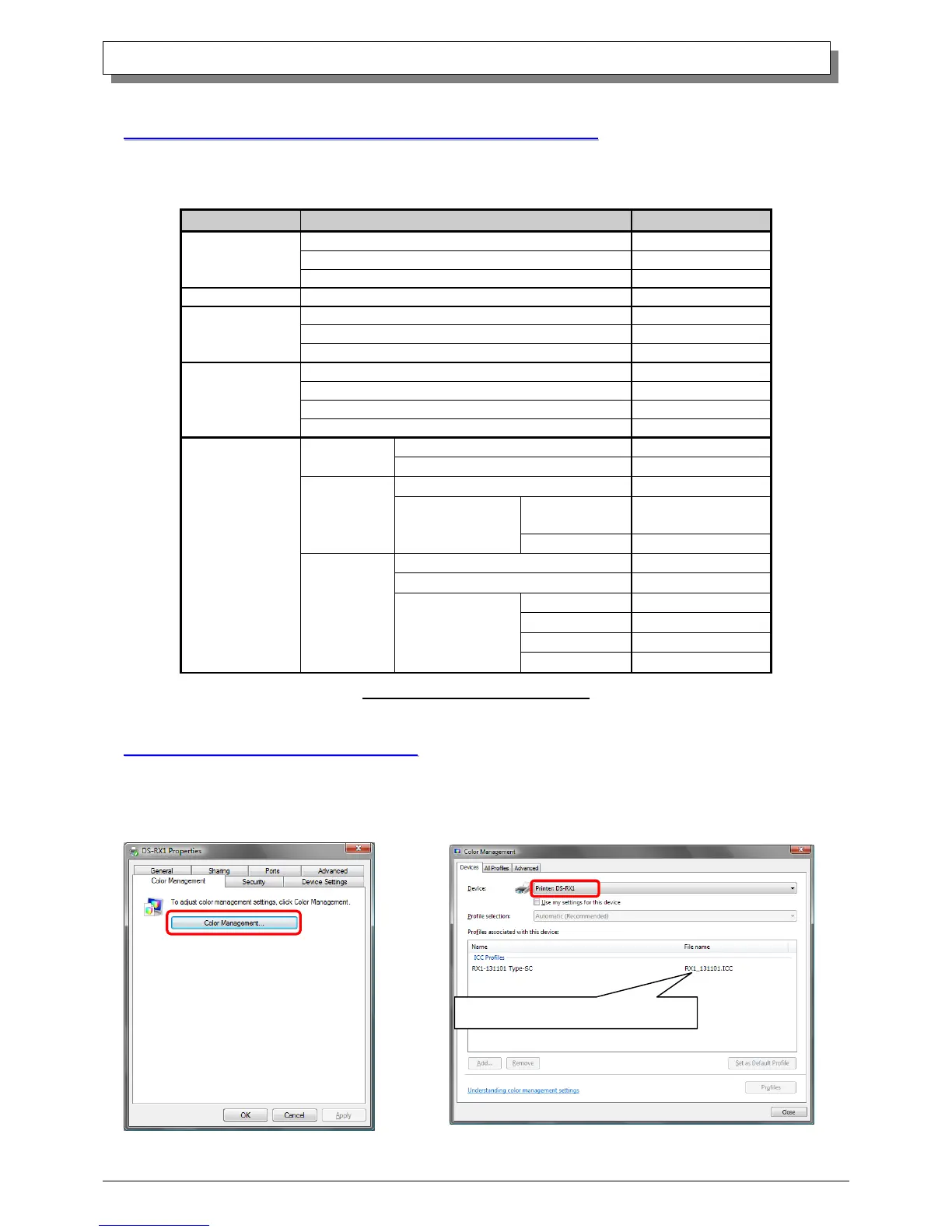
In [Color Management], this designates the color profile. Default at installation associates [RX1_xxxx.icc].
xxxx indicates the version.
Step 1. Select “Color Management” tab in “Printer
Properties”, and click on “Color Management” button.
Step 2. Choose printer: DS-RX1 from a device.
The installer associated this file



 To Next Page